SKRWT is a versatile perspective and lens correction application that helps you edit your phone photos to become more beautiful and sharp.
SKRWT v1.5.1 APK + MOD (Patched + Mod Extra)
| App Name | SKRWT |
|---|---|
| Publisher | mjagielski |
| Genre | Photography |
| Size | 5.7M |
| Latest Version | 1.5.1 build 166 |
| MOD Info | Patched + Mod Extra |
| Get it On |

|
MOD Info
- No root or Lucky Patcher or Google Play Modded required;
- Disabled / Removed unwanted Permissions + Receivers + Providers + Services;
- Optimized and zipaligned graphics and cleaned resources for fast load;
- Google Play Store install package check disabled;
- Debug code removed;
- Remove default .source tags name of the corresponding java files;
- Analytics / Crashlytics / Firebase disabled;
- Languages: Full Multi Languages;
- CPUs: universal architecture;
- Screen DPIs: 120dpi, 160dpi, 240dpi, 320dpi, 480dpi, 640dpi;
- Original package signature changed.
The SKRWT MOD APK provides a modified version of the photography tool that integrates several internal optimizations and removes tracking components. This specific build is patched to function independently, removing the requirement for external modification tools or specific store environments to operate correctly.
What’s Modified in SKRWT
- Modified to function without the requirement for root access, Lucky Patcher, or a modded version of the Google Play Store.
- Unnecessary permissions, receivers, providers, and background services have been disabled or removed to minimize the app’s footprint.
- Graphical assets have been optimized and zipaligned, and internal resources have been cleaned to facilitate faster loading times.
- All debug-related code has been stripped from the application to reduce complexity.
- The default .source tags associated with the corresponding Java files have been removed for a cleaner build.
- Data tracking and crash reporting services, including Analytics, Crashlytics, and Firebase, are completely disabled.
- Includes full multi-language support for a global user base.
- Compiled with a universal architecture to ensure compatibility across various CPU types.
- Optimized for a wide range of screen densities, supporting 120dpi, 160dpi, 240dpi, 320dpi, 480dpi, and 640dpi.
- The original package signature has been changed to a new one.
This build is version 1.5.1 build 166, with a file size of 5.7M and the package name accky.kreved.skrwt.skrwt; as the original package signature has been changed, this file cannot be installed as an update over a version downloaded from the official store.
About SKRWT
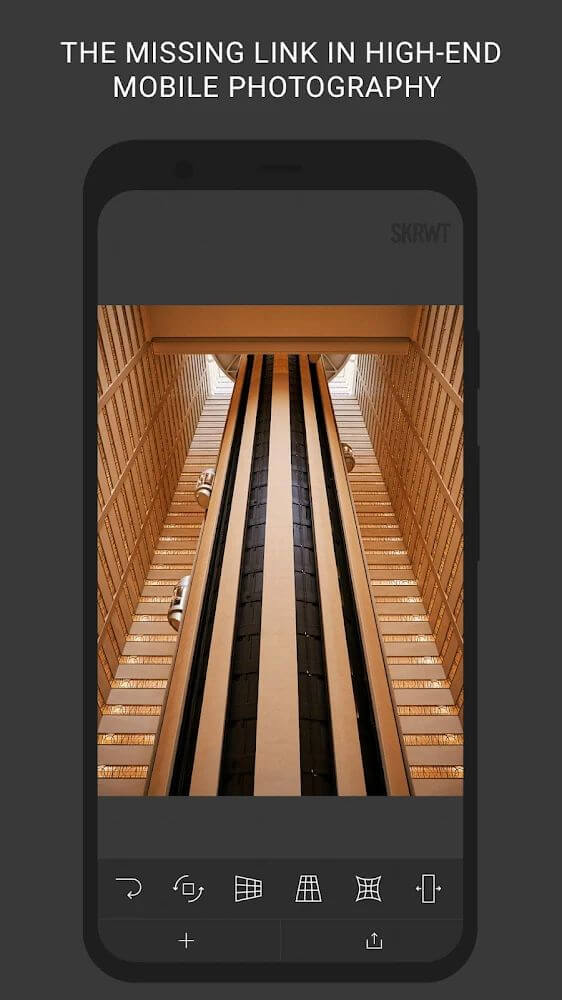
SKRWT caters to selective photographers who appreciate geometric balance and symmetry in their work. SKRWT targets mobile photography’s notorious distortion of vertical and horizontal lines. With five different tools SKRWT provides, to correct and align your mobile photography, you can finally capture great photos with great perspective. SKRWT redefines a low barrier to entry in mobile photography for that coveted structural adjustment that photoshop barely pays attention to. SKRWT empowers you to edit photos that are balanced, accurate, and beautiful, with crisp colors to boot.
Photographers appreciate clean lines. No greater detriment exists to architectural photography than poorly aligned diagonal lines. SKRWT forgives photographers of bad photography and aligns the hard lines of architecture back to their rightful place. User experience is high on the priority list. Color balance is swiftly done and your photos are ready for publication and framing.
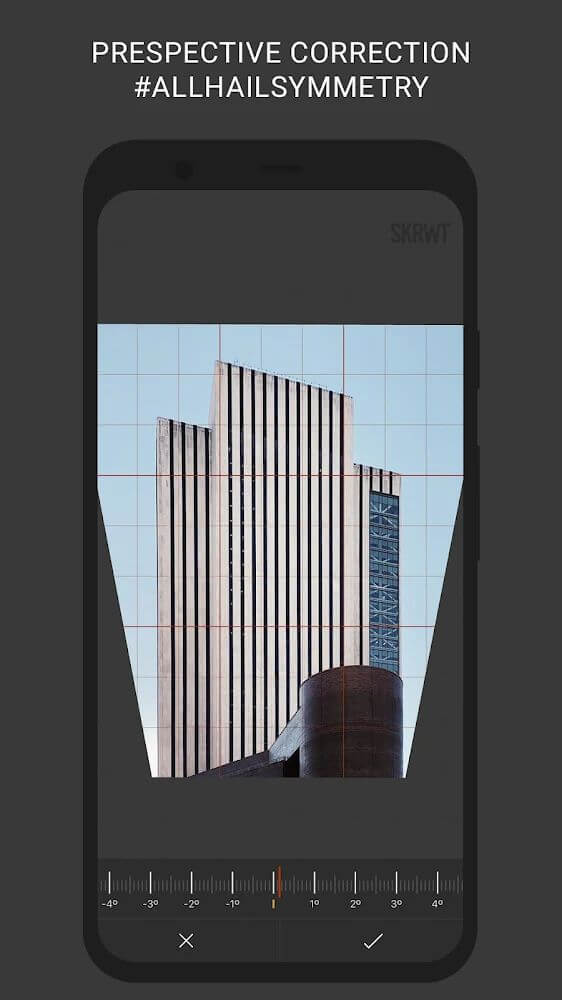
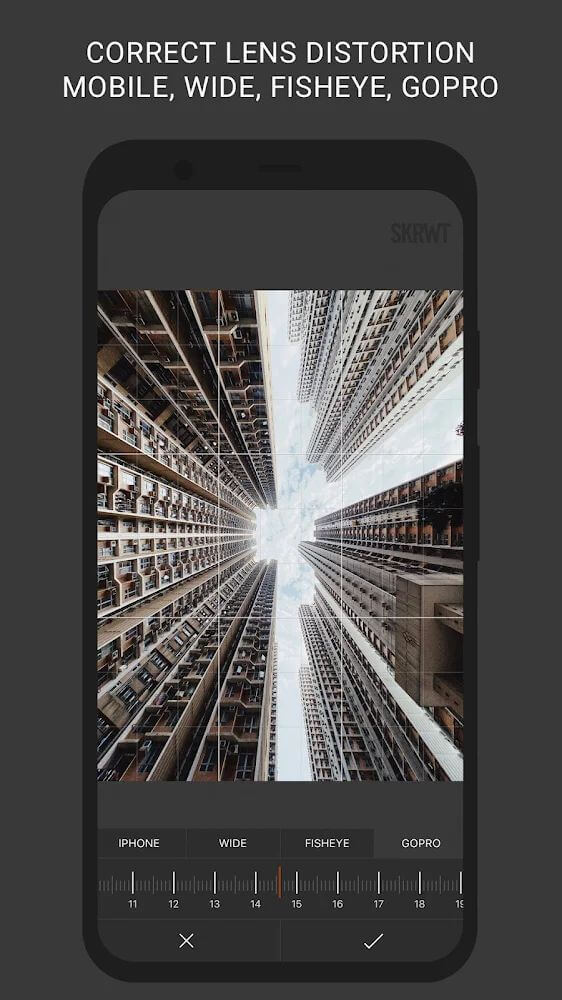
The application is able to work with the specific lens distortion that GoPro and other action cameras and drones have. GoPro and other action cameras and drones have wide angle lens which give that signature fish eye effect. Many applications automatically correct for this but gain a great deal of distortion in the process. This application keeps the normal geometry of the image while correcting for the distortion. Beyond automatic correction of perspective there is also a sophisticated 4 point perspective tool. This tool is also used to guide the user through perspective correction, but allows the user to manipulate 4 points in the image instead of the entire image. This allows images to be corrected to remove dead space and line up composition that would otherwise require a complex system of rotations to correct.
 |
 |
The ability to control and manipulate editing parameters provides users many opportunities to capture and present their images in their own unique and creative ways. In manual adjustment mode, users have the ability to adjust and edit elements like brightness, glossy, blur effects, background sharpness and blur, etc. An editable mode provides users with flexible control over editing their images. Some editing techniques can be very complicated and time consuming, and the ability to edit the photos with one click greatly simplifies the process. Perspective correction can lead to images losing their original aspect ratio, and irregularly shaped sides would result in an unbalanced and poorly done correction. The editing tool automatically balances the correction and maintains the aspect ratio of the image. A lot of editing techniques can result in image distortions. The designers foremost goal was to capture the interest and appreciation photography enthusiasts by providing limitless editing options in a manner as simple and polished as possible.
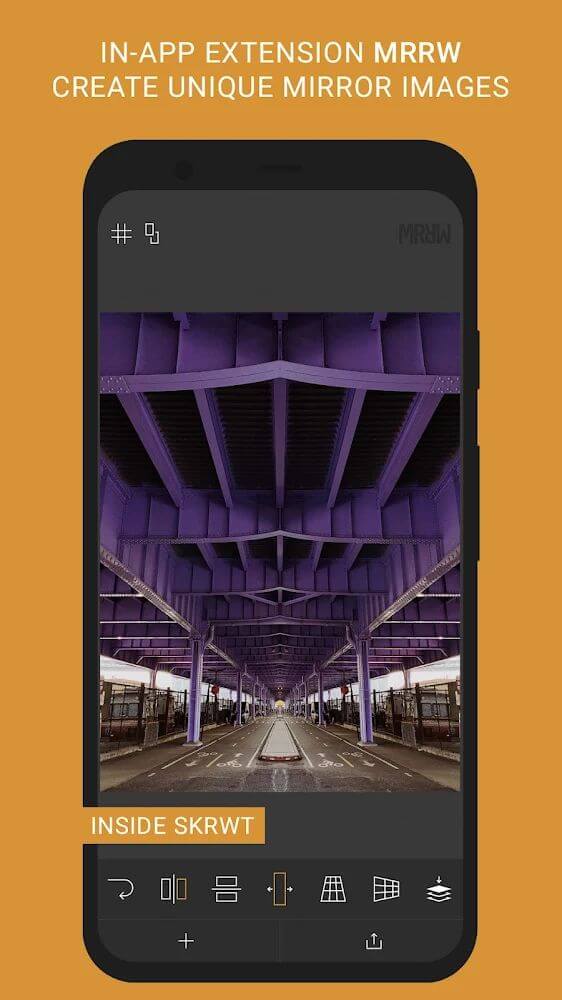
In addition to perspective and alignment, the application has a unique reflection effect to help users reveal the symmetry in their photos. Photographers now have four very modern reflection effects and can find a new artistic touch and compositional variations never seen in the original photograph. With new creative possibilities, and along with the high-precision mirroring, users can create new, striking photographs. We have now created an intuitive interface for the tools so that everyone can access all the edits for photography in a snap. To satisfy our users, we have now removed all in-app purchases, and with this latest update, we have added all the editing tools for structural photography. Tools for professional blurring and transforming photos with skewing will always stay user accessible and becoming even more effective.
Key features
- Correction of horizontal and vertical lines for perfect symmetry.
- Specialized lens distortion correction for GoPro and drone photography.
- Automatic image cropping for slanted or reversed photos.
- Built-in 4-point perspective tool for manual transformation and distortion.
- Manual adjustment of brightness, gloss, and background blur.
- Four modern reflection effects for high-precision image mirroring.
- Refined user interface designed for an intuitive editing workflow.
- Ability to fix dead corners and enhance compositions artistically.
 |
 |
Related MOD APKs
FAQ
What does SKRWT MOD APK unlock?
This SKRWT 1.5.1 build 166 includes Patched + Mod Extra. It functions like the mjagielski release, but with these specific modifications active once you install the file.
What is the latest version of SKRWT MOD APK?
The 1.5.1 build 166 matches the mjagielski release from January 17, 2022. We don’t keep older versions here. Update by installing this build over your current one. If you see a signature conflict, uninstall the previous version first.
Is SKRWT MOD APK safe to download?
This SKRWT 1.5.1 build 166 is the mjagielski app with Patched + Mod Extra. 2 users gave it 5/5 stars. It does not require root. You might see a Play Protect warning, so always download from this page.
Can I use SKRWT MOD APK on PC or iPhone?
You cannot install this on iPhone as it is for Android. To use the 5.7M file on a computer, run an emulator like BlueStacks or LDPlayer, then drag the APK into the software.
SKRWT v1.5.1 APK + MOD (Patched + Mod Extra) Download
Download (5.7M)You are now ready to download SKRWT for free. Here are some notes:
- Please read our MOD Info and installation instructions carefully for the game & app to work properly
- Downloading via 3rd party software like IDM, ADM (Direct link) is currently blocked for abuse reasons.
5/5 (2 votes)