Explore GTA 6 MOD ideas, Rockstar updates, platform compatibility and modding tips. Learn how to check downloads, compare features and protect your saved games.
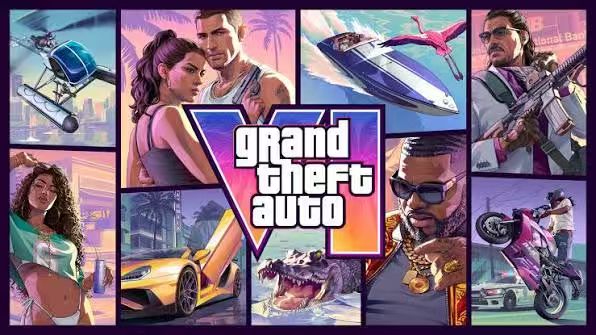

GTA VI (GTA 6) MOD (Unlimited Money, Cheat Code, Free)
| App Name | GTA VI (GTA 6) |
|---|---|
| Publisher | GTA VI |
| Genre | Role Playing |
| Latest Version | GTA 6 |
| MOD Info | Unlimited Money, Cheat Code, Free |
| Get it On |

|
A GTA 6 MOD could appeal to players for very different reasons. One person might want a cleaner driving display, another might prefer different vehicle handling, and a filmmaker might want more control over the camera. Each idea changes how someone experiences the same game world.
Before choosing a download, establish which game it actually modifies and where it runs. The GTA 6 name appears on projects made for earlier Grand Theft Auto games, so a title alone tells you little about compatibility. Understanding the intended game, supported platform and scope of a project will help you find something that matches what you want to change.
GTA 6 and Rockstar Updates in November 2026
Rockstar released Grand Theft Auto VI on November 19, 2026, for PlayStation 5 and Xbox Series X|S. As of November 23, those are the platforms listed on its official game page. Start there when checking whether a project’s platform claims match the available game. Rockstar’s official GTA 6 page
A mod advertised for Windows needs its own explanation of the game version and tools it uses. A console release date cannot establish compatibility with PC utilities. Likewise, footage of a modified interface needs enough context to identify the game underneath it.
For example, Drooga16’s “PAUSE MENU Grand Theft Auto VI GTA 6” is listed under GTA V Enhanced on Nexus Mods. Its description presents a pause menu inspired by GTA VI. Players interested in that visual style can assess it as a project for GTA V Enhanced, with that game’s requirements in mind. The creator’s mod listing
What Does a GTA 6 MOD Change?
A modification can affect presentation, controls, game behaviour or content. A small project might replace a menu layout. A larger one might introduce a vehicle or alter how traffic behaves. The amount of work involved depends on the game’s structure and the tools available to creators.
When browsing, look for a description of the exact change. “Improved realism” leaves plenty open to interpretation. A useful description explains whether that means longer braking distances, different weather colours, reduced screen clutter or another specific adjustment. That detail lets you decide whether the change suits your play style.
GTA 6 MOD Ideas Worth Exploring
The following are possibilities for future projects. Their availability would depend on platform access, compatible tools and the work of individual creators.
Vehicle Handling and Custom Cars
Driving offers plenty of room for personal preference. Some players enjoy responsive steering and quick recovery after a slide. Others would choose heavier handling, longer stopping distances and a more demanding approach to corners.
A future vehicle mod could focus on a single car or a wider handling system. For either approach, useful demonstrations would show braking, steering and collisions during ordinary play. Check whether a replacement occupies an existing vehicle slot and whether the creator explains how it behaves during missions. Those details matter when a car becomes part of a longer playthrough.
Graphics and Lighting Adjustments
A graphics project could change colour balance, contrast, reflections or the appearance of weather. The most appealing result depends on your display and preferences. You might want warmer daylight, subtler night lighting or a more muted look for screenshots.
When comparing a visual modification, use matching scenes at matching times of day. Check a dark street, a bright exterior and an interior with mixed lighting. A preset that looks attractive in one sunset image may make other scenes harder to read. Choose based on how the game looks while you are playing it.
Interface and Accessibility Options
An interface mod could give players more control over the information on screen. Adjustable text size, clearer icons and flexible display placement would be useful areas to explore.
Think about the moments when the interface gets in your way. Perhaps you struggle to read small prompts from the sofa, or several indicators compete for attention during driving. A focused change that addresses one of those problems could be more valuable to you than a complete visual redesign. Check controller navigation as well as screenshots when assessing an interface project.
Cameras and Filmmaking Tools
Players who enjoy making videos could benefit from additional camera controls, if compatible tools become available. Adjustable movement speed, repeatable camera paths and finer framing controls are possible directions for creators.
For a filming project, consider how the tool handles ordinary transitions. Moving indoors, entering a vehicle or starting a cutscene can change camera behaviour. A useful demonstration would show those moments along with the finished cinematic sequence. That helps you judge whether the tool fits the scenes you want to make.
Custom Activities and World Changes
A future gameplay project might add a driving challenge, a delivery activity or a new sequence of encounters. Larger changes could affect traffic patterns or how particular areas feel during exploration.
The best choice will depend on how you spend your time in GTA 6. Someone who enjoys unhurried driving may want different traffic behaviour, while another player may prefer a short activity with a clear objective. Look for information about saving progress and removing the project, especially when a change adds persistent data to a playthrough.
How to Assess a GTA 6 MOD Download
Read the full project page before installing anything. Identify the creator, intended game, supported edition, required utilities and installation method. A project with a narrow description and clear requirements is easier to evaluate than a bundle promising dozens of unrelated features.
Check the update history and recent user reports. Pay attention to comments mentioning the same game build and dependencies you use. A successful installation on an older build provides limited information about compatibility after a patch.
Watch for a clear account of what the files do. Be cautious if a download asks for account credentials, requires unexplained browser extensions or makes access dependent on completing offers. Keep your focus on the creator’s published files and instructions.
Rockstar Rules and Mod Compatibility
Rockstar directs players seeking information about Story Mode mods to its Terms of Service, Creator Platform License Agreement and Mod Guidelines. Check the current guidance against the project and game you intend to use. A creator’s description should make the intended mode and platform clear. Rockstar’s Story Mode mod guidance
Online play has account consequences to consider. Rockstar states that violations involving online modding, exploits and interference with other players can trigger account suspensions. Keep that policy in mind when a tool advertises online advantages or account changes. Rockstar’s online enforcement guidance
For any compatible project you choose, keep a recoverable copy of relevant saves and follow the author’s removal instructions. Add one modification at a time, then try ordinary activities such as loading a save, driving and starting a mission. This makes it easier to identify the cause if something changes unexpectedly.
Frequently Asked Questions About GTA 6 MODs
Can a GTA V Mod Work in GTA 6?
Treat compatibility as specific to each project. A creator would need to document support for the target game and its version. Similar visuals or familiar file names provide little information about whether a tool can work across games.
How Do I Choose the Best GTA 6 MOD?
Start with one change you want to make. Then compare projects by compatibility, documentation, recent maintenance and the quality of their demonstrations. Popularity can help you discover a project, while those details help you judge whether it suits your setup.
Will Graphics Mods Improve Performance?
Assess each project’s stated purpose and measured results. Sharper textures or more demanding effects may increase the work your hardware does. Look for comparisons using the same resolution, settings and scene, with both image quality and performance shown.
How Can I Keep Track of Updates?
Follow Rockstar’s official announcements for game information and the original creator’s page for project changes. Before updating a mod, read its release notes and check whether its required utilities need updating too. Keep a note of your working versions so you can return to a known setup if needed.
5/5 (550 votes)