Advanced Download Manager is a good application for helping the download process take place on your device. Users can adjust the download time or download multiple files at once with just a few simple steps.

Advanced Download Manager v15.0.43 MOD APK (Pro, Premium Unlocked)
| App Name | Advanced Download Manager |
|---|---|
| Publisher | AdvancedApp |
| Genre | Tools |
| Size | 45M |
| Latest Version | 15.0.43 |
| MOD Info | Pro Unlocked |
| Get it On |

|
This Advanced Download Manager MOD APK provides the Pro Unlocked version of the utility, removing limitations found in the standard build. It allows users to utilize the full range of download management features and interface customizations without restriction.
What’s Modified in Advanced Download Manager
- The Pro Unlocked modification enables all features of the application that are typically restricted to the professional version, allowing for unrestricted access to advanced settings and tools.
 |
 |
The Advanced Download Manager MOD APK is provided as version 14.0.43 with a file size of 45M under the package name com.dv.adm, and because it uses a custom signature, it cannot be installed as an update over the original store version.
About Advanced Download Manager
The key feature of Advanced Download Manager is the proprietary technology to speed up file downloads. This technology allows Advanced Download Manager to break down file transfers into smaller components and speed up the transfers by managing the transfer requests in a particular order. While other download managers passively display the status of transfers, Advanced Download Manager allows users to control transfers in a variety of ways to further accelerate transfer speeds and reduce the time necessary for transfers. One of the key features of this engine is the limitation to transfer three files simultaneously. However, the engine is designed to be multi-threaded and to further increase the download speed; users can eliminate the restriction on transfer of three files. The engine is designed to be flexible to allow processes to be automated to perform various functions to facilitate better control for users. The engine undergoes frequent updates to improve its features and usability.
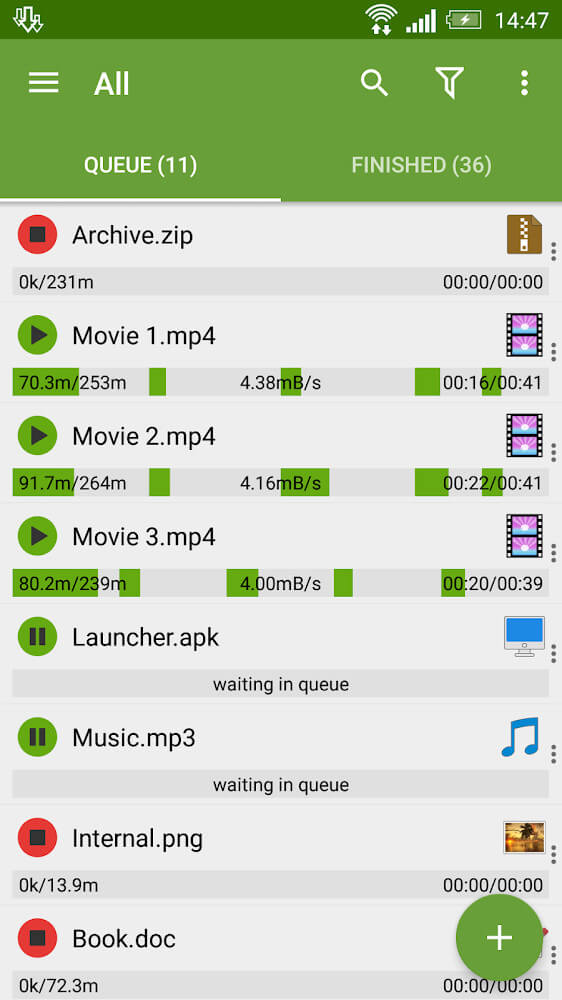
Managing data in the app comprises a set of direct commands. The app follows the principle of user interface design, where the management of complex data is subdivided into elementary commands. These commands are customizable. Elementary commands are embedded into the user interface in the form of default commands. For example, commands to start and stop a download are implemented as simple touch commands. Users can change the status of a download by touching an entry. A completed download can be opened for viewing by touching it. More information about a particular entry is made available by the system in response to a request for expansion. Users can change the status of a file for expansion to view more information about a file. By using this feature, users can maintain control over a large number of simultaneous or completed tasks.
What makes the application unique is the way it interacts with external browsers. It allows users to access online data through application-supported pathways and integrations. Users can access online data only if they allow the application the required permissions. To be specific, when a user clicks a link that is embedded in a web page, the user can access the linked data by invoking the application and performing a tap-and-hold gesture on the link. A connection to the data will be established if the application solves the security problems encountered while establishing the connection. In most cases, the application displays a series of questions to the user. Based on the user’s response to the questions, the application solves the security problems and establishes the connection to the data. The user completes the process of link establishment by invoking the Application Data Model (ADM). The application also has a feature that allows users to copy a link and sends it directly to the downloader. The application integrates the Clipboard to facilitate the process of link copying. As such, a user can copy a link from anywhere, and using the ADM Editor, the user can automatically load the copied link, and initiate a download.
Users can see the progress of a download by using a special kind of progress bar. This bar can be seen while the user is doing other tasks on the computer. This bar is smaller then other bars and is see through. This bar is placed on top of all other windows. If the user wishes to see more controls he/she can tap on this bar. The app has a function that allows the user to see a list of all files that have been downloaded. The list shows details for each file. The details include the size of the file, the date the file was downloaded, and the time the download was finished. This information is helpful when the user needs to see the history of files that were downloaded to make sure the files were downloaded correctly. This information is helpful for large files and large archives.
The program can help users effectively manage downloaded files over an extended period. The suggestion to utilize different folders to classify files is made to users. Users are free to re-organize downloaded files to classify or arrange them as per their preference or workflow. Files organised in this way are easy to access and retrieve. Files downloaded using the application are stored in a part of the storage space reserved for the application. This helps the application retrieve and manage files in an efficient and effective way. The application can perform these operations even if the user is performing other tasks on their device. This ensures that files are stored without corruption or loss.
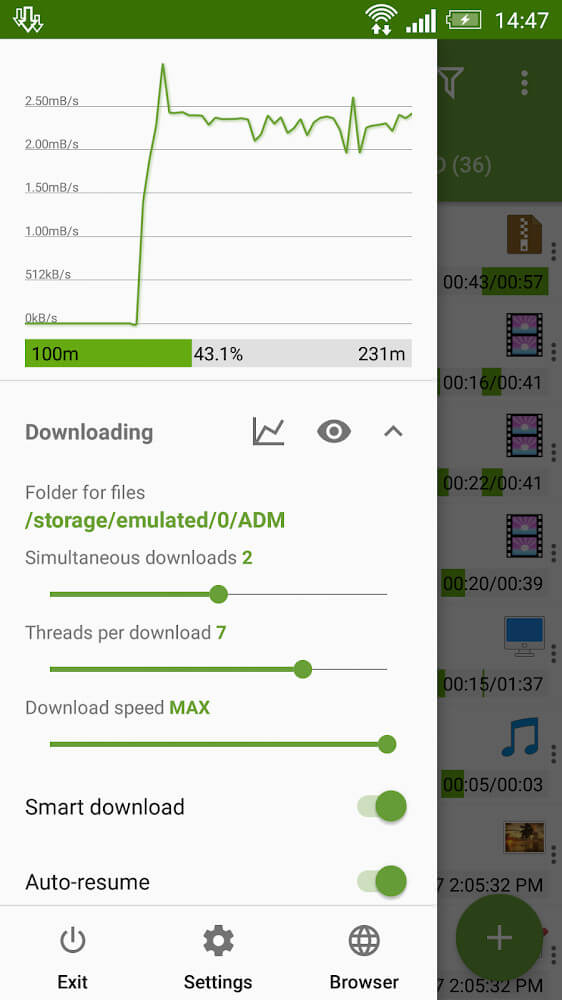
Users can customize the toolbars to suit their preferences, giving them a high degree of control over how they configure the application for automated downloads. Users can alter settings to tailor how commands are processed to best suit their preferences and skills. Users can manage how protective (or unsafe) the application is during the transfer. Although the application is fairly advanced, the GUI reflects a good deal of empty space and is somewhat simplistic, in large part to support user customization. Most commands are processed immediately. Overall the application is very responsive.
Key features
- Concurrent download of up to 3 files simultaneously
- Menu and interface editing for personalized layouts
- Touch-based controls to start and stop download tasks
- Tap-and-hold file expansion for detailed information
- Native browser link integration with security prompts
- ADM Editor for clipboard link management and manual entry
- Transparent progress bar visible on all active windows
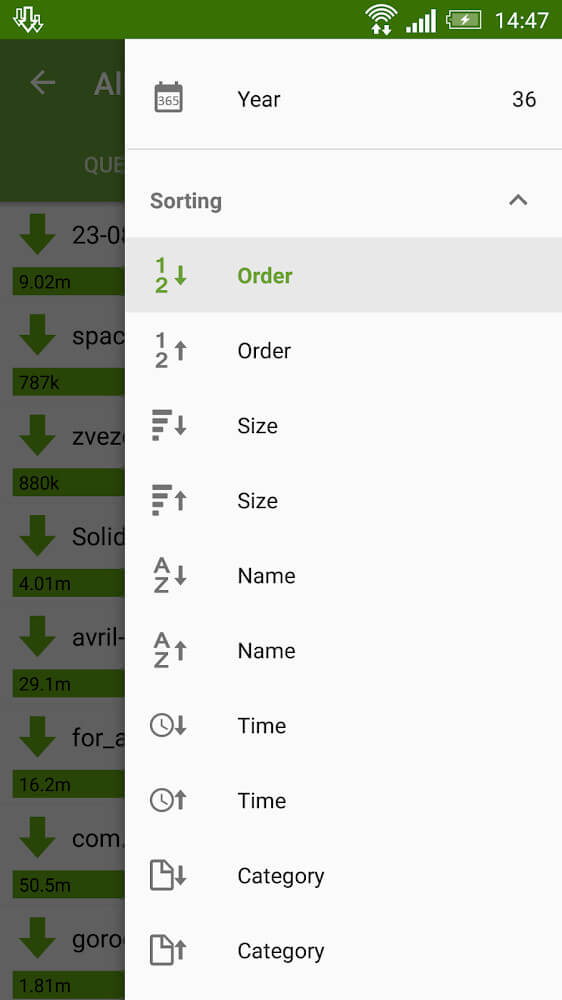
- Detailed download list tracking file name, weight, and date
- Customizable toolbars for adjusting acceleration and safety settings
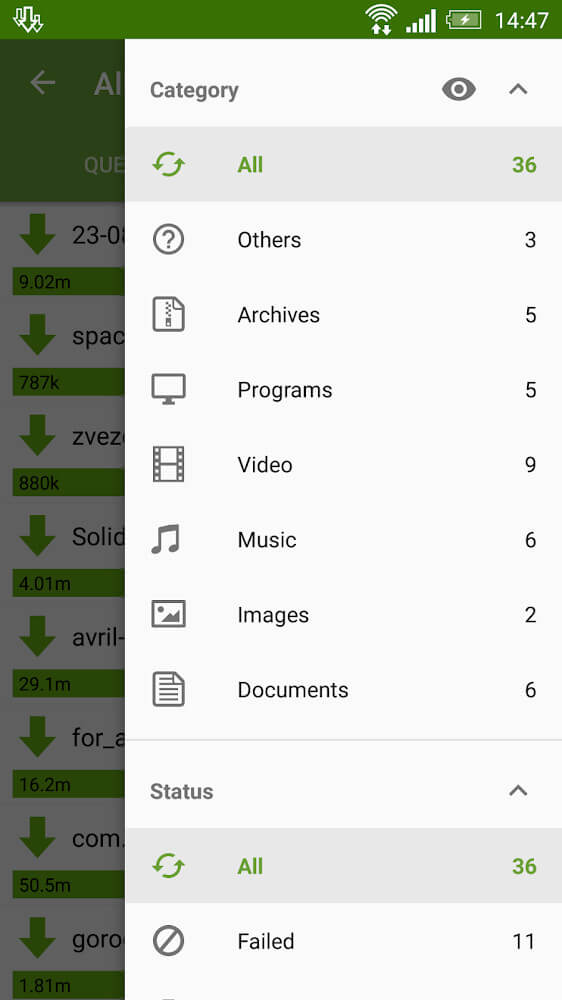
- Internal memory storage and dedicated folder management
 |
 |
Related MOD APKs
- MovieBox ID: Watch Movies, TV Series, K-Dramas & Anime for Free
- KWGT Kustom Widget Pro
- SnapTube
- Terabox
FAQ
Is Premium unlocked in Advanced Download Manager MOD APK?
This Advanced Download Manager (14.0.43) build features Pro Unlocked. It functions similarly to the AdvancedApp version, with all modifications active immediately after you complete the installation.
What is the latest version of Advanced Download Manager MOD APK?
Version 14.0.43 matches the AdvancedApp release from August 19, 2026. We don’t keep older versions here. Update by installing this file over your current app. If you see a signature error, delete the old version first.
Is Advanced Download Manager MOD APK safe to download?
This Advanced Download Manager 14.0.43 build from AdvancedApp includes Pro Unlocked. 75 users gave it a 3.5 rating. It does not require root. Ignore Play Protect warnings during setup, but always download from this page.
Can I use Advanced Download Manager MOD APK on PC or iPhone?
This Android file cannot run on iPhone. To use the 45M package on a computer, install an emulator like BlueStacks or LDPlayer, then drag the file into the software window.
Advanced Download Manager v15.0.43 MOD APK (Pro, Premium Unlocked) Download
Download (45M)You are now ready to download Advanced Download Manager for free. Here are some notes:
- Please read our MOD Info and installation instructions carefully for the game & app to work properly
- Downloading via 3rd party software like IDM, ADM (Direct link) is currently blocked for abuse reasons.
3.5/5 (75 votes)