
App Manager MOD APK provides a build where the premium features are unlocked for the user. This modification allows for the full use of the application’s management and organization tools without the need for additional purchases.
What’s Modified in App Manager
- Premium Unlocked: Access to the premium version features is granted, allowing for full use of the tool’s management capabilities without restrictions.
 |
 |
This version is 4.1.0, has a file size of 10M, and uses the package name com.lb.app_manager; since this file is re-signed, it cannot be installed over an existing version from the official store.
About App Manager
App Manager is a tool designed to help users arrange and organize applications on their Android devices. The aim of App Manager is to address the problem of managing a large number of applications. App Manager helps users position applications in the best possible way to suit their workflow. One of the prime features of App Manager is to help users install or uninstall applications with just a single touch, and avoid using long and complicated procedures available in system application menus. By removing these constraints, App Manager enables users to adjust and make changes to applications on their Android devices quickly and easily, just the way users want it. App Manager is designed for users who are particular about the organization and speed of their Android devices.
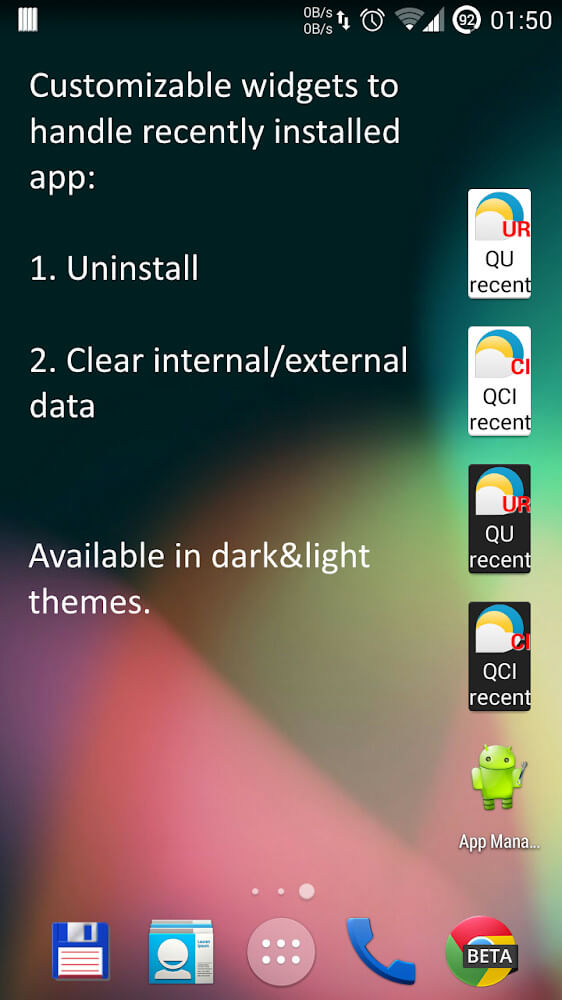
The tool addresses various challenges associated with the performance of devices and the management of storage on the device. When mobile devices have a number of applications installed, it often leads to the device becoming very sluggish and unresponsive. Also, if the applications consume a lot of storage space, it makes the device very unresponsive and uncomfortable to use. App Manager solves these problems by enabling users to uninstall applications that they find uncomfortable or unnecessary. Instead of using the lengthy and complicated system settings to uninstall applications, App Manager enables the user to manage applications the way they see fit. The application uninstallation process is very simple. The user only needs to long press on an application they do not want, and confirm to remove it.
Beyond basic installation and removal, this application allows more advanced management of applications that require administration of the device. This is particularly important to users that need to manage more advanced and integrated system applications. The application also allows users to customize other basic utilities and thus, enhance control of the device. One of the best features of this application is the ability to uninstall applications, even while they are being used. It also allows users to remove applications from the device, without going to the management application menu. These features provide a higher level of control that is missing in natives system management tools.
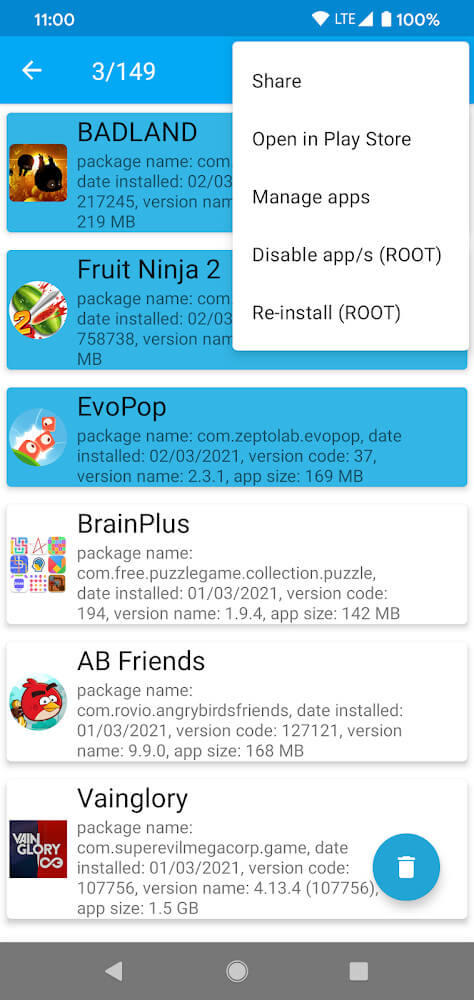
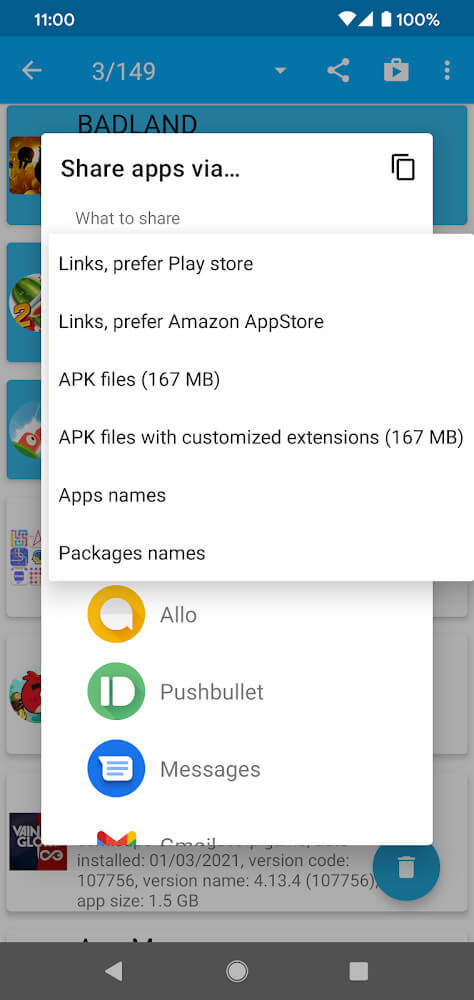
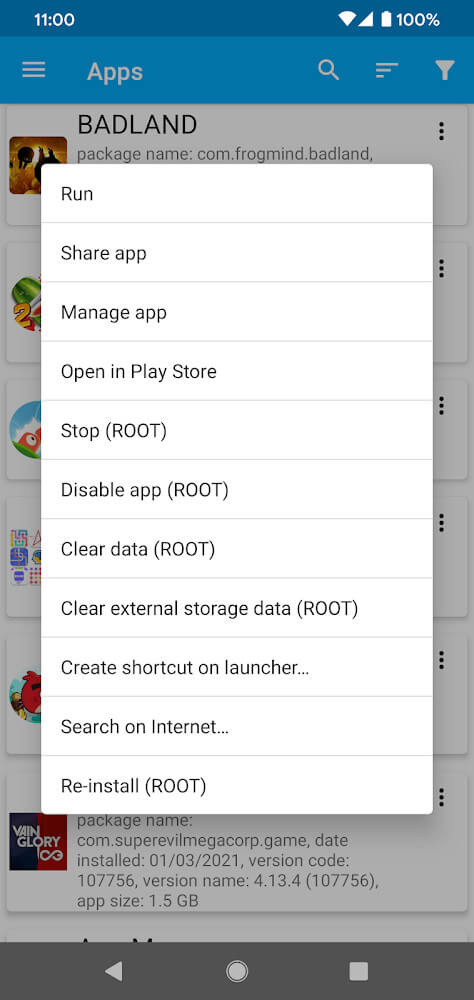
This tool improves the efficiency and reliability of application installation. With this tool, the user has full control over the installation of applications, meaning that other processes or factors will not interrupt the flow. It can manage a group of applications at the same time, which helps in performing bulk operations. The interface offers users great flexibility in how they interact with the managed applications. Users have the flexibility to manage applications to run local operations or share managed applications with others, all dependent on individual requirements. It supports the quick and easy sharing of applications with others.
 |
 |
The management of application data is another crucial feature of the tool. With time, applications can accumulate junk data which can slow down the device and clutter the memory. This tool provides a way to easily get rid of junk data for all applications. It offers an integrated way of removing these data for all applications within its management interface. This tool plays an important role in keeping devices functional by removing unneeded files which serve no purpose.
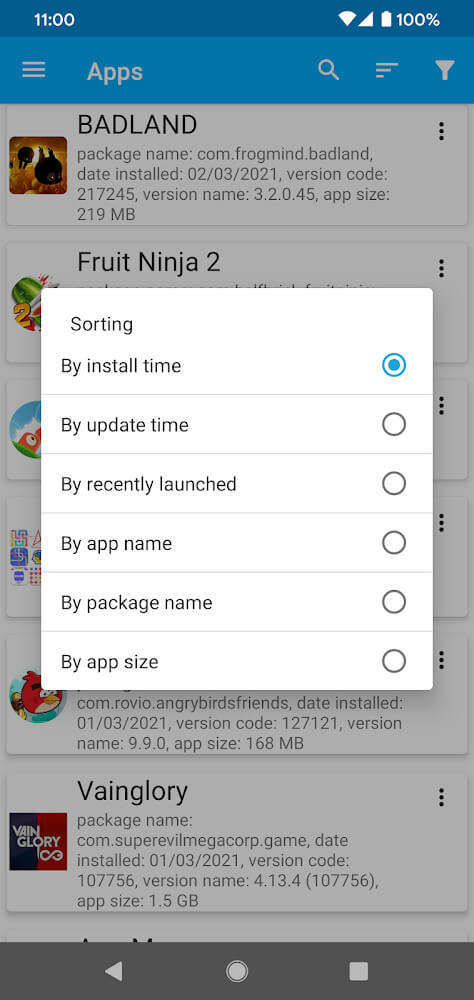
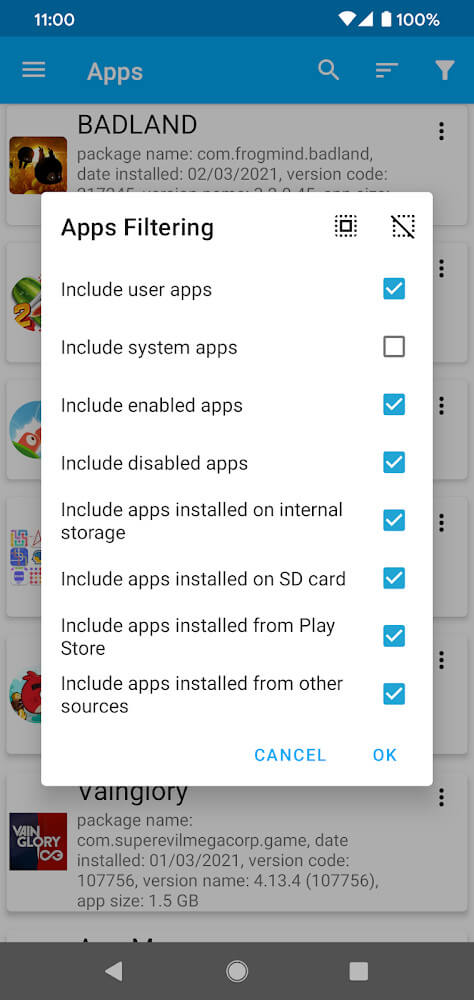
Users can also sort and categorize applications in a variety of ways to organize their software library. When the software is first installed, it will scan and sort the applications by different factors such as the time they were installed, their names, and the amount of memory they consume. This provides easy identification of recently installed applications as well as applications that take up the most storage space. Users can modify the filters or create their own filters to create categories that suit their preferences. This can also be used to group frequently used applications. Overall, this gives users a lot of flexibility to organize their applications in a way that is most useful to them.
Key features
- One-touch installation and removal
- Administrative rights management
- Utility customization
- Long-press uninstall operation
- Application sharing
- Junk data deletion
- Sorting by installation time
- Sorting by name
- Sorting by memory usage
- Custom category filtering
 |
 |
Related MOD APKs
- MovieBox ID: Watch Movies, TV Series, K-Dramas & Anime for Free
- KWGT Kustom Widget Pro
- SnapTube
- Terabox
FAQ
Is Premium unlocked in App Manager MOD APK?
In this build of App Manager (4.1.0), the following is modified: Premium Unlocked. Everything else works like the official AndroidDeveloperLB release, and the changes are live as soon as you install.
What is the latest version of App Manager MOD APK?
The current build is v4.1.0, matching AndroidDeveloperLB’s release, last updated on August 23, 2026. We don’t keep older versions here. To update, install the new build from this page over the existing one; if Android reports a signature conflict, uninstall the old build first.
Is App Manager MOD APK safe to download?
App Manager MOD APK v4.1.0 on MODYOLO is AndroidDeveloperLB’s original app with only Premium Unlocked modified. 23 users have rated it 4/5 here. It does not require root. A Play Protect warning during install is expected, so always download from this page.
Can I use App Manager MOD APK on PC or iPhone?
This is an Android package, so it won’t install on iPhone or iPad. On Windows or macOS you can run the 10M APK in an Android emulator such as BlueStacks or LDPlayer—install the emulator, then drag the file in.