Boost productivity and reclaim your time with Flow Minimalist Launcher MOD APK. Reduce distractions, stay focused, and simplify your phone with a sleek, minimalist UI.
Flow Minimalist Launcher v40.2.6 MOD APK (Premium Unlocked)
| App Name | Flow Minimalist Launcher |
|---|---|
| Publisher | Thinklikepro |
| Genre | Productivity |
| Size | 22.6M |
| Latest Version | 40.2.6 |
| MOD Info | Premium Unlocked |
| Get it On |

|
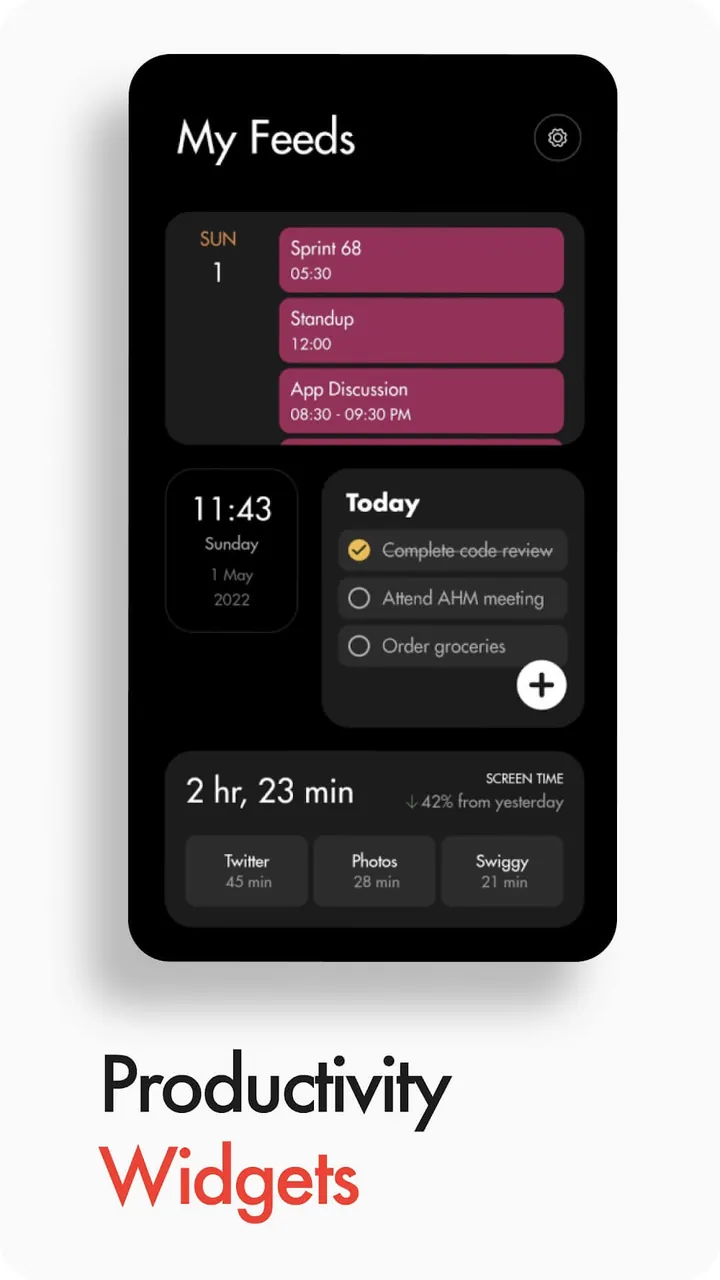
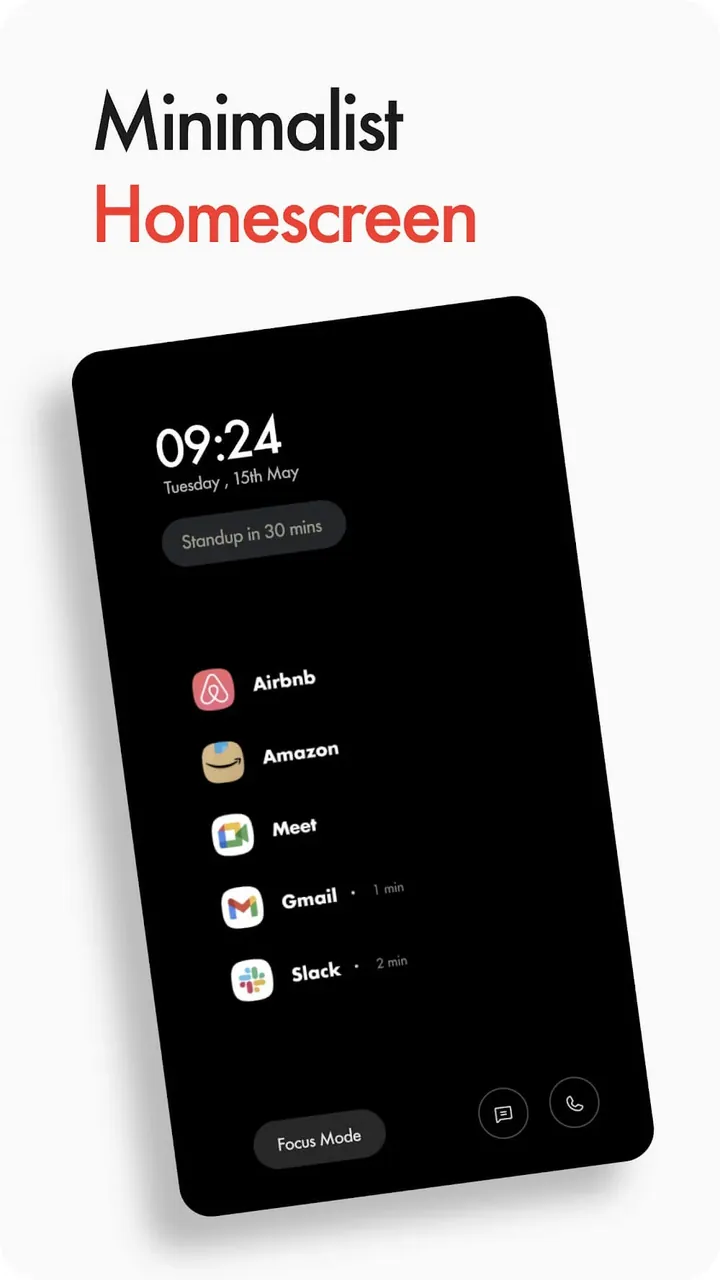
This build provides access to the premium features of the application. By using Flow Minimalist Launcher MOD APK, users can utilize the full suite of customization and productivity tools without the standard restrictions of the free version.
What’s Modified in Flow Minimalist Launcher
- The Premium Unlocked modification enables all paid features within the application interface.
This Flow Minimalist Launcher MOD APK build is version 40.1.4 with a file size of 12M and the package name com.app.flowlauncher, and because it is re-signed, it cannot be installed over an existing copy from the official store.
About Flow Minimalist Launcher
Flow Minimalist Launcher is designed as an all-in-one solution to let users control their digital consumption and reduce their excessive screen time. Recognizing how the modern smartphones get filled with unending notifications and visual distractions, the app provides a way to regain control on how a user interacts with their mobile device. The aim is to develop a productive relationship with the device by getting rid of the elements that lead to mindless scrolling and digital fatigue. The app is aimed to help those users who feel overwhelmed by the standard smartphone experience and need to be in control, be it a student who needs to take control of their mind and eyes to engage in deep study sessions to gain and process knowledge or a professional who wants to optimize and manage their time to get the most out of their daily work output. By getting rid of all the visual distractions, the app prompts users to take charge of the things that truly matter to them, instead of chasing after every single notification.
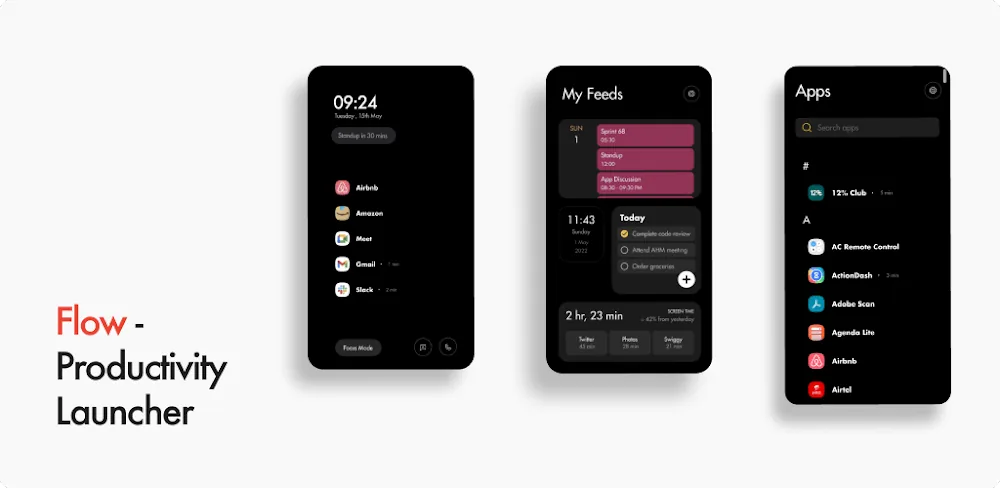
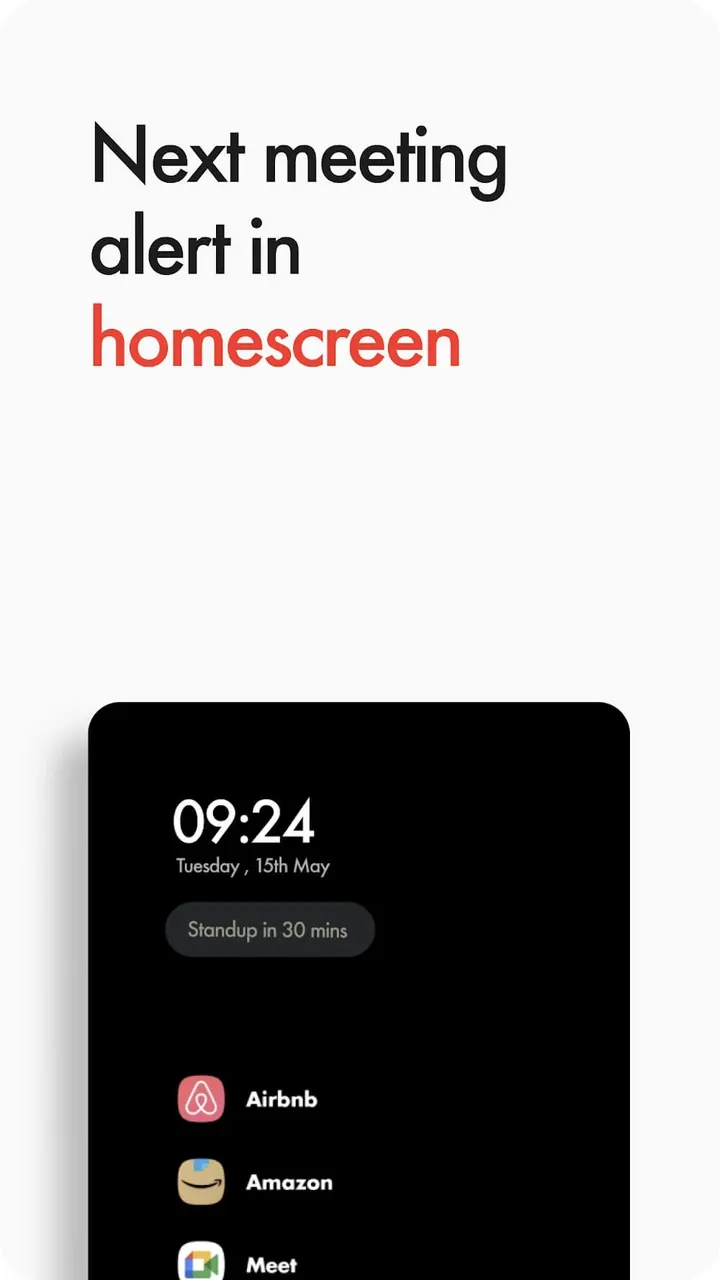
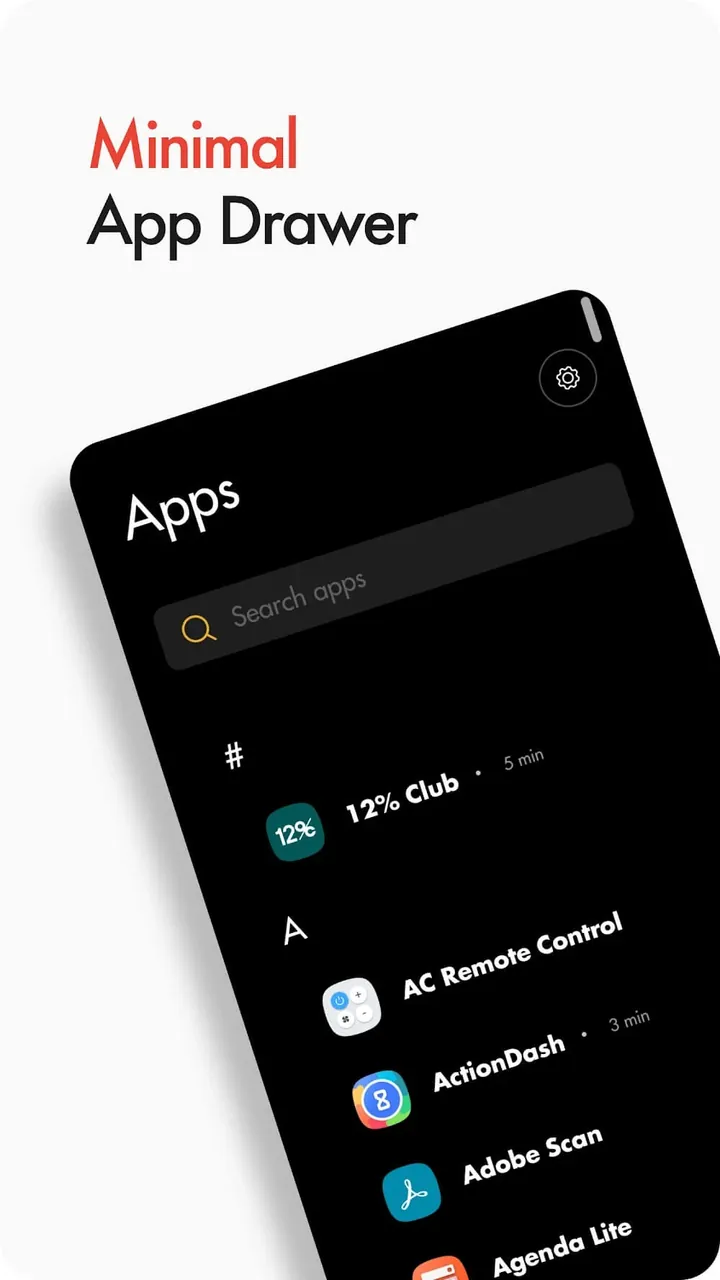
This app uses Minimalist Aesthetic and design to reduce clutter and distraction by presenting a clean, monochrome display. Instead of using a wide range of colors to stimulate the reward centers in the brain like traditional launchers, this launcher uses a text-based display to complement its icons. Users get to customize their home screens with different themes and wallpapers. The wallpapers are designed to enhance the appearance of frequently used apps. The less frequently used apps are hidden. Users are required to go through a setup process to select the applications they use the most. The applications selected are placed on the main display. All others are hidden and placed on a list that is searchable.
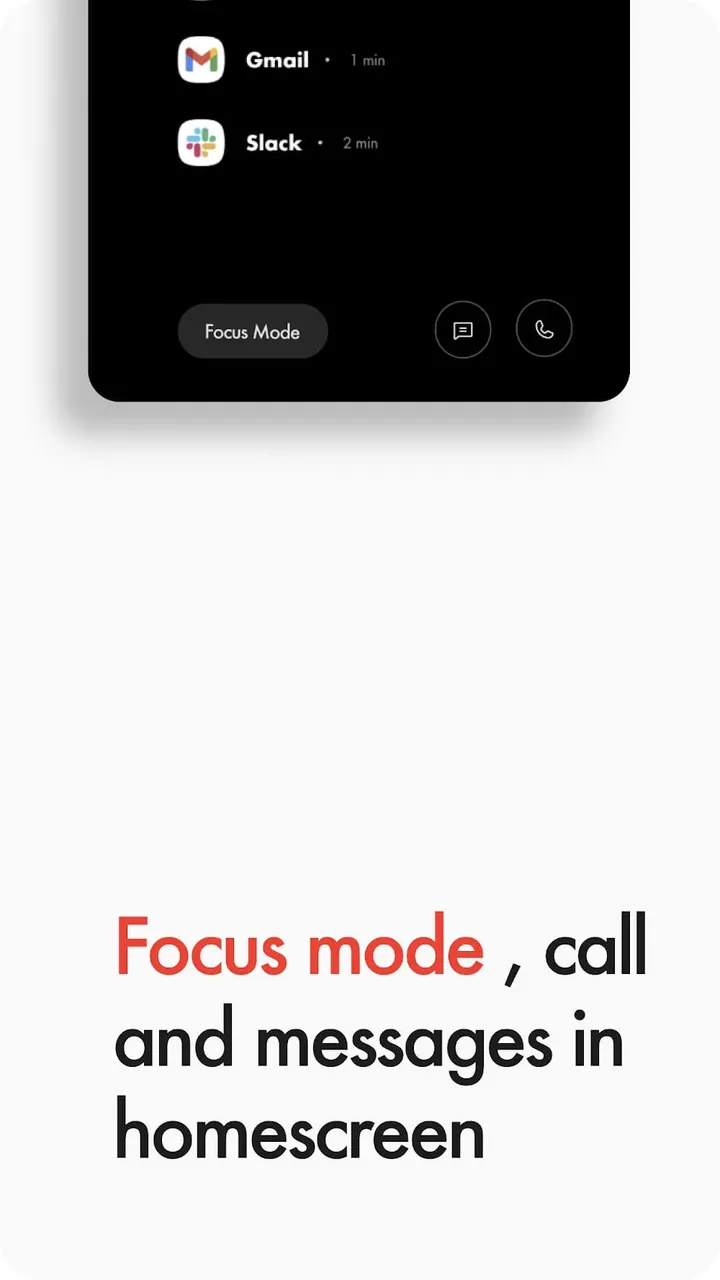
In order to assist users in staying focused during critical work periods, the application provides a Focus Mode and a specialized Focus Engine. While the Focus Engine allows for configuration of tools necessary to perform specific tasks, it also provides a lock out for other digital distractions. The application also includes the Screen Tame Control feature, which, in conjunction with the Focus Engine, provides the ability for the user to set boundaries for application usage and understand application usage time. This aids in modifying usage behavior and turning the phone from a source of interruption to a source of digital aids to help improve productivity.
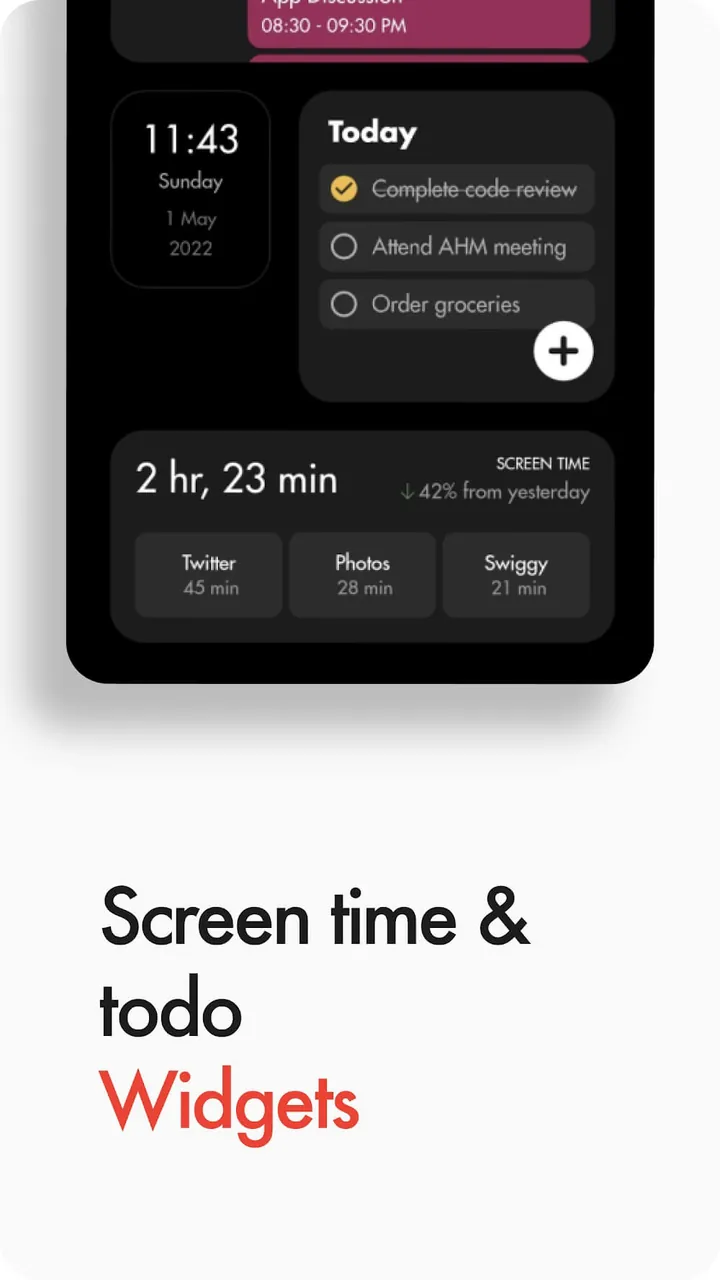
The home screen, in addition to other surfaces throughout the product, integrates task management to replace ineffective, easily ignored methods (ex. sticky notes). The launcher has a dedicated list of the user’s objectives for the day. The integration of task management creates a concept we call “Task Synergy.” This means the to-do list is the focal point of the user interface. The user is reminded of their objectives as they confront them every time they unlock their phone. This serves as a nudge to stay on track and reminds the user that the millions of social media notifications and other distractions can wait until they accomplish their primary objective for the day. The to-do list is structured to help the user manage goals and provide reminders about their objectives for the day.
The Total Customization Options give users control over how their applications and launcher function and look, giving them the freedom to optimize it to be most efficient for their use. Though based in minimalism, the back-end system is flexible and can allow for almost any requested function by the user. As the launcher is user-centric, it can allow users to exhibit the applications they require most on the home screen in a configuration that works best for them. This flexibility allows for the removal of applications and widgets that can distract the user. It also provides access to various types of widgets that offer data and information that is needed by the user the most. The widgets are designed to minimize clutter and provide information at a glance to the user to reduce the need to open multiple applications.
The primary goal of the system is to help people break free from their phone addiction, and take back control over their daily productivity. The task management system integrated into the launcher is designed to help the user be the master of their time instead of letting their phone be in charge. With the integrated design approach, every aspect of the launcher including the monochrome UI and the Focus Engine is designed to help the user be intentional with their tech use. Unlike other phone interfaces which promote exploration and mindless browsing, this application is designed to provide a meaningful and purposeful use of the user’s time. After the use of this application and the environments set up by the tools, users are equipped to live a distraction free digital life and move from a reactive lifestyle which is dominated by the digital world to a life that is more goal directed and productive.
Key features
- Minimalist Aesthetic and UI
- Focus Mode
- Task Management
- Widgets
- Screen Tame Control
- Total Customization
- Focus Engine
- Task Synergy
Related MOD APKs
FAQ
Is Premium unlocked in Flow Minimalist Launcher MOD APK?
This 40.1.4 build of Flow Minimalist Launcher includes Premium Unlocked. It operates like the Thinklikepro release, and these features become active once you finish installing.
What is the latest version of Flow Minimalist Launcher MOD APK?
Version 40.1.4 matches the Thinklikepro release from May 28, 2026. We don’t keep older versions here. Update by installing this file over your current app; if you see a signature error, uninstall the previous version first.
Is Flow Minimalist Launcher MOD APK safe to download?
This Flow Minimalist Launcher 40.1.4 build is the Thinklikepro app with Premium Unlocked. 75 users gave it a 3.8 rating. It does not require root. Expect a Play Protect alert, so always download from this page.
Can I use Flow Minimalist Launcher MOD APK on PC or iPhone?
As an Android file, it will not work on iPhone. Use an emulator like BlueStacks or LDPlayer to run this 12M APK on a computer—just set up the software and drag the file into it.
Flow Minimalist Launcher v40.2.6 MOD APK (Premium Unlocked)
Download (22.6M)You are now ready to download Flow Minimalist Launcher for free. Here are some notes:
- Please read our MOD Info and installation instructions carefully for the game & app to work properly
- Downloading via 3rd party software like IDM, ADM (Direct link) is currently blocked for abuse reasons.
3.8/5 (76 votes)