Transform your phone with OneUi 8.5 Dark Icons MOD APK! Experience premium, hand-crafted dark designs, smooth gradients, and deep customization for a modern, sleek look.


OneUi 8.5 Dark Icons v2.2 MOD APK (Full Version)
| App Name | OneUi 8.5 Dark Icons |
|---|---|
| Publisher | AppixoStudio |
| Genre | Art & Design |
| Size | 132.8M |
| Latest Version | 2.2 |
| MOD Info | Full Version |
| Get it On |

|


This version of OneUi 8.5 Dark Icons MOD APK provides the Full Version of the application. It allows users to access the complete library of premium icons and customization features without the restrictions found in the standard release.
What’s Modified in OneUi 8.5 Dark Icons
- Provides access to the Full Version of the application, enabling all premium icon sets and features.
OneUi 8.5 Dark Icons MOD APK version 2.0 has a file size of 65M and uses the package name com.oneui.os.dark.icons; as a re-signed build, it cannot be installed over the official version from the store.
About OneUi 8.5 Dark Icons
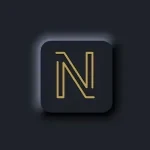
OneUi 8.5 Dark Icons MOD APK is a personalization suite developed by AppixoStudio, intended to provide a modern aesthetic for mobile devices. It draws its design cues from the OneUI 8.5 interface, focusing specifically on dark mode elements that are meant to replace standard or generic icons. The suite is designed to offer a cohesive look across the entire operating system by replacing the default app icons with custom-designed versions that emphasize a specific visual style. Instead of simple flat graphics, the application utilizes a design language that incorporates smooth gradients and professional color palettes. This approach is intended to reduce eye strain for users who prefer dark themes, while also providing a high-end feel that mimics the software found on premium flagship smartphones.
The core of the application consists of a library containing thousands of high-definition icons. Each of these icons is hand-crafted with a focus on detail, ensuring that every asset follows the same stylistic rules. This consistency is vital for maintaining a unified app drawer and home screen. The icons are built using a specific set of color transitions that create a dynamic appearance without being overly bright or distracting. Because they are designed for high-resolution displays, the icons maintain their clarity even when scaled or viewed on screens with high pixel densities. The goal is to provide a professional finish where every pixel feels intentional, contributing to a more organized and visually appealing user interface across various device types.
One of the defining characteristics of this icon pack is the use of depth and shadow. Unlike traditional flat designs that can look two-dimensional on a screen, these icons feature subtle layering. This layering creates a sense of depth that makes the icons appear to pop against the background. This visual separation is enhanced by the use of shadows, which help the icons remain visible and distinct regardless of the wallpaper being used. This focus on depth is a key part of the modern aesthetic that the application aims to deliver, moving away from simplistic designs and toward a more layered look. The gradients used are processed to be smooth, avoiding the banding issues often seen in lower-quality personalization assets.
Compatibility is a major aspect of the application’s functionality. It is designed to work with a wide range of custom launchers, which are the tools users install to change their home screen behavior. Specifically, the suite supports Nova Launcher, Action Launcher, Apex Launcher, and Holo Launcher. It is also compatible with the stock launchers provided by manufacturers like OnePlus and Samsung, allowing users to apply the theme without necessarily needing to install a third-party environment. The application includes a central dashboard that acts as the hub for all customization tasks. Within this dashboard, users can find an ‘Apply’ section where they can select their active launcher to implement the new icon set across their device quickly.
For applications that do not have a specific icon within the library, the suite employs two primary solutions: icon masking and the Icon Request tool. Icon masking is a technical process where the application applies a consistent dark-themed border and shape to unthemed apps. This prevents those apps from breaking the visual harmony of the home screen. For a more permanent solution, users can use the built-in Icon Request tool. This feature allows users to select the apps on their device that are missing custom icons and send a direct request to the designers. This feedback loop is intended to help the library grow over time, with updates adding icons for new trending apps and games based on user demand.
In addition to the icon library, the application includes a collection of high-definition wallpapers. These wallpapers are stored in the cloud, which means they are not bundled directly into the initial file size, helping to manage local storage space. These images are specifically selected because they complement the dark aesthetic and the smooth gradients of the icons. The wallpapers are organized within the cloud-based system to allow for easy browsing without downloading every file to the device. This is particularly useful for users with limited storage who still want to preview backgrounds. The selection process for these wallpapers focuses on minimalist designs and professional color schemes that highlight the depth and shadows of the custom icons, ensuring that the final setup looks intentional and polished.
Key features
- Hand-designed high-definition icons
- Subtle layering and depth effects
- Smooth gradient color transitions
- Universal Launcher Compatibility for Nova, Action, Apex, Holo, OnePlus, and Samsung
- Icon Request tool for unthemed apps
- Advanced icon masking for visual consistency
- Cloud-based high-definition wallpapers
- Dedicated application dashboard with Apply section
Related MOD APKs
FAQ
What does OneUi 8.5 Dark Icons MOD APK unlock?
This OneUi 8.5 Dark Icons 2.0 build modifies the Full Version. It functions like the AppixoStudio release otherwise. All changes are active immediately after installation.
What is the latest version of OneUi 8.5 Dark Icons MOD APK?
Version 2.0 matches the AppixoStudio release from July 26, 2026. We don’t keep older versions here. Update by installing this build over your current one. If you see a signature conflict, you should uninstall the previous version first.
Is OneUi 8.5 Dark Icons MOD APK safe to download?
This OneUi 8.5 Dark Icons 2.0 download is the AppixoStudio app with the Full Version modification. 10 users gave it a 3.4 rating. It does not require root. Ignore Play Protect warnings; always download from this page.
Can I use OneUi 8.5 Dark Icons MOD APK on PC or iPhone?
You cannot install this Android file on iPhone. For PC or Mac, use an emulator like BlueStacks or LDPlayer to run the 65M file. Just set up the emulator and drag the APK into the window.
OneUi 8.5 Dark Icons v2.2 MOD APK (Full Version) Download
Download (132.8M)You are now ready to download OneUi 8.5 Dark Icons for free. Here are some notes:
- Please read our MOD Info and installation instructions carefully for the game & app to work properly
- Downloading via 3rd party software like IDM, ADM (Direct link) is currently blocked for abuse reasons.
3.4/5 (10 votes)