

This Puffin Browser Pro MOD APK provides full access to the premium capabilities of the application by unlocking the paid features of the browser. The modification is designed to enable the upgraded version’s functionality without requiring a separate purchase from the official store.
What’s Modified in Puffin Browser Pro
- Unlocks the premium version of the browser to allow access to all paid features.
Version 10.5.0.61369 has a file size of 39M and uses the package name com.cloudmosa.puffin; this specific build is re-signed and cannot be installed over an existing copy from the official app store.
About Puffin Browser Pro
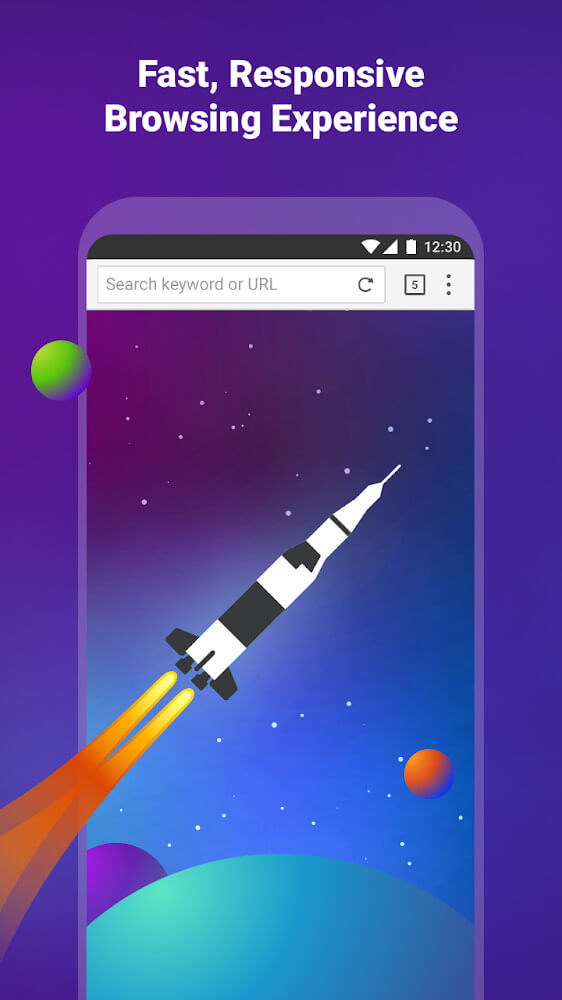
Puffin Browser Pro is a communication application developed by CloudMosa Inc that utilizes a distinct cloud-based architecture to facilitate web browsing. Since its introduction in 2010, the software has distinguished itself through the use of server-side rendering, a process where web pages are processed on the publisher’s remote servers before being sent to the user’s device. This approach is intended to change the standard method of web surfing by offloading the heavy lifting of code execution and page assembly away from the local hardware. The visual identity of the browser is centered around a parrot image, which is used as a consistent symbol across the interface. The layout is designed to be straightforward and easy to see, aiming to provide a pleasant and close experience for the user. By rendering content in the cloud, the application attempts to provide a different level of performance and security than what is typically expected from standard mobile browsers that rely entirely on the device’s processor and memory.
Security is a central pillar of the browser’s functionality, primarily achieved through its cloud-based infrastructure. The application provides a layer of isolation that protects the user’s device from malware and other forms of malicious content. Because the actual web content is processed on remote servers rather than the local device, nothing is truly loaded onto the hardware itself, which minimizes the risk of infection from dangerous websites. This cloud-based approach acts as a comprehensive shield for the user’s physical device by ensuring that the local system is never in direct contact with the source code of the websites visited. However, the browser’s privacy policy includes specific details regarding how user data is handled by the publisher. While the developer asserts that the browser does not track users while they are browsing online, the policy also notes that records of internet activity are retained for reporting purposes. These records are kept in a way that allows them to be reviewed by authorities if necessary. This creates a situation where the browser offers high physical security against software threats while maintaining a detailed log of activity for administrative and legal oversight.
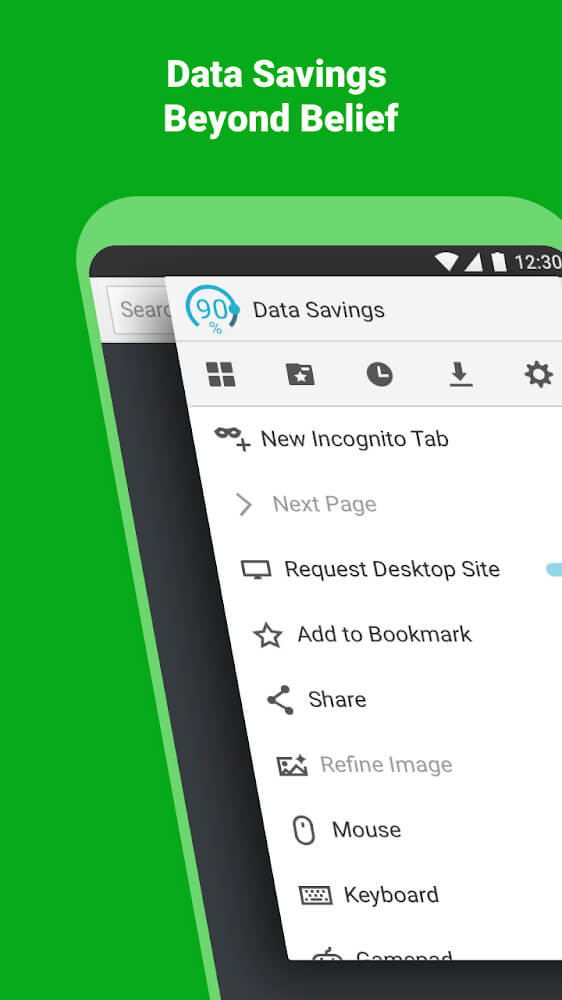
Data efficiency is another significant feature, with the browser offering tools to help users save significant amounts of data during their sessions. The software achieves this by compressing websites and removing unnecessary content that can lead to overloading the user’s connection. This compression feature is highly customizable, allowing users to choose when it should be active, such as when they are connected to a mobile network rather than a stable Wi-Fi connection. A specific aspect of this data-saving mode involves the reduction of image proportions. By lowering the resolution and size of images on a page, the browser reduces the total amount of data that needs to be transferred to the mobile device. If a user requires the full image quality for a specific reason, they can use the fine-tune image button located in the general menu. This gives the user the ability to balance their need for data savings with their desire for high-quality visual content on a case-by-case basis, ensuring the browser remains functional in low-bandwidth environments.
The user interface is built to be simple and effective for use on smart mobile devices. It features a user-friendly design that includes standard navigation elements like a back button, address bar, and a dedicated menu bar. These elements are arranged in a logical manner from left to right to match the natural viewing patterns on a mobile screen. The general menu serves as a central hub where users can access their settings, bookmarks, and download history. Additionally, the browser includes a fast dial tool, which is intended to provide quick access to the user’s most important websites. There is also an integrated newsreader that allows users to stay up to date with current events directly within the browser interface. These tools are designed to streamline the browsing experience, making it easier to manage history and frequently visited sites without navigating through complex sub-menus or external applications.

|
|
Customization and user comfort are addressed through the inclusion of both light and dark themes. These themes allow the user to adjust the visual appearance of the browser based on their environment or time of day. The dark theme is particularly useful for avoiding eye strain, which can occur when a user is exposed to blue light for extended periods. By providing these options, the browser aims to protect the health of the user and make long browsing sessions more comfortable. The application is also a multi-platform tool, with versions available for operating systems including iOS, Android, and Windows. Each version is tailored to the specific performance characteristics of its respective platform, though the core features remain consistent. One of the most prominent features mentioned by the publisher is the built-in ad-blocking capability. This tool is integrated directly into the browser, meaning that users do not need to install a third-party application to manage or block advertisements while surfing the web.
In conclusion, the browser is positioned as a choice for users who prioritize security and privacy through isolation. The innovative design focuses on protecting the user from snooping hackers and malicious content by keeping the browsing session contained within the publisher’s servers. The inclusion of the ad-blocking feature further enhances the convenience of the application, as it streamlines web pages and reduces the need for additional software. By combining server-side rendering with data compression and a newsreader, the application provides a comprehensive suite of tools for mobile communication and information gathering. The ability to fine-tune images and switch between themes ensures that the browser can be adapted to various user needs and environmental conditions, maintaining its focus on user safety and performance efficiency.
Key features
- Cloud-based rendering
- Server-side web processing
- Malware and malicious content protection
- Website data compression
- Fine-tune image quality button
- Fast dial tool
- Integrated newsreader
- Light and dark themes
- Built-in ad-blocking
- Multi-platform support
|
|

|
Related MOD APKs
FAQ
Is Premium unlocked in Puffin Browser Pro MOD APK?
This Puffin Browser Pro version (10.5.0.61369) includes Premium Unlocked. Features function like the standard CloudMosa Inc app. These modifications are active immediately after installation.
What is the latest version of Puffin Browser Pro MOD APK?
Version 10.5.0.61369 matches the CloudMosa Inc release from June 29, 2025. We don’t keep older versions here. Update by installing this file over your current app. If you see a signature conflict, remove your existing version before installing.
Is Puffin Browser Pro MOD APK safe to download?
This Puffin Browser Pro 10.5.0.61369 build on MODYOLO from CloudMosa Inc features Premium Unlocked. It has a 3.6/5 rating from 163 users. It does not require root. Expect a Play Protect warning when installing; always download from this page.
Can I use Puffin Browser Pro MOD APK on PC or iPhone?
As an Android file, this won’t work on iPhone or iPad. To use the 39M package on PC or Mac, run it through an emulator like BlueStacks or LDPlayer by dragging the file into the software.