

This Pulsar Music Player Pro MOD APK is a modified version of the premium audio application that unlocks all paid features and eliminates integrated advertising. The build has been optimized to remove background tracking services and unnecessary permissions, resulting in a cleaner and faster interface for offline music management.
What’s Modified in Pulsar Music Player Pro
- Premium features are fully unlocked without the need for root access, Lucky Patcher, or a modded Google Play Store environment.
- Unwanted permissions, receivers, providers, and background services have been disabled or entirely removed from the application package.
- Graphics have been optimized and zipaligned while resources have been cleaned to ensure faster loading times and reduced memory usage.
- All advertisement-related permissions, services, and providers are removed from the Android manifest file.
- Internal advertisement links are removed and their associated calling methods are nullified to prevent background requests.
- The visibility of advertisement layouts is permanently disabled within the user interface.
- Debug code has been stripped from the build to improve performance and reduce the file size.
- The application includes an AOSP compatible mode for broader device support across different Android distributions.
- Default .source tags and corresponding Java file names have been removed to streamline the package.
- Analytics, Crashlytics, and Firebase tracking components are disabled to prevent data reporting.
- The Facebook ads bundled SDK has been completely removed from the application architecture.
- All active trackers and commercial advertisements have been eliminated from the user experience.
- Full multi-language support is maintained for a wide range of localized interfaces.
- The build supports universal CPU architectures for compatibility with various mobile processors.
- Support is included for multiple screen densities including 160dpi, 240dpi, 320dpi, 480dpi, 640dpi.
- The original package signature has been changed to facilitate the modifications.
This release is version 1.13.11 with a file size of 6M under the package name com.rhmsoft.pulsar.pro; because the original signature has been changed, it cannot be installed as an update over a version downloaded from the official store.
About Pulsar Music Player Pro
Pulsar Music Player Pro allows local music playback with lots of features, and it even supports ChromeCast for local audio streaming to external devices. Pulsar’s playback engine supports music tempo adjustments, letting users adjust songs in real time. Pulsar’s playback position restoration feature means users never lose their place, even if they close the app or go do something else. Even more impressive, the app can now tell if any playlists are empty and automatically hide them! As if that weren’t awesome enough, Pulsar’s music app is available on Android 11, and now backs up playlists to keep track of what playlists you save. If you want to take control of your saved playlists, Pulsar is the app for you!
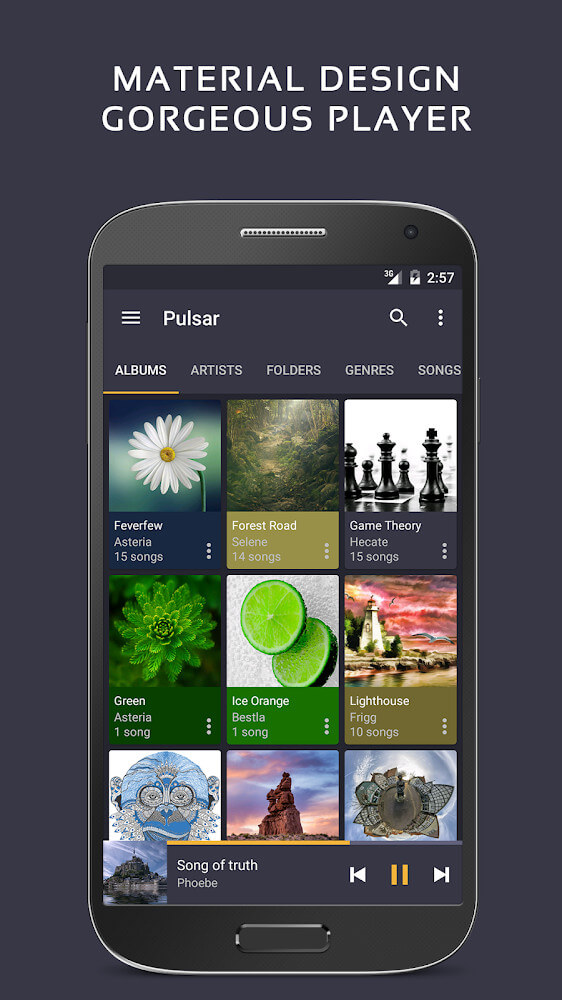
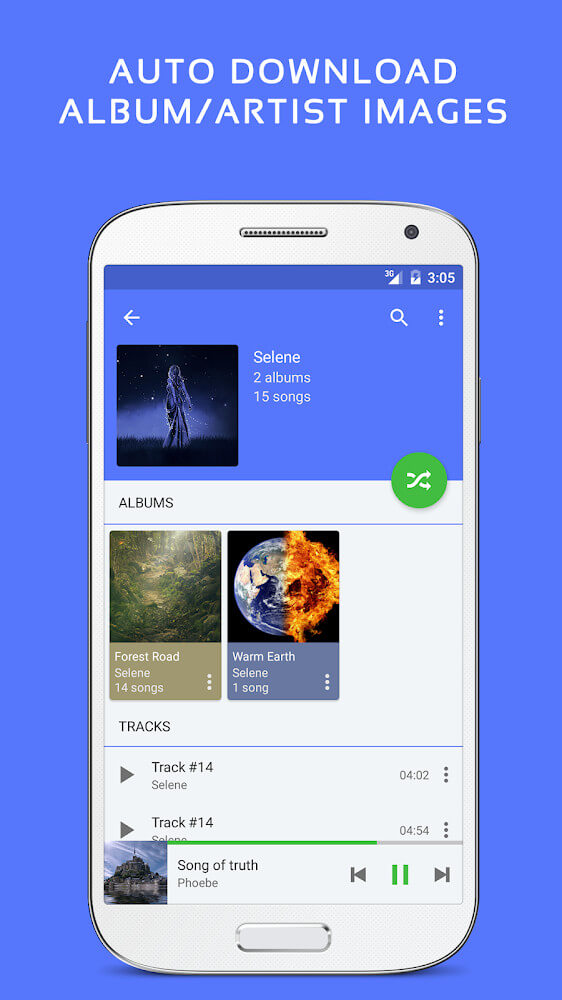
This application has an audio library that can be customized in multiple ways. First, users can change the organization system based on data relating to specific artists, genres, style, etc. Once users have created a custom system, they can also add as many custom folders to the system as they would like. After folders are set up, they can be customized with a playlist panel that is automatically generated based on the listening data captured and crunched by the brain of the application. This data is based on the songs the user has played recently and the search terms the user has entered. The overall idea is that the application captures listening data to build a playlist that will adapt based on the user’s mood. Once a certain system is built the entire application can be controlled using automatic animations that manage transitions and display elements. The application is also designed to automatically select and download album covers for users, although users do have the ability to control album and artist cover images with their own personal images. Images can be added from the user gallery or external sources.
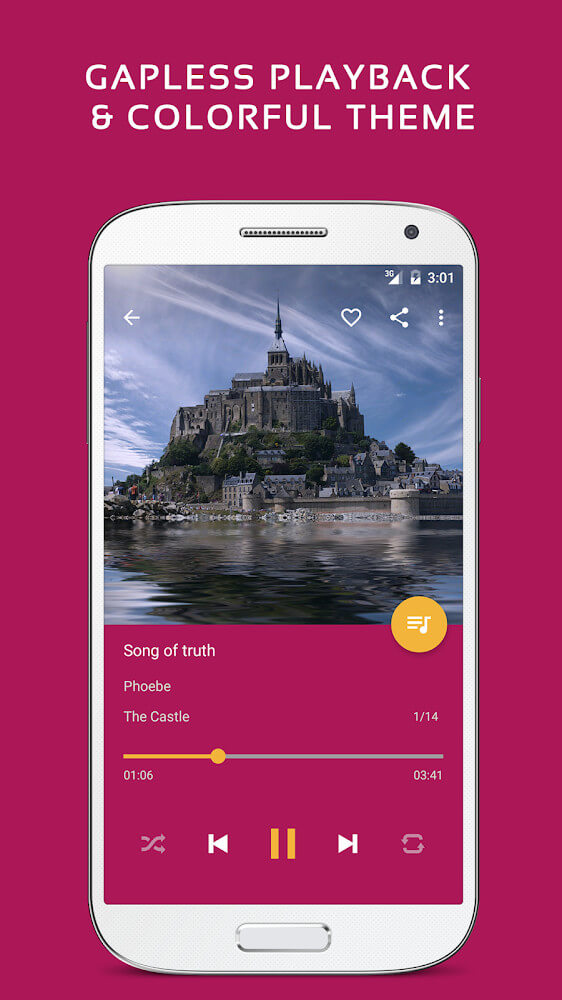
The user interface relies on the use of specific colors arrays to highlight different sections and tools within each individual part of the interface to increase visual clarity for users. UID uses different color arrays in the interface as dominant colors, including instructions, to help the users identify and differentiate various modules of the application. UID provides a higher level of accessibility and a lower level of confusion in navigating the application, as UID uses instructions and notices in different colors from the background. To facilitate widgets in controlling the music without opening the whole application, a small widget is provided on the device’s main screen to show the information and control of the song and its current status. Users are allowed to control the widget by resizing it to different dimensions of their preferences, i.e. square or rectangular. The widget has the ability to display the cover art of the song/playlist when resized to a larger dimension. To access the control functions of the widgets to pause, fast-forward, or skip the song, the respective functions are integrated into the widgets. To find specific data within large libraries, two search methods are provided, which are a text keyword search to find data like song lyrics and album titles, and a voice search method that uses Google voice commands to find songs based on a sound input.
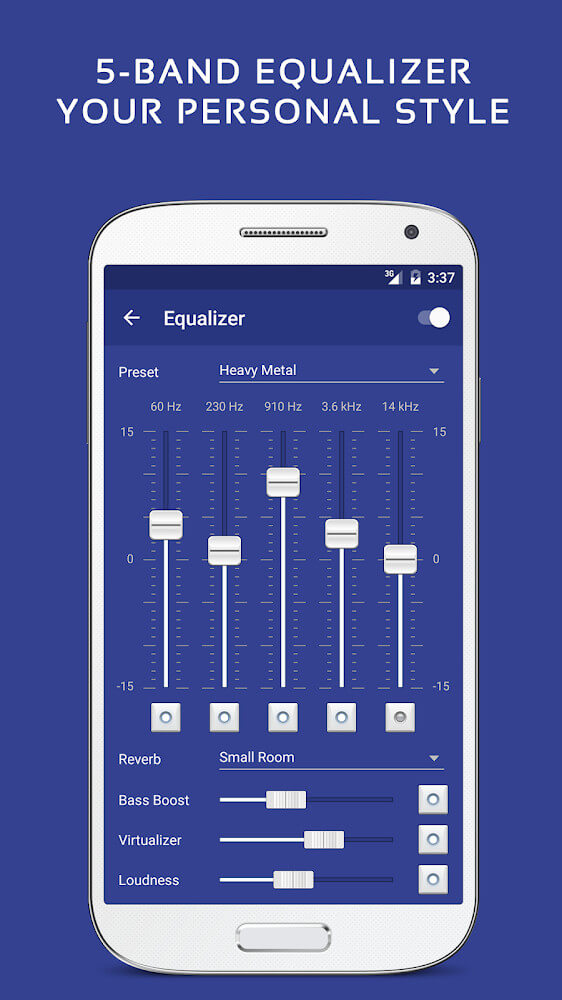
For users looking for flexibility in the way they manipulate sound outputs, the application provides a 5-band tone control system. As a visual aid, the equalizer consists of a set of white columns against a blue background with each column representing a band or range of frequencies as well as their associated parameters. By moving the columns, the user can change the settings to improve the audio output to their preferences. The audio engine provides additional bass and reverb controls, to a certain degree, to give the user even more control over audio played back. While it is mainly a music playing application, the app is programmed to accommodate other forms of media like broadcasting. Restoration of playback location is more convenient for these situations, often in the case of a broadcast, a user plays back a given section of a broadcast, and has the option to return to the original place in the broadcast and continue listening to the content. The application is designed for entertainment of longer duration spoken content. Different controls for media formatting remain consistent to simplify navigation. The design of the application aims to achieve a balance of a user friendly interface with a high quality sound processor.
Key features
- Chromecast adaptation
- Playback speed adjustment
- Playback position restoration
- Empty list hiding logic
- Playlist backup for Android 11
- 5-band tonal balance system
- Bass enhancement and reverberation
- Smart playlist generation
- Custom folder management
- Animated cover art synchronization
- Customizable home screen widgets
- Google voice command search
- Multi-format support for podcasts and audiobooks
Related MOD APKs
FAQ
Is Premium unlocked in Pulsar Music Player Pro MOD APK?
This Pulsar Music Player Pro 1.13.11 build features Premium Unlocked. Everything else functions like the Rhythm Software release, and changes are active as soon as you install.
What is the latest version of Pulsar Music Player Pro MOD APK?
Version 1.13.11 matches the Rhythm Software update from March 22, 2026. We don’t keep older versions here. To update, install this build over your current one; if you see a signature conflict, remove the old app first.
Is Pulsar Music Player Pro MOD APK safe to download?
This Pulsar Music Player Pro 1.13.11 MOD APK is the Rhythm Software app with Premium Unlocked. 32 users gave it a 3.6 rating. It does not require root. Play Protect might show a warning, so always download from this page.
Can I use Pulsar Music Player Pro MOD APK on PC or iPhone?
This Android package will not work on iPhone or iPad. You can run the 6M APK on Windows or macOS using BlueStacks or LDPlayer—just set up the emulator and drag the file inside.