
The RedBox TV MOD MOD APK is an optimized version of the entertainment application that removes advertisements and unnecessary background services. This build focuses on providing a cleaner user interface by eliminating junk files and disabling forced updates for a more consistent viewing experience.
What’s Modified in RedBox TV MOD
- Ads and banner placeholders have been removed to prevent interruptions while browsing or watching content.
- Junk files and internal resources have been cleaned to reduce the file size and improve loading speeds.
- The internal package name has been modified and the signature check is disabled for custom compatibility.
- Location-based tracking and extra permissions that are not essential for app functionality have been stripped out.
- The forced update (NFU) mechanism is disabled, allowing users to stay on this specific version without prompts.
- Analytics, receivers, and all services related to the Luminati network have been deactivated.
- The Luminati network startup screen and the hidden ads tab in the side menu have been removed.
- The permissions prompt has been disabled to improve the experience for users on Android 11.
- Graphics have been optimized and resources cleaned for faster overall performance.
- Adaptive modifications have been applied to include larger logos and banners for better visibility.
- Custom size reductions have been implemented to ensure the application remains lightweight.
This build is version 2.5 with a file size of 15.06 MB and an unknown package name; because the file is re-signed, it cannot be installed as an update over an existing version from the official store.
About RedBox TV MOD
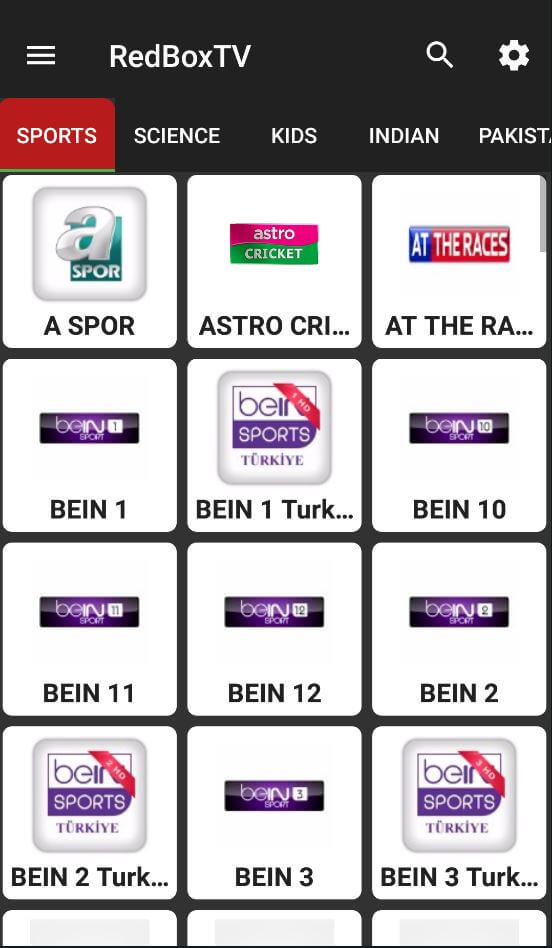
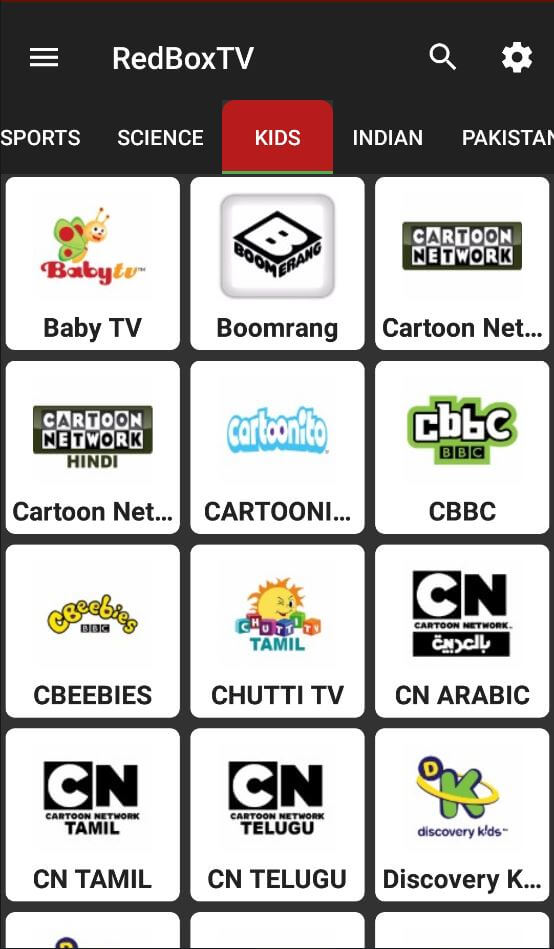
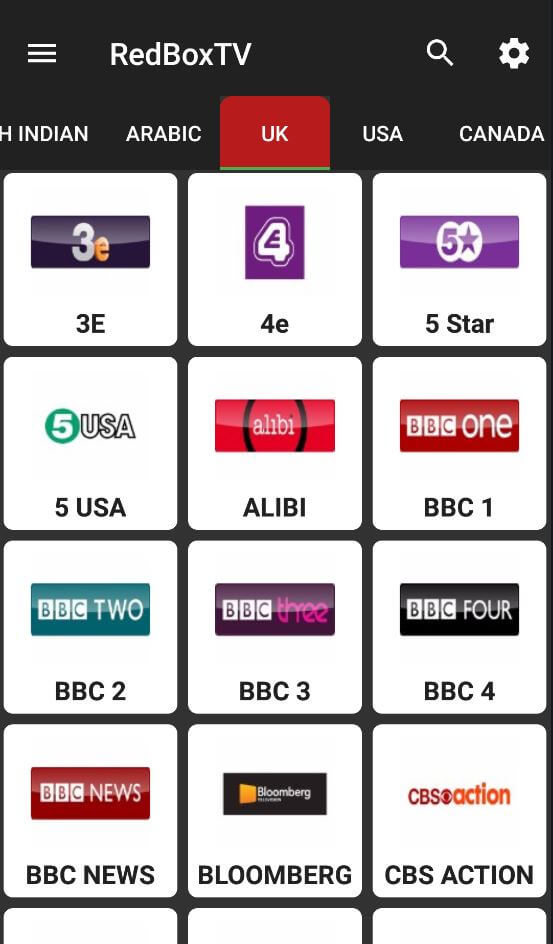
RedBox TV is a unique application designed specifically for users who enjoy watching TV. With the click of a button users can access a library of TV channels from all around the world. The creators of RedBox TV designed this application to function as a portable media hub and have included over 200 individual TV channels that span across 15 different tabs or countries. Having channels organized by country helps users to locate channels from the USA, UK, Portugal, Ireland, and other countries. While having channels organized by countries helps users to quickly navigate the channels offered within a specific country, having news, entertainment, or cultural channels helps the users to quickly access what is most important to them. The creators of the application designed a simple user interface by putting all of the app resources on the main page to help users to be able to access everything without having to dig around. The simple user design helps international TV channel organization because it eliminates the headache of trying to manage a large, international TV channel selection.
The application uses both regional and topic-based categories to help content navigation. Users who aren’t thinking in terms of specific regional channels or who want to explore categories can benefit from the topic-based browsing feature. The application supports the categories for sports, science and programming for kids. The application empowers users to explore topics they find interesting with one touch and offers suggestions for channels that match these topics. The topics-based browsing interface serves the purpose of easy content discovery and programming catered to users’ interests and the “feels” of the moment. The application’s design also focuses on compactness. While the application has a large content selection that it provides access to, the application itself does not use much storage space and requires a limited amount of processing power. This design approach allows the application to have a broader hardware platform support.
There are many features in this app. However, the most important is likely the design for video playback. A lot of other streaming apps make users install a video playback app. This is cumbersome and takes up valuable space on your device. RedBox TV solves this problem by having built-in video players that are ready to use as soon as the app launches. That said, the app supports many different video players, including XYZ, the video player that is recommended by the developers, since it is the most stable video player for enjoying videos. Users can navigate to the application’s settings to select a different video player and set it as their preferred default video player. Thus, the internet does the heavy lifting of streaming the video, and the dedicated video player takes care of the smooth playback of the streamed video, thus giving a seamless viewing experience. Internally handling the video playback gives the app, in addition to optimized video streaming, a simpler and more efficient interface for viewing media in real time.
 |
 |
 |
The application’s design prioritizes user ease and accessibility. The interface is streamlined to direct users immediately to television channels with minimal navigation. The design emphasizes quick response and fast loading of the library. The application builds in a dedicated, high-bandwidth connection to maximize bufferless steaming of international channels. The interface design is so simple a novice user can navigate the library to find streaming content. The platform aggregates international television to satisfy all interests; live sporting events, educational programming, like science documentaries, and international news are just some examples of content available to users. The application is a tool designed to bring television to users on the go, with ease of installation and use, extensive channels of content, and internal controls for playback.
Key features
- Access to a library of over 200 television channels.
- Geographic tabs for 15 countries including the US, UK, Portugal, and Ireland.
- Topical categorization for sports, science, and children’s programming.
- Built-in media player support to eliminate the need for external software.
- Recommended integration with the XYZ player for optimized playback.
- Compact and lightweight application architecture for low storage impact.
- Customizable player settings within the internal configuration menu.
- Direct library access immediately following the installation process.
- Simplified user interface designed for quick navigation and channel selection.
Related MOD APKs
FAQ
Does RedBox TV MOD MOD APK remove ads?
Version 2.5 of RedBox TV MOD features these changes: Optimized and No ADS. It functions like the standard RedBox TV version. Once you install the file, these modifications are active immediately.
What is the latest version of RedBox TV MOD MOD APK?
Version 2.5 is the current RedBox TV release, dated January 19, 2024. We don’t keep older versions here. Install this file over your current app to update. If you see a signature error, you may need to delete the existing app first.
Is RedBox TV MOD MOD APK safe to download?
This RedBox TV MOD 2.5 build is based on the RedBox TV app with Optimized and No ADS adjustments. 38 people gave it a 3.4 rating. It does not require root. Expect a Play Protect alert during installation; always download from this page.
Can I use RedBox TV MOD MOD APK on PC or iPhone?
As an Android file, this won’t work on iPhone. To use the 15.06 MB download on a computer, install BlueStacks or LDPlayer. Once the emulator is set up, you can drag the file into the window to install it.