TPlayer is a leading video player with many features that support quality and the ability to play videos with many file formats. Free video player for all Android phones.

TPlayer v8.3a APK + MOD (Optimized/No ADS)
| App Name | TPlayer |
|---|---|
| Publisher | RN Entertainment |
| Genre | Entertainment |
| Size | 15.6M |
| Latest Version | 8.3a |
| MOD Info | Optimized/No ADS |
| Get it On |

|
MOD Info
●Ads Removed / Disabled.
● Ads Related Activity & Code Removed / Disabled.
● Ads Related Layouts Visibility Gone.
● Analytics / Crashlytics Removed / Disabled.
● Receivers and Services Removed / Disabled.
● Play Services, Transport, Firebase Properties Removed.
● All Unnecessary Garbage Folder & File Removed.
● Optimized PNG Save To 1187 Kb.
● Re-Compressed Classes.dex & Library.
● Optimized Graphics / Zipalign.
● Total Apk Size 17 Mb.
● Removed Debug Information (Source, Line, Param, Prologue, Local).
This version of the TPlayer MOD APK focuses on removing advertising and telemetry components to streamline the user interface. It modifies the original application by disabling various background services and optimizing internal assets for a smaller installation footprint.
What’s Modified in TPlayer
- Ads and related activities, code, and layout visibility are removed or disabled across the application.
- Analytics and Crashlytics tracking components are stripped from the build to prevent data reporting.
- Unnecessary receivers, services, and properties related to Play Services, Transport, and Firebase are removed.
- Generic garbage folders and files are deleted to clean up the internal file structure.
- PNG assets are optimized and reduced to a total size of 1187 Kb to save space.
- The classes.dex and library files are re-compressed for better operational efficiency.
- Debug information including source lines, parameters, prologues, and local data is removed.
- The total APK size is reduced to a final weight of 17 Mb.
 |
 |
This build is version 8.0b with a file size of 17M and package name teavideo.tvplayer.videoallformat; as a modified build, this TPlayer MOD APK is re-signed and therefore cannot be installed over a copy from the store.
About TPlayer
Internet and social media have integrated video into not only entertainment but also news and information. consumers have to deal with file format compatibility when videos are shared. Mobile Operating Systems struggle to recognize some formats. Videos are only accessible if your device has the right codecs and containers. This product aims to correct those problems. We want all videos to be easily accessible no matter where they came from or how they were made.
This player focuses on support for containers and codecs. The player supports the formats that are most common for general video usage such as MP4 and MKV. However, support in the player is further extended to include AAC, FLAC, and M2TS. This encoding command does this by telling the mobile device how to interpret the video format. While the technology is more complex, we tried to minimize that in the UI. TheVideo can be played by uploading it directly to the app or by opening the url on the app. This allows videos to be shared that would otherwise be restricted to the Android device.
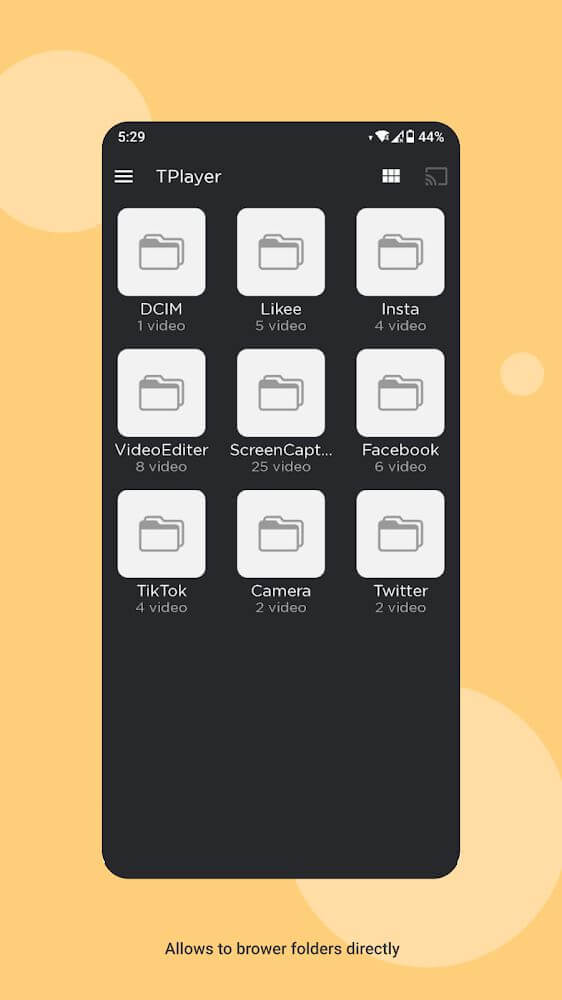
Because of its proprietary storage system, the application goes beyond the functionality of media playback. This system separates challenge from the main phone storage and the SD card. This dedicated storage helps users organize their media files without filling their device’s primary storage. Instead of creating a single media file list, the system is designed to log files under different sources. For example, if a media file is downloaded from Facebook, the application creates a directory with the file source as its name. With this system of filing, users can better manage their media files, and find videos based on what system they were downloaded from.
The system has been designed to help users manage their devices. With its own memory management system, it helps to free up primary phone storage and SD cards. This system is designed for users who download and stream media files in a higher definition which would occupy more space on the primary storage. The system is designed to help users have a responsive device by creating a parallel storage system for media, while still enabling users to access media files for use. In this storage system, the order of the files is maintained in their original name or system. This aids users to find and access stored files in the system with minimal effort and time.
An improvement to the viewing experience of foreign content is subtitle support. Many foreign language videos contain fast dialogue that is difficult to understand, or features dialects that are unfamiliar. To address this situation, the application uses a subtitle feature with multi-language text identification. To activate this feature, users must go to the playback menu and select the ‘subtitles’ option to insert text over the video. The application will not slow down the video or reduce the video quality while a subtitle track is being processed. The application will keep the video’s quality and keep a high frame rate. This will prevent text over the video from causing visual disturbances or lagging.
A balance of easy operation commands and a deep degree of complexity for each task the application performs is the key to the user experience. Although the application does tasks such as link encoding and multi-format decoding, from the user’s perspective, all that is needed are simple commands such as search and upload. The stability of the playback engine is of paramount concern, being committed to high playback quality the breadth of the video domain. By addressing the needs of the contemporary digital consumer; support of multiple formats, robust storage, and multiple languages, the software provides the user with a tool that fills the gap of a feature-rich system player. The interface maintains simplicity enabling ease of use to navigate between folders of the stored files and the active playback window.
Key features
- Support for a wide range of video formats including AAC, FLAC, M2TS, MP4, and MKV.
- Internal encoding command to assist the operating system in detecting rare file formats.
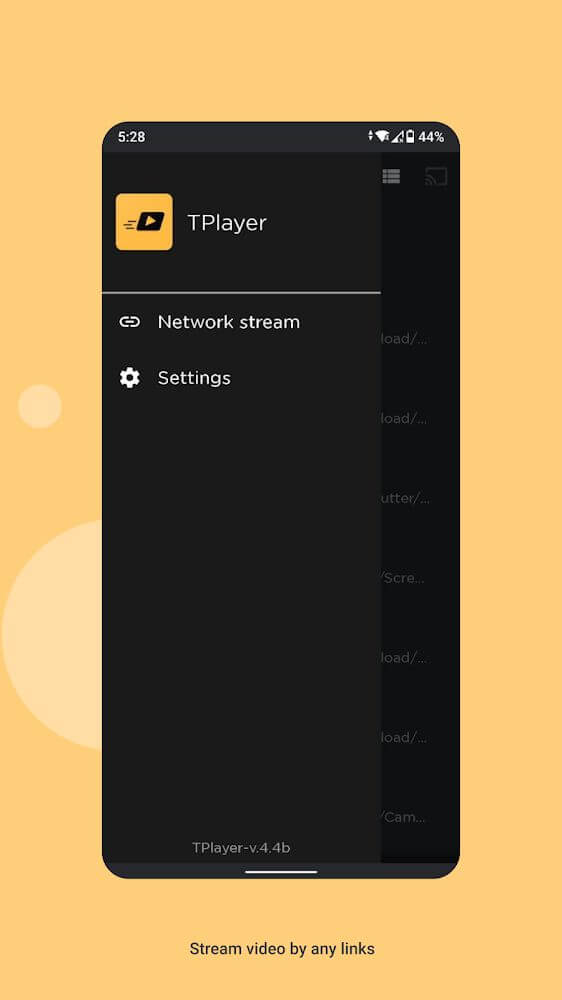
- URL-based video playback through link copying and searching.
- Direct video domain uploading for immediate file access.
- Private storage system that operates parallel to internal and SD card memory.
- Automatic folder categorization based on the source of the video upload.
- Source-based file naming to simplify the search and retrieval process.
- Multi-language subtitle recognition with dedicated settings for easier viewing.
- Adjustable playback controls that maintain video speed and quality.
 |
 |
Related MOD APKs
FAQ
Does TPlayer MOD APK remove ads?
This TPlayer 8.0b build includes these changes: Optimized and No ADS. It functions like the RN Entertainment version, with all modifications active immediately after you finish the installation process.
What is the latest version of TPlayer MOD APK?
This 8.0b version from RN Entertainment was updated March 1, 2026. We don’t keep older versions here. Just install this file over your current app to update. If you see a signature error, you must remove the previous version first.
Is TPlayer MOD APK safe to download?
This TPlayer 8.0b release by RN Entertainment is modified with Optimized and No ADS. 30 users gave it a 3.9 rating. It does not require root. Ignore any Play Protect warnings, but always download from this page to ensure you get this specific build.
Can I use TPlayer MOD APK on PC or iPhone?
Since this is for Android, you cannot install it on an iPhone. To use the 17M file on a computer, run an emulator like BlueStacks or LDPlayer. Once the emulator is ready, simply drag the APK into the window.
TPlayer v8.3a MOD APK (Optimized/No ADS) Download
Download (15.6M)You are now ready to download TPlayer for free. Here are some notes:
- Please read our MOD Info and installation instructions carefully for the game & app to work properly
- Downloading via 3rd party software like IDM, ADM (Direct link) is currently blocked for abuse reasons.
3.9/5 (30 votes)