PDF Reader Pro is a tool that helps you work with PDF files and manage them easily. You can edit the contents of files and scan printed documents into PDF files for convenient storage and reading.

PDF Reader Pro v7.5.3 APK + MOD (VIP Unlocked)
| App Name | PDF Reader Pro |
|---|---|
| Publisher | PDF Office Lab |
| Genre | Productivity |
| Size | 89.6M |
| Latest Version | 7.5.3 |
| MOD Info | VIP Unlocked |
| Get it On |

|
The PDF Reader Pro MOD APK provides an unlocked VIP experience, granting full access to the application’s premium document management tools. This modification enables all professional features without the requirement of a paid subscription, allowing for comprehensive editing and conversion tasks.
What’s Modified in PDF Reader Pro
- The VIP subscription is fully unlocked, providing access to all premium document editing, scanning, and conversion features without cost.
 |
 |
Version 7.3.0 of this 48M build is identified by the package name com.kmo.pdf.editor and is re-signed, which prevents it from being installed over the official version from the app store.
About PDF Reader Pro
PDF Reader Pro is an app designed by the team at PDF Office Lab to increase productivity by making it easier to manage documents on the go. Focusing on the needs of the professional user on the Android platform, the app provides the functionality of a desktop document management application on a mobile device, thereby eliminating the need for a laptop for day-to-day office document work. A key feature of the app is the ability to access, edit and organize PDF documents. The app enables users to complete tasks related to the content of a PDF document without having to edit the original document. The app provides a solution to digitally completing paper-based forms. The app provides the ability to edit the contents of a PDF document and organize and manage PDF documents with tools similar to what is offered by desktop document management software. These features enable users of the app to perform tasks related to PDF documents on the go.
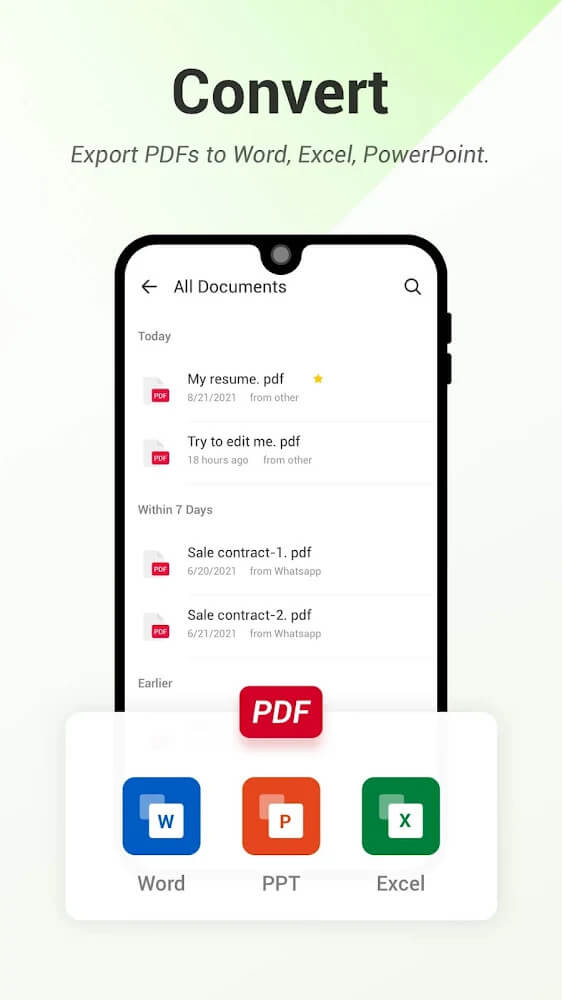
Being able to convert files is important to users who deal in multiple formats. The application allows for conversion of PDFs to various office document types. The PDF to office document conversion keeps the original layout and formatting of the content. This is beneficial in maintaining the alignment of tables, images, and text. Along with converting PDFs to other formats, the application also allows users to convert images to PDFs. Converting images to PDFs is useful when one has a picture of a document or image and needs a standardized, readable format document to edit and/or share. The advantage of the application to perform these conversions locally means one does not need conversion software to perform these conversions on their mobile device.
For physical paperwork, the app uses the device’s camera to scan documents. The scanning tool is designed to capture a document, apply a filter to the image for improved legibility, and save the file in a digitized form. The scanned images can be edited to markup the document, and saved in the device’s file system/cloud storage. The editing suite is integrated with the scanner, allowing users to immediately edit the scanned document. The signed images can also be edited, annotated, and integrated with other digital documents to create electronic records.
Editing within the app allows for the management of media and signatures. Existing images can be replaced with new images, and digital signatures can be added to documents. This is a useful feature to add up-to-date images to professional CVs, and sign and send the documents directly from the application. Additionally, users can design and send cards containing images using the app. The signing, sending, and administration of official documents can all be completed within the app to eliminate the need for printing and re-scanning signed documents.
 |
 |
A set of tools is provided for phones and tablets, to help reading and annotating long documents. Users can highlight text and add notes to the text. Users of this app can upload long documents, review and mark them up. The app includes a search feature which helps users to identify the location of notes in the uploaded documents. The tablet interface provides a larger surface for annotation. Users can mark documents as they would physically print and mark paper documents, but enjoy the added features of digital document search and storage.
The application also allows users to manage the structure of their PDF files. Users can split a single, large PDF file into several smaller files. Smaller files are easier to manage and organize, as users can isolate specific sections of larger files. Smaller files can also be sent more easily to other users. The application also allows users to combine smaller PDF files into one larger file. Users can also manage the order of the pages. The application also allows users to identify and delete superfluous, or blank, pages from the final, combined file. The application syncs with various cloud storage platforms. Therefore, files are always accessible. Users can also link the application to their preferred cloud storage platform. This also helps maintain their bookmarks. The link allows users to manage their documents and files from different devices and maintains their updated, latest file copies.
Key features
- PDF to office format conversion
- Image to PDF conversion
- Direct content editing and text adjustment
- Form filling and submission
- Digital signature insertion
- Document scanning with enhancement filters
- Text highlighting and personal notes
- Note search functionality for long documents
- PDF splitting and merging
- Page reordering and blank page removal
- Cloud storage synchronization
- Document bookmarking for quick access
 |
 |
Related MOD APKs
FAQ
Is Premium unlocked in PDF Reader Pro MOD APK?
This 7.3.0 build of PDF Reader Pro includes VIP Unlocked features. It functions just like the PDF Office Lab original, with all modifications active immediately after you install.
What is the latest version of PDF Reader Pro MOD APK?
Version 7.3.0 matches the PDF Office Lab release from December 8, 2024. We don’t keep older versions here. Update by installing this file over your current app. If you see a signature error, delete the old version first.
Is PDF Reader Pro MOD APK safe to download?
This 7.3.0 version of PDF Reader Pro from PDF Office Lab only adds VIP Unlocked. 59 users gave it a 3.5 rating. It does not require root. Ignore Play Protect alerts during installation and always download from this page.
Can I use PDF Reader Pro MOD APK on PC or iPhone?
This Android file will not work on iPhone. To use the 48M package on a computer, run an emulator like BlueStacks or LDPlayer. Once the emulator is ready, drag the file into it to install.
PDF Reader Pro v7.5.3 MOD APK (VIP Unlocked) Download
Download (89.6M)You are now ready to download PDF Reader Pro for free. Here are some notes:
- Please read our MOD Info and installation instructions carefully for the game & app to work properly
- Downloading via 3rd party software like IDM, ADM (Direct link) is currently blocked for abuse reasons.
3.5/5 (62 votes)