Master your phone with one hand! Edgest offers fluid edge gestures, custom shortcuts, and smart system control for the ultimate seamless mobile experience.
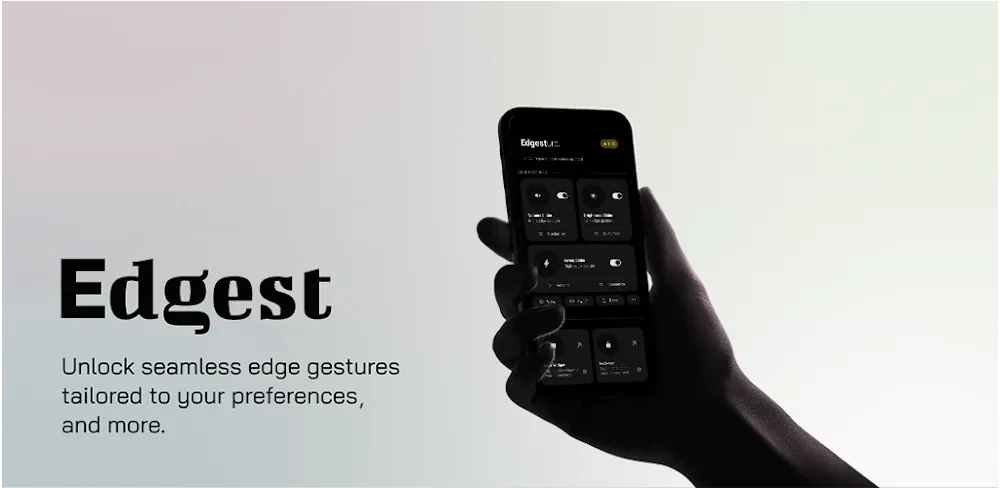

Edgest Edge Gestures & Control v1.19 MOD APK (Full Version)
| App Name | Edgest Edge Gestures & Control |
|---|---|
| Publisher | Dust Speck |
| Genre | Personalization |
| Size | 30M |
| Latest Version | 1.19 |
| MOD Info | Full Version |
| Get it On |

|
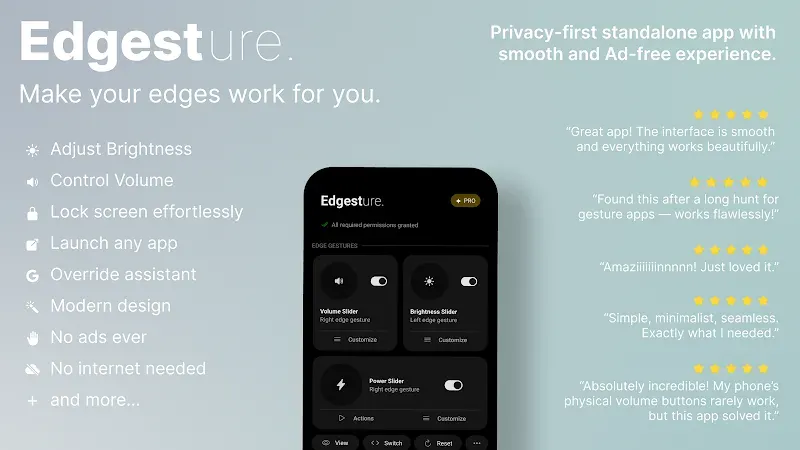
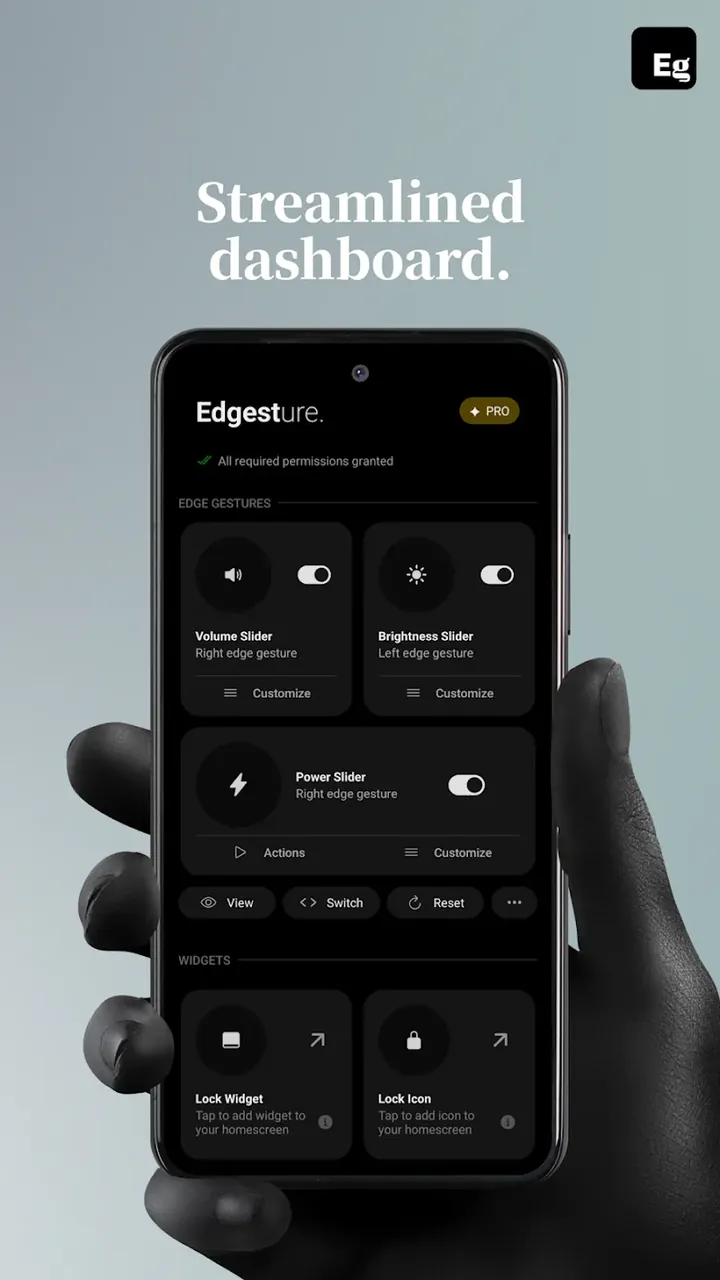
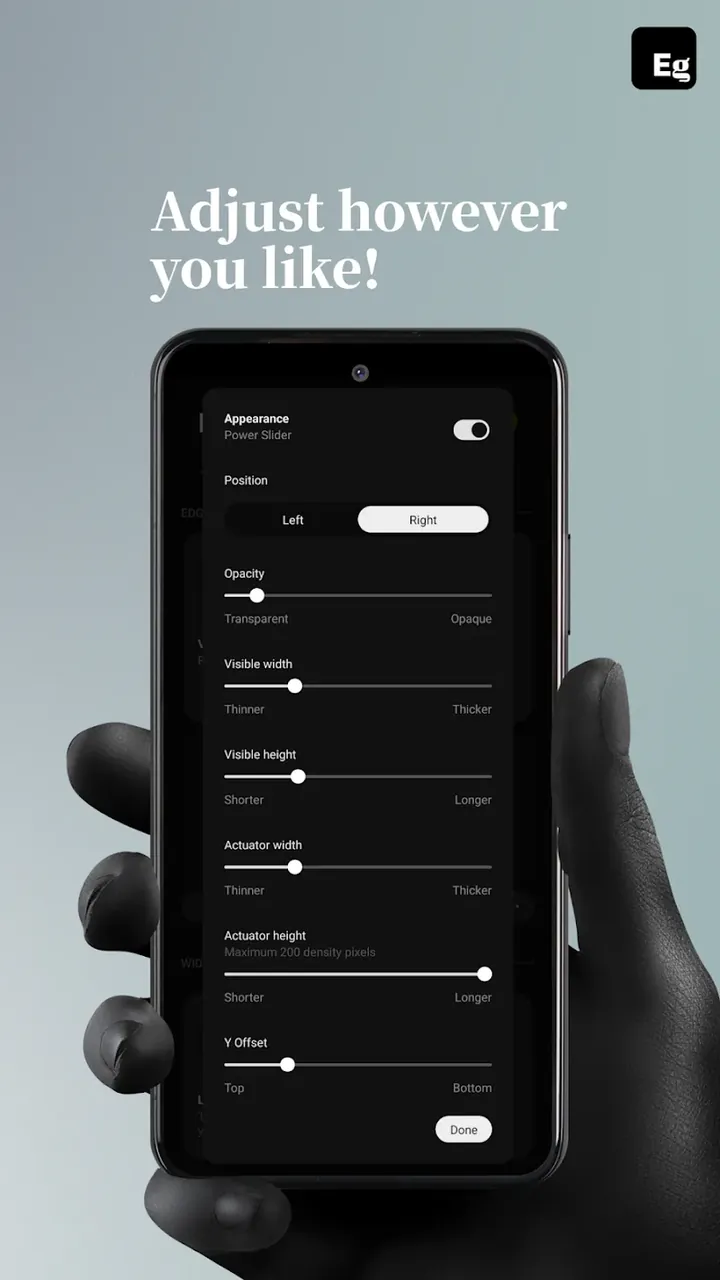
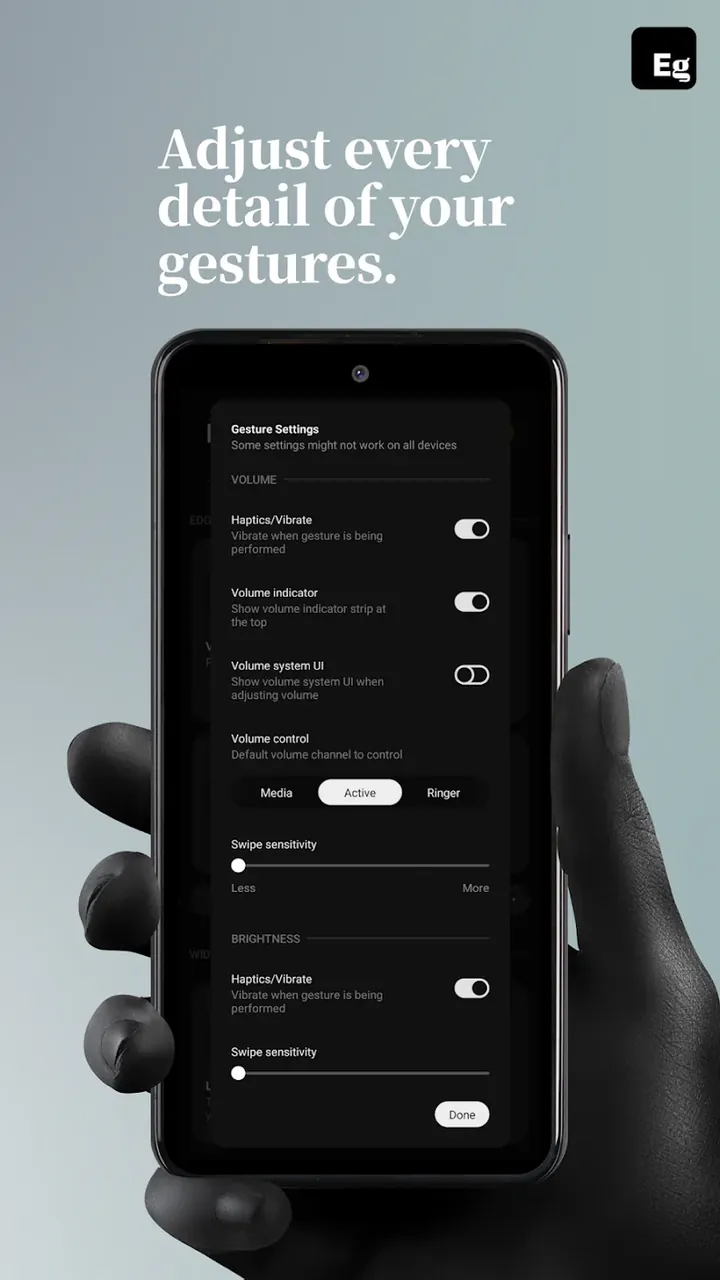
This modified version provides the Full Version of the software, unlocking all premium gesture controls and customization options. Users can utilize the Edgest Edge Gestures & MOD APK to access the complete range of navigation features without the restrictions found in the standard release.
What’s Modified in Edgest Edge Gestures &
- Unlocks the Full Version of the application, granting access to all premium gesture controls and customization settings without restrictions.
This build is version 1.18, has a file size of 30M, uses the package name com.edgest, and is a re-signed file that cannot be installed over a version downloaded from the official store.
About Edgest Edge Gestures &
Edgest Edge Gestures & Control helps Android users overcome the challenges of interacting with large-screen devices with just one hand. This app transforms edges of the display into what the developer calls ‘invisible command centers’. With Edgest, users swipe and tap on edges to control their devices rather than using traditional buttons usually situated at the top or bottom of the display. Edgest’s edge-control system allows users to manipulate their device using just their thumb, hence enabling multitasking while on the move. It aims at providing a convenient system to perform actions that would normally require a user to change hand positions or stretch, thereby causing the user to be less productive and absorbed with hand positioning rather than being productive with the devices. The system is designed to be responsive and to provide smooth animation to the edges so as to preserve the fluidity of the user’s work. The aim of Edgest Edge Gestures & Control is to eliminate the need for a user to be in an awkward hand position while using the device.
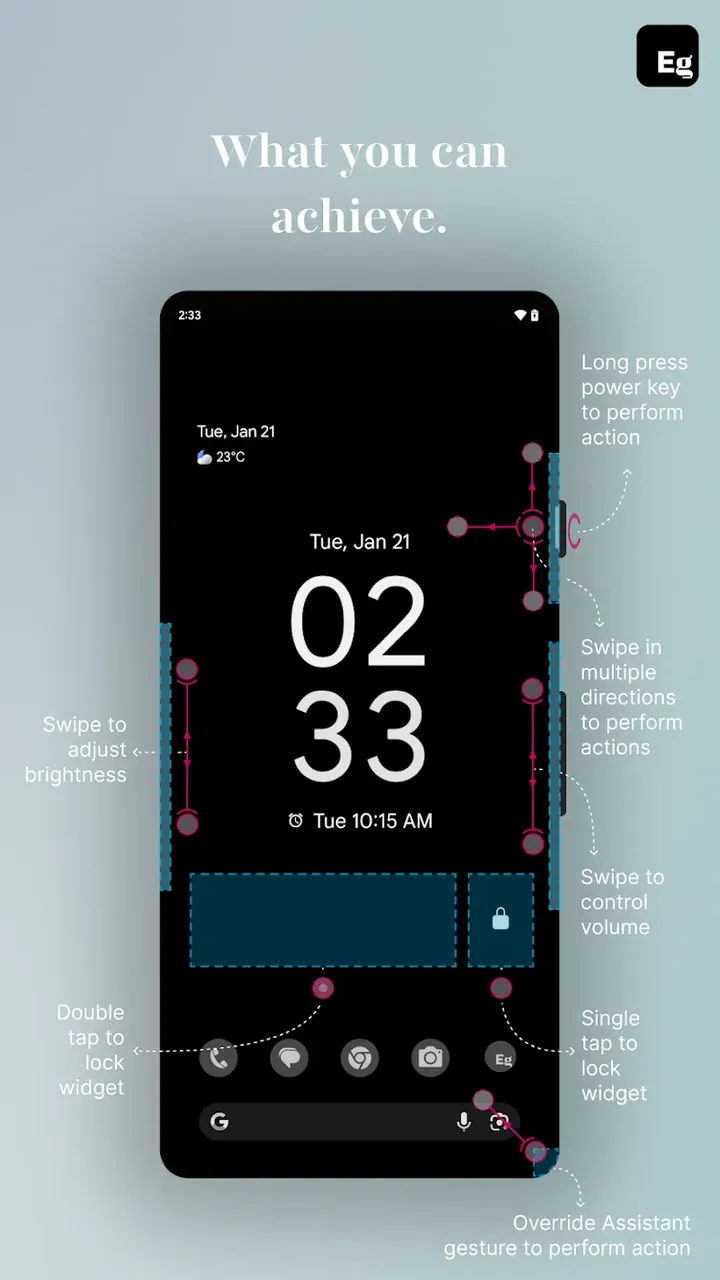
The core feature of the application is the ability to create Trigger Zones. These zones can be placed on the edges of the screen and serve as the trigger points for gestures. Users can adjust the zones to better suit their physical grip of their smartphone. Adjustment options include modifying the length and width of each zone as well as their position on the edge of the screen. This level of customization allows the user to place the gesture areas in a position most comfortable and easily accessible to them. Once configured, these zones provide access to different functions and features of the system and applications and can be used to replace the navigation bar. The application makes an effort to configure the edges of the display to respond to user input in the most effective way possible.
Each Trigger Zone supports various gesture types such as Single Tap, Double Tap, and Long Press. As well as these, gestural swipes in four different directions; Up, Down, Left, and Right, are also supported in these zones. Each of these gestures can be associated to a command or function. This allows for a higher function count from a single zone on the screen. For instance, a user could associate a long press to perform a function in a zone and a swipe up to perform a different function in the same zone. This product utilizes a system of gestural controls to provide users with immediate access to tools and various settings, without requiring the user to navigate to the home screen or sub-menus. The application is designed to improve the responsiveness of the gestures and improve the animations, therefore reducing lag during use.
Edge Gestures and MOD APK allow users to customize the Android platform further by mapping gestures to various system actions. These actions can replace the native interactions on the Android system, which are mapped to the Back, Home and Recent Apps buttons. Edge Gestures takes gestures one step further to allow users to pull down the notification center or launch apps from the edge of the screen. The System Action Override feature is powerful and allows Edge Gestures to replace native interactions of the Android system. With this feature, the app can redefine daily-used interactions to be more convenient and comfortable for the user. In essence, Edge Gestures provides a level of control to users by allowing them to change default and native interactions of the Android system to best match their workflow.
The application is designed with a sensitive gesture engine which can be adjusted to very precise conditions for activating gestures. If you are not using the application, the sensitivity can be adjusted to the highest levels, so typing or using other applications will not result in unwanted gesture inputs. The application also focuses on privacy for its users. This means while the application makes requests for access to system-level controls to perform gestures and overrides, it keeps users’ personal information secure and private. The application aims to be a productivity tool that enhances the user experience with fluid motion and simplicity without compromising the security of the mobile device it is running on.
Users customize how the app integrates with their existing hardware during the application setup process. The mechanics of the tool show that Trigger Zones are the building blocks of the user experience. Users are able to assign multiple actions to a single zone based on the type of gestures, creating a map of commands that are invisible and always at the user’s disposal. The sensitivity settings are critical for users that utilize protective cases and/or screen protectors, as these added cases may alter the physical edges of the touch input. This feature allows for adjustment of the activation areas, ensuring that accessibility of the gestures doesn’t mean that the user is prone to unintentionally trigger the commands. This approach for mobile interaction is in response to the user wanting to control their device through a means other than pressing buttons. It creates the device into a more powerful tool for users that want to take control of how they use their smartphones.
Key features
- Instant Edge Access
- One-Hand Navigation
- Fluid System Control
- Deep Customization Suite
- System Action Override
- Privacy-First Design
- Trigger Zones
- Single Tap, Double Tap, and Long Press Mapping
- Directional Swipes (Up, Down, Left, Right)
- Back, Home, and Recent Apps Navigation
- Notification Shade Access
- Advanced Sensitivity Settings
Related MOD APKs
FAQ
What does Edgest Edge Gestures & Control MOD APK unlock?
In this build of Edgest Edge Gestures & Control (1.18), the following is modified: Full Version. Everything else works like the official Dust Speck release, and the changes are live as soon as you install.
What is the latest version of Edgest Edge Gestures & Control MOD APK?
The current build is v1.18, matching Dust Speck’s release, last updated on July 4, 2026. We don’t keep older versions here. To update, install the new build from this page over the existing one; if Android reports a signature conflict, uninstall the old build first.
Is Edgest Edge Gestures & Control MOD APK safe to download?
Edgest Edge Gestures & Control MOD APK v1.18 on MODYOLO is Dust Speck’s original app with only Full Version modified. 1 users have rated it 5/5 here. It does not require root. A Play Protect warning during install is expected, so always download from this page.
Can I use Edgest Edge Gestures & Control MOD APK on PC or iPhone?
This is an Android package, so it won’t install on iPhone or iPad. On Windows or macOS you can run the 30M APK in an Android emulator such as BlueStacks or LDPlayer—install the emulator, then drag the file in.
Edgest Edge Gestures & Control v1.19 MOD APK (Full Version) Download
Download (30M)You are now ready to download Edgest Edge Gestures & Control for free. Here are some notes:
- Please read our MOD Info and installation instructions carefully for the game & app to work properly
- Downloading via 3rd party software like IDM, ADM (Direct link) is currently blocked for abuse reasons.
5/5 (1 vote)