EZ Notes is an excellent helper for users to organize their lives with an intuitive and flexible note library, and it even integrates with various features to increase everyone’s productivity.
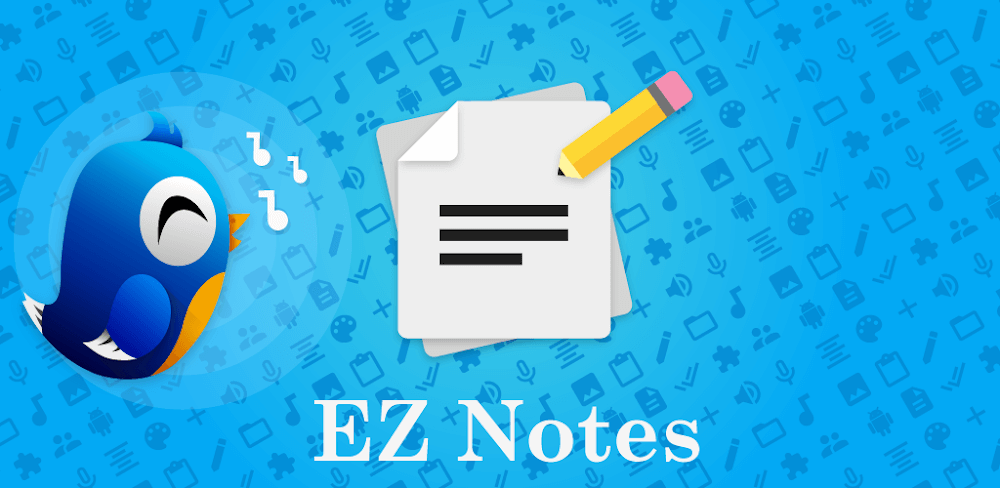

EZ Notes v11.4.0 MOD APK (Premium Unlocked)
| App Name | EZ Notes |
|---|---|
| Publisher | Alexander Madani |
| Genre | Productivity |
| Size | 8M |
| Latest Version | 11.4.0 |
| MOD Info | Premium Unlocked |
| Get it On |

|
MOD Info
- Premium Subscription / Paid features unlocked;
- Disabled / Removed unwanted Permissions + Receivers + Providers + Services;
- Optimized and zipaligned graphics and cleaned resources for fast load;
- Debug code removed;
- Remove default .source tags name of the corresponding java files;
- Languages: Full Multi Languages;
- CPUs: universal architecture;
- Screen DPIs: 120dpi, 160dpi, 240dpi, 320dpi, 480dpi, 640dpi;
- Original package signature changed;
- Release by Balatan.
This EZ Notes MOD APK provides immediate access to the premium subscription, unlocking all paid features within the application. The build has been optimized for better performance by removing unnecessary background services and streamlining the internal code for a faster user experience.
What’s Modified in EZ Notes
- Unlocks the Premium Subscription and all associated paid features within the app.
- Disables and removes unwanted permissions, receivers, providers, and services to minimize background activity.
- Optimizes and zip-aligns graphics while cleaning up resources to ensure faster application loading.
- Removes all debug-related code and development artifacts from the package.
- Eliminates default .source tags from Java files to reduce metadata overhead.
- Provides full multi-language support for users in different regions.
- Supports universal CPU architectures to ensure compatibility across various mobile devices.
- Includes support for multiple screen densities ranging from 120dpi to 640dpi.
- Changes the original package signature to accommodate the modifications made to the build.
 |
 |
This build is version 11.4.0, has a file size of 8M, and uses the package name com.pristineusa.android.speechtotext; because the original package signature has been changed, it cannot be installed over an existing copy from the official store.
About EZ Notes
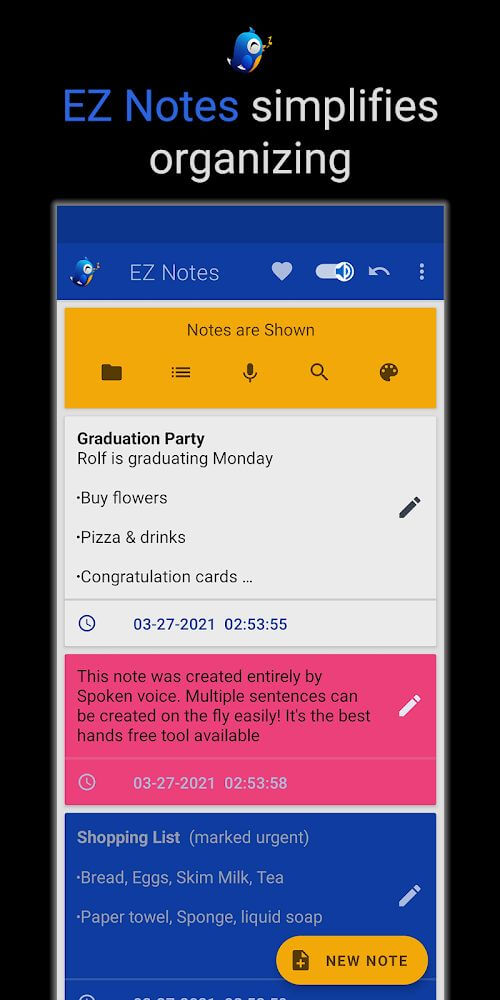
EZ Notes is made to help you write down ideas when you think of them to prevent you from forgetting. It also has a user interface which is made to be nice and easy for beginners to navigate and use. It is made to help you save your notes in a not messy way and remember everything you note. Almost half of the interface is made for you to design it how you want. This includes a dark mode, backgrounds match your moods, and even stands out backgrounds like the lighting in the room. This is made to help people manage tasks throughout their day and week in a not messy workspace from disorganized habits. It is designed to have a friendly learning curve so you’re not clicking around options to take down notes.
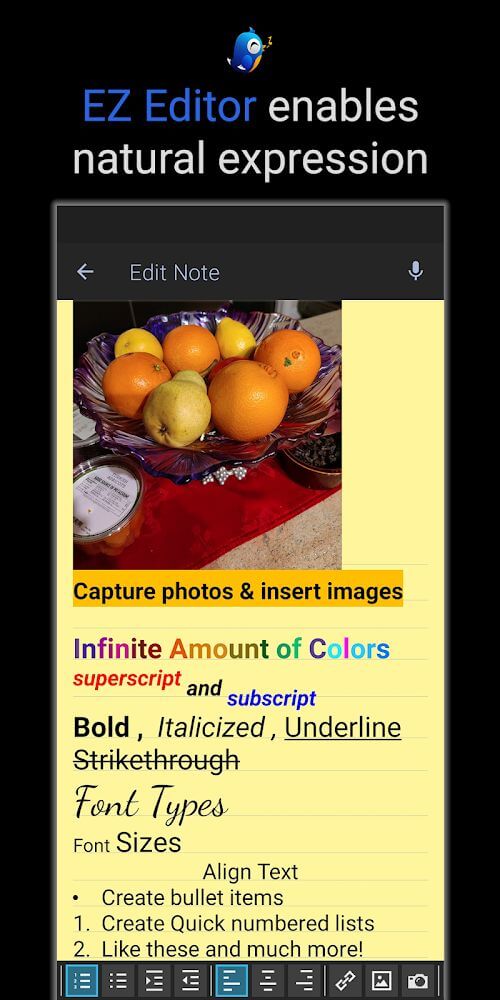
The application offers many note-taking methods based on the user’s environment and needs. The activities are designed with simplification in mind, no matter the user’s preferred method of note-taking, whether it is typing, sketching, or using speech to text for notes. Voice to text integration allows the user to create a note with no interruption of the thought flow, making it a great method for capturing ideas on the go. For users who prefer more traditional methods, the built in text editor lets the user create neat and formatted memos. The included text editor makes creating divisions and structures easy and makes memos neat and organized. The application lets users create notes and memos to their preference, allowing for a lot of flexibility. Users can make notes that stand out from the rest through bold colors and highlighting particular parts to help them remember. The level of text editor control lets the user put the focus of each memo on the main points rather than forcing digestion of walls of text.
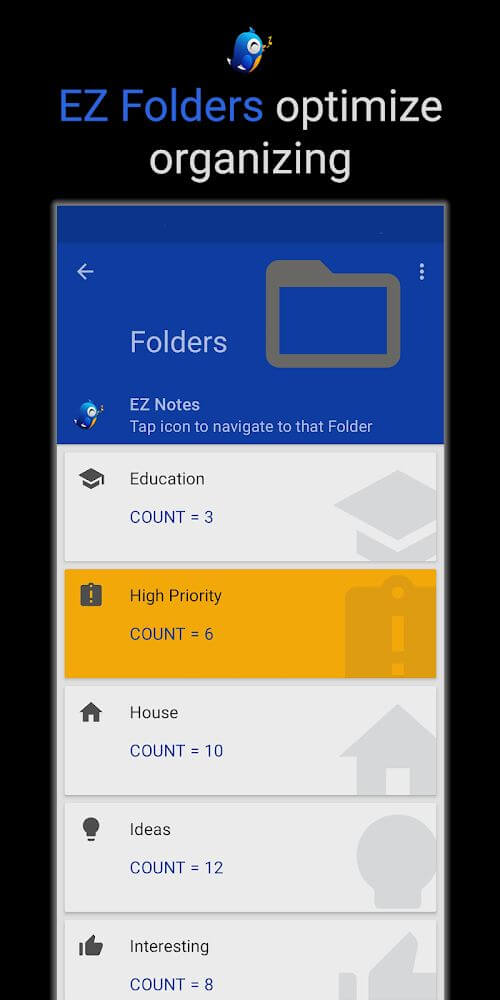
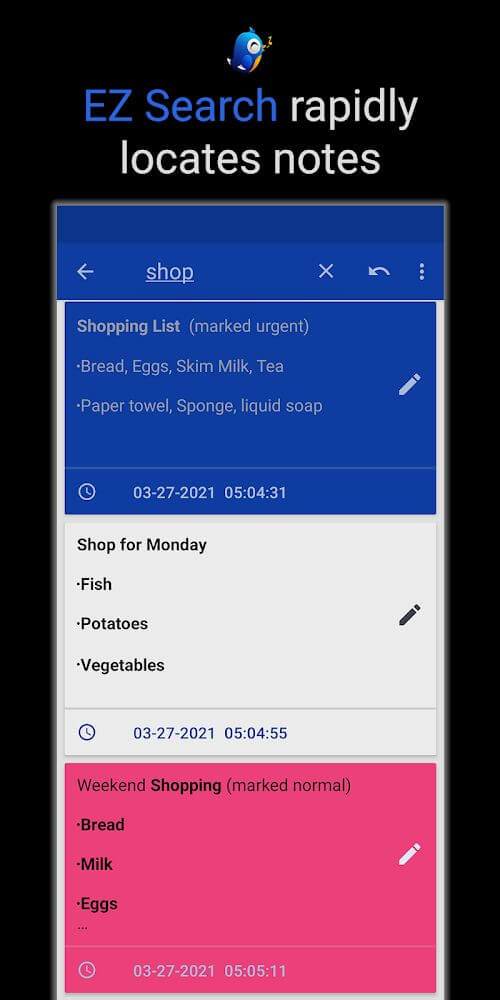
Users with a preference for neatness can appreciate the application’s advanced sorting capabilities to keep information organized. The application provides the opportunity to create custom categories and folders. This is important in a note taking application as users can often end up with a lot of notes that they then need to organize to keep their workspace neat. In the application, users can place notes in order based on either their priority or their topic. The interface has been optimized to allow for rapid access even when many notes have been created and categorized. The organizational structure of the application aims to be as simple as possible to allow for easy access to all stored items even when the number of stored items is high. The application’s interface contains a unique layout to help users find anything they need quickly, even the most specific of search terms. The application allows users to save their notes to many different formats making it easy for users to extract all the notes stored in the application to a range of different services.
A unique aspect of the application is the ability to build to-do cards which simplify the management of tasks and shopping lists. Users have the ability to build cards within a specific area of the application to outline tasks and build progress trackers. To display you’re your workload is still remaining, users have the ability to cross off completed tasks. To maintain time sensitive deadlines, users have the choice to set a time limit on individual cards so that alarms act as a reminder. This feature is designed to assist users with tasks that can be time of a high priority nature, shopping tasks, and deadlines. The application also helps users build the daily structure they need to manage their responsibilities in an effective manner and prioritize their tasks. Finally, the to-do card system allows users the flexibility to adapt and manage the tasks the way they feel necessary with the capability of tracking notes in the order they wish while completing cards.
The application goes beyond text and voice, featuring EZ Sketch. EZ Sketch includes a virtual canvas for visual notes or for users to express their creativity. This feature is useful for users that prefer to show ideas through visual means instead of verbally or through text. EZ Sketch has a variety of drawing tools and an advanced color palette. The sketches also have the same treatment as any other note. This means they can be given a name, a priority can be assigned, and they can be managed in the overall flow system. The sketching feature also means that notes can be diagrams or drawings, or can include sophisticated visual designs that can be visually impressive. This essentially means that as a note-taking app, it is flexible as it can handle multiple formats of notes. It also means that it is very valuable to have as a general note-taking app.
Key features
- Voice-to-text input for rapid hands-free note creation.
- EZ Sketch tool with advanced drawing instruments and color palettes.
- To-do card maker for managing shopping lists and daily tasks.
- Customizable text editor with font and color personalization.
- Folder and category system for advanced note organization.
- Alarm and time limit settings for task reminders.
- Export functionality to save notes in multiple formats.
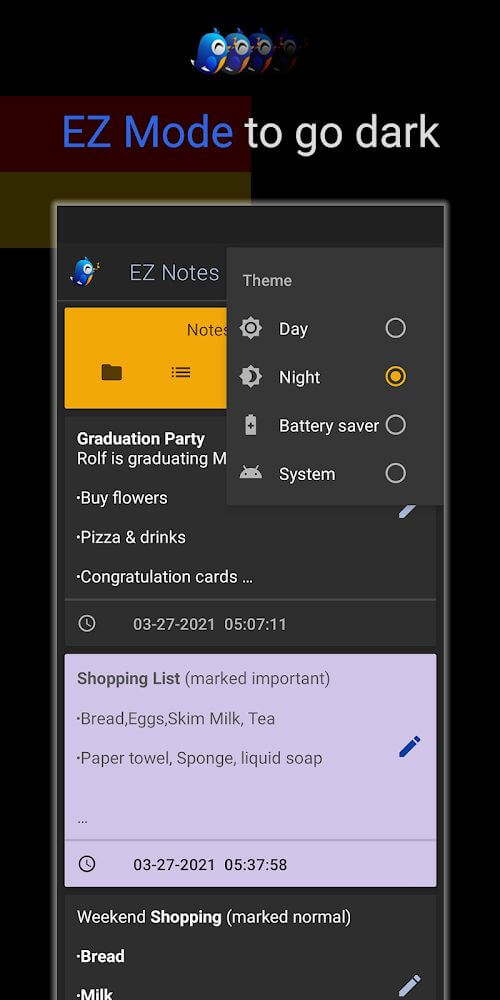
- Interface personalization including dark mode and vibrant themes.
 |
 |
 |
Related MOD APKs
FAQ
Is Premium unlocked in EZ Notes MOD APK?
This 11.4.0 version of EZ Notes includes Premium Unlocked. It works like the Alexander Madani original, and the modified features are active as soon as you finish the installation.
What is the latest version of EZ Notes MOD APK?
Version 11.4.0 matches the Alexander Madani release from July 21, 2025. We don’t keep older versions here. Install this build over the existing app to update; if you see a signature conflict, uninstall the old one first.
Is EZ Notes MOD APK safe to download?
This 11.4.0 build of EZ Notes is the Alexander Madani app with Premium Unlocked. 5 users gave it a 3.4 rating here. It does not require root. Ignore Play Protect warnings, but always download from this page.
Can I use EZ Notes MOD APK on PC or iPhone?
This Android package cannot run on iPhone. To use the 8M APK on a PC, install an emulator like BlueStacks or LDPlayer, then drag the file into it to begin.
EZ Notes v11.4.0 MOD APK (Premium Unlocked) Download
Download (8M)You are now ready to download EZ Notes for free. Here are some notes:
- Please read our MOD Info and installation instructions carefully for the game & app to work properly
- Downloading via 3rd party software like IDM, ADM (Direct link) is currently blocked for abuse reasons.
3.4/5 (5 votes)