MP4Fix helps users fix all of their broken videos by all means while recovering the original quality and is also packed with extraordinary features to enhance the videos’ resolution.


MP4Fix Video Repair Tool v2.7.5 APK + MOD (Pro Unlocked)
| App Name | MP4Fix Video Repair Tool |
|---|---|
| Publisher | Smamolot |
| Genre | Video Players & Editors |
| Size | 3M |
| Latest Version | 2.7.5 |
| MOD Info | Pro Unlocked |
| Get it On |

|
This MP4Fix Video Repair Tool MOD APK unlocks the Pro features of the application, allowing users to access the full range of recovery and enhancement tools without the limitations of the standard version. The modification is designed to enable all built-in premium capabilities for repairing and upscaling damaged video files directly upon installation.
What’s Modified in MP4Fix Video Repair Tool
- The Pro Unlocked modification provides full access to the premium repair and video enhancement features within the app.
 |
 |
This build is version 2.7.5, has a file size of 3M with the package name com.smamolot.mp4fix, and is re-signed, meaning it cannot be installed over an existing copy from the official store.
About MP4Fix Video Repair Tool
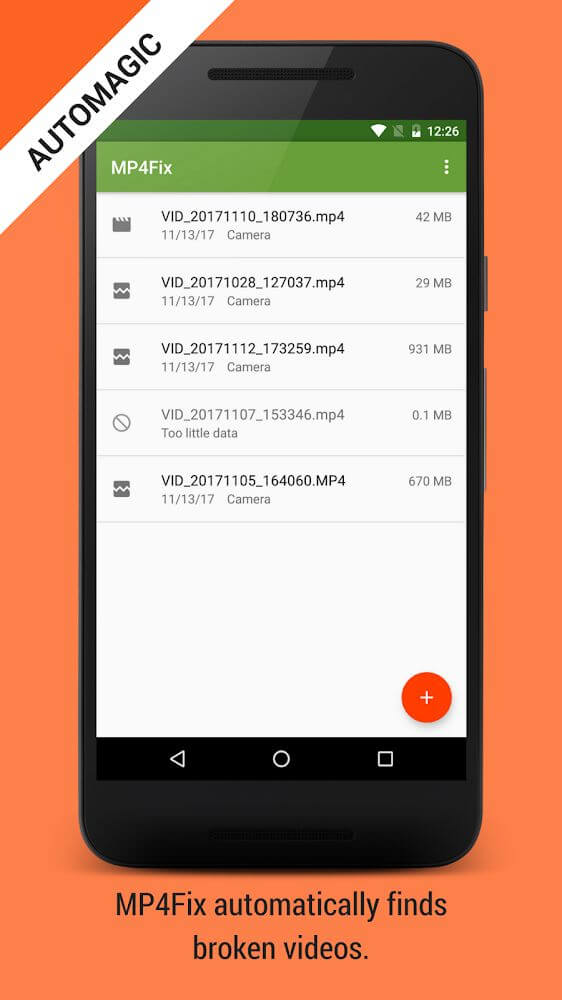
The MP4Fix Video Repair Tool is a program that helps rebuild and re-stabilize video files that have become unplayable because of a number of technical glitches. The main premise of the application is the recovery of what are known as “draft files”. Draft files are video files that were never finalized by a recording device. These can occur when a recording device suffers a hardware failure. Draft files can also occur when a mobile device loses power during a recording session. Instead of leaving these unplayable files as useless data, the program reverses the broken draft and attempts to make it into a standard, functional MP4 file. This is obviously very beneficial to users who have lost important files because of glitches or interruptions beyond their control. This application searches deep within device memory and can even locate files that don’t even show up in a device gallery.
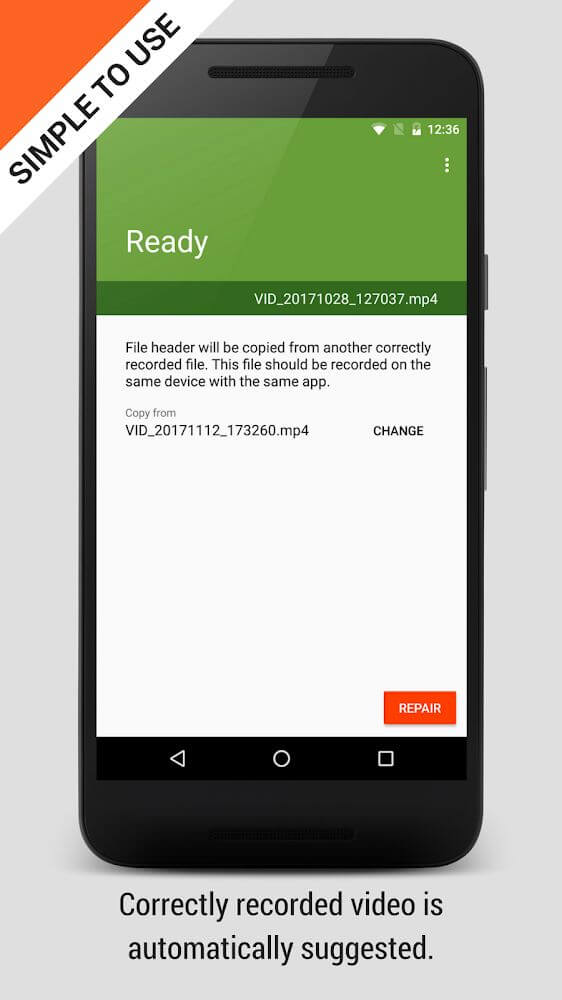
The application uses advanced artificial intelligence for video repair and enhancement. The integrated AI focuses on the visual quality of the output. Thanks to this configuration, the application provides users with an automatic upscaling feature to improve the default appearance of the recovered footage. With this tool, the software can perform automated video repairs at high speeds, and offer users different types of automatisms to modify the final format and/or visual atmosphere of the videos. Traditionally, repairs of this type require the user to manually adjust thousands of parameters of video quality and visual effects. This intelligent system automatically performs this task. The application gives users a simple and powerful means of transforming video files from an inaudible, unplayable format to a user-defined quality and final format.
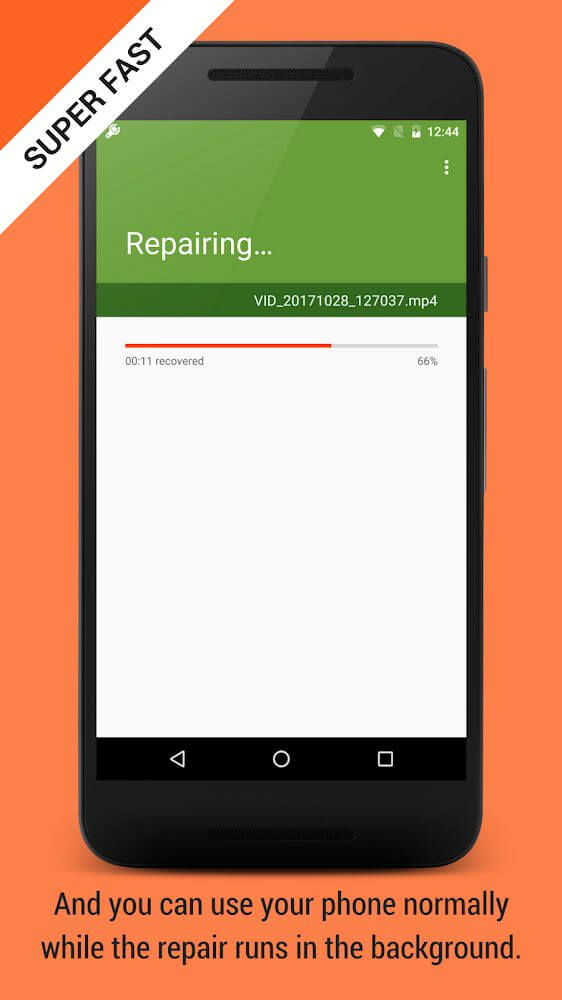
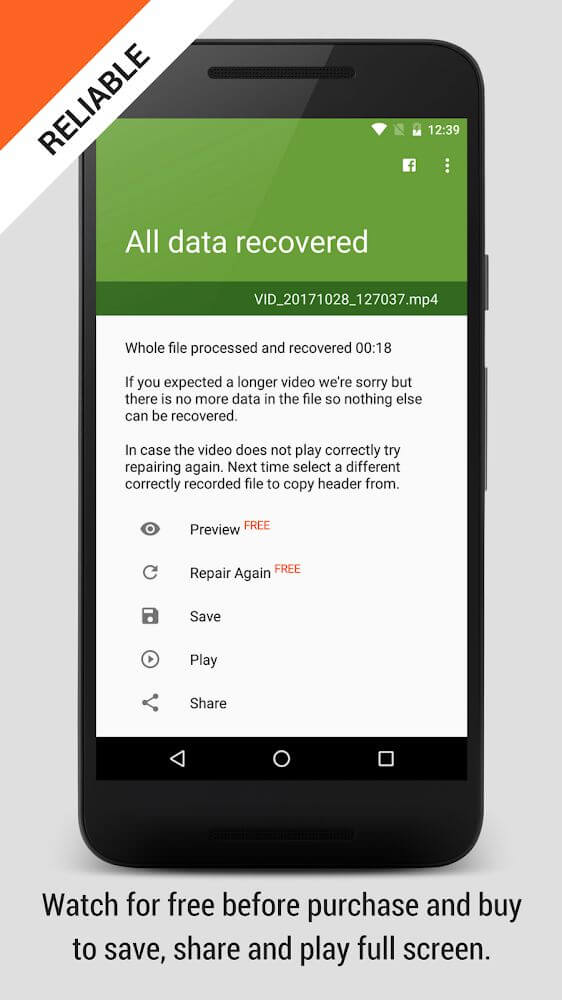
In addition to AI improvements and technical repairs, the software features a simple video editor to help complete final stages of video processing. Manipulating video in this editor allows users to assemble their recovered footage for a neater and more presentable final product. It doesn’t take on full post-production, but rather prepares footage for the next stage of video editing or other use. Previewing recovered and edited video is helpful to see if further repair and edits are needed. Users can decide for themselves the reliability and quality of the edits they make by viewing the results and committing to final export only when satisfied. Users of the software can export processed videos in the background while using the device for other tasks. The mechanism allows users to minimize the application to process other tasks without obstructing the progress of video restorations.
The application makes it easy for users to customize and interact with the user interface. Its design philosophy is centered around the belief that the app can always be improved, and as such, various icons and aspects of the UI can be changed by the user through the use of extensions, backgrounds, and other tools. A single fixated theme is not required, and users can use themes that they prefer. In addition to theme customization, the application can play a multitude of video file formats. The application can work on files that are natively stored on the device, as well as on files that are downloaded from the Internet, and can even work on files that are stored in the Cloud. The application facilitates the process of repairing videos and sending them to desired social network sites. As part of the repair and sharing process, there may be a need to install additional formats and codecs to ensure that the repaired video is playable and viewable on the desired site.
Key features
- Repair of broken draft video files damaged by camera failure or battery loss.
- Deep memory search for video files interrupted by external forces.
- AI-powered automatic video upscaling and quality enhancement.
- Built-in primitive video editor for manual cutting and trimming.
- Preview functionality for verifying results before final export.
- Background processing for repair and upscaling tasks.
- Customizable interface with vibrant backgrounds and layout extensions.
- Wide format compatibility for importing and exporting video files.
- Direct sharing to social networks and integration with cloud storage.
 |
 |
 |
Related MOD APKs
FAQ
Is Premium unlocked in MP4Fix Video Repair Tool MOD APK?
This 2.7.5 version of MP4Fix Video Repair Tool features Pro Unlocked. It functions like the original Smamolot app, with all modifications active immediately after installation.
What is the latest version of MP4Fix Video Repair Tool MOD APK?
Version 2.7.5 matches the Smamolot release from July 22, 2025. We don’t keep older versions here. Update by installing this file over your current one. If you see a signature error, uninstall your existing app first.
Is MP4Fix Video Repair Tool MOD APK safe to download?
This 2.7.5 build of MP4Fix Video Repair Tool is the Smamolot app with Pro Unlocked features. 32 users gave it a 3.8/5 rating. It does not require root. You might see a Play Protect alert, so always download from this page.
Does MP4Fix Video Repair Tool MOD APK remove the watermark?
This build includes Pro Unlocked features. Since watermark removal is a premium feature in MP4Fix Video Repair Tool, you should check the export screen after you finish installing to verify.
MP4Fix Video Repair Tool v2.7.5 APK + MOD (Pro Unlocked) Download
Download (3M)You are now ready to download MP4Fix Video Repair Tool for free. Here are some notes:
- Please read our MOD Info and installation instructions carefully for the game & app to work properly
- Downloading via 3rd party software like IDM, ADM (Direct link) is currently blocked for abuse reasons.
3.8/5 (33 votes)