
This OBD Fusion MOD APK is a patched version of the vehicle diagnostic tool that provides access to the features typically reserved for the paid edition. It allows users to utilize the full range of engine monitoring and communication capabilities without undergoing the standard store purchase process.
What’s Modified in OBD Fusion
- The application has been patched to provide access to the paid version features of the software.
This OBD Fusion MOD APK build is version 5.32.2 with a file size of 38M and uses the package name OCTech.Mobile.Applications.TouchScan; it is a re-signed file and cannot be installed as an update over an official version from the store.
About OBD Fusion
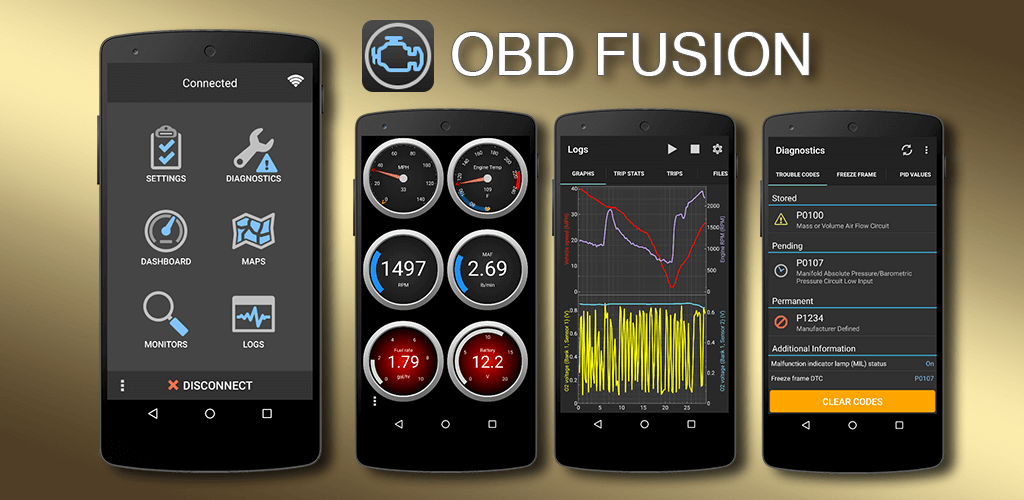
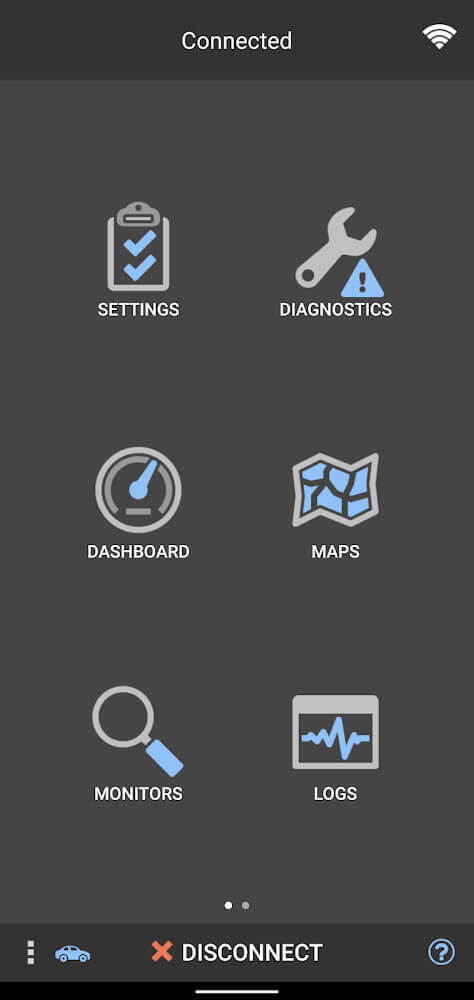
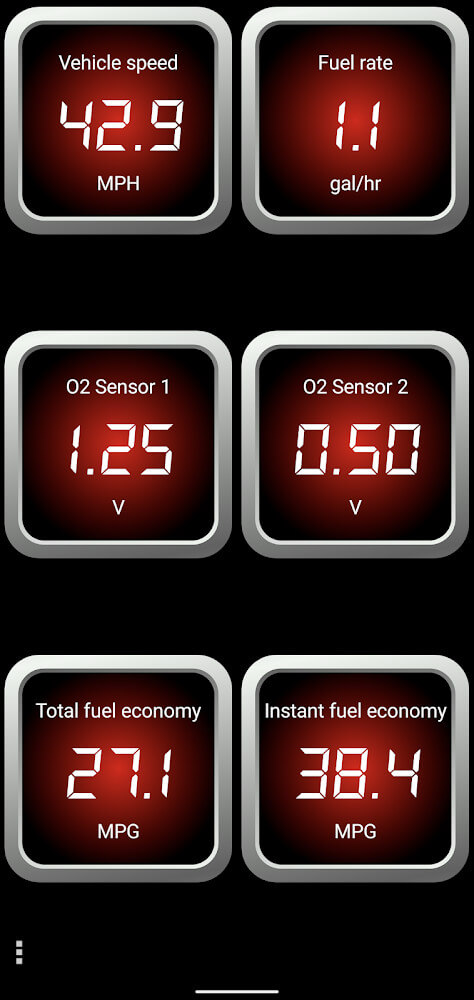
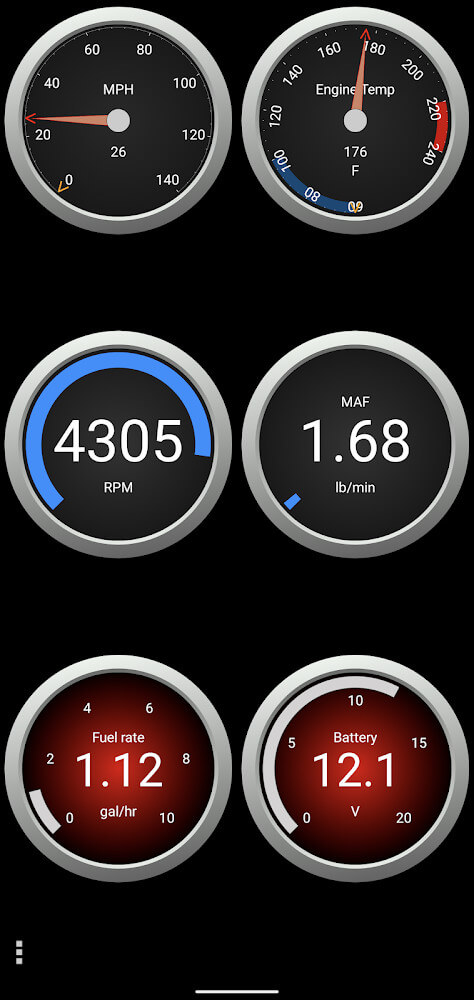
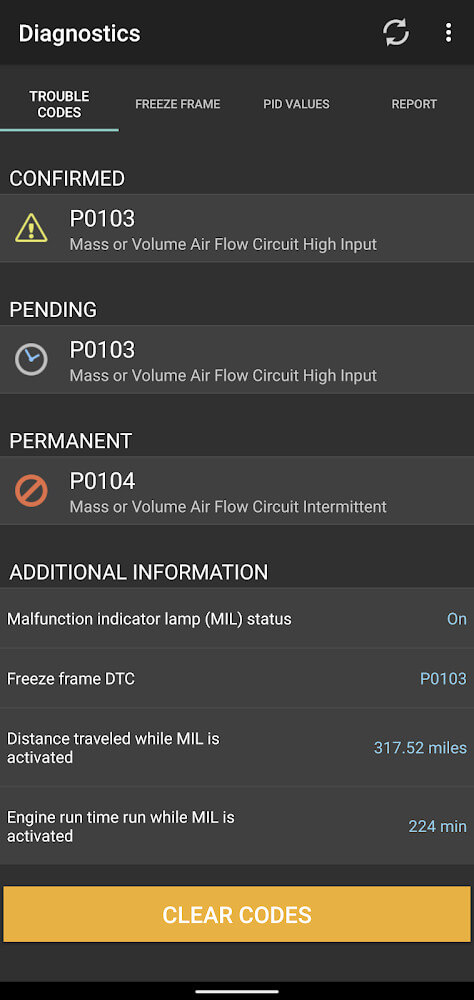
OBDFusion is a diagnostic tool to read specific engine codes on vehicles and monitor performance data on an Android device. The main function of the app is to read engine diagnostic trouble codes (DTCS) generated by the vehicle’s onboard computer. This enables the user to understand what mechanical or electrical issues the engine may have. After the code is read and the problem is addressed, the app allows the user to clear the code, therefore also removing the check engine light on the vehicle’s dashboard. The main focal point of the interface is the real-time control panel, which displays all of the data collected in great detail. Users can set warnings for conditions that they want to be alerted of during operation.
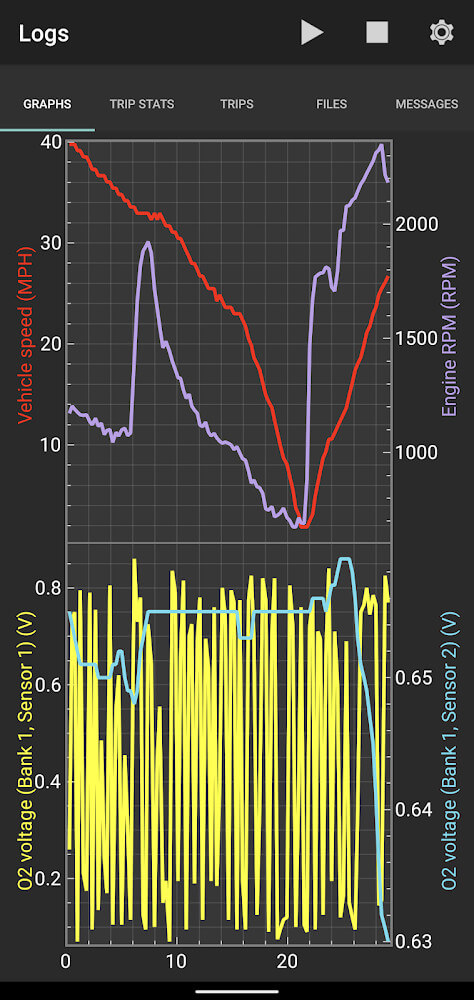
The software has real time data visualization with graphing features. The app gathers data in real time and creates graphs showing data for the user to interpret. An important feature of this data is calculating fuel economy. With each gallon of gas the vehicle consumes, the app immediately calculates the MPG for the user to show how fuel is being used. This way, the user can see if fuel is being used optimally or if the user needs to change driving habits to lessen the burden on the vehicle.
For users of specific vehicle brands, the app includes built-in PIDs for Ford and GM vehicles. These identifiers allow the app to read special sensors such as oil and transmission temperatures as well as engine ignition timing, which are typically not readable with standard diagnostic readers.
Core to the application is the ability to measure journeys using a tracking device to record and log every trip. This function captures the vehicle’s fuel economy and total fuel use per trip and records and logs this information for every trip. Users are able to prioritize trip data by customizing their control panel. All data collected by the application is recorded and stored by the application and can be exported in CSV format. The export function gives users the opportunity to analyze and log vehicle data and performance for fuel consumption and engine health over a specific period of time.
 |
 |
The application provides users with technical metrics such as torque, horsepower, battery voltage and others. It captures air-to-fuel ratios and various system pressures and presents them as exact numerical values. In the event of a system fault, the application records the frame data and captures the values of the relevant sensors. To cater to a wide range of users, the application allows users to select their preferred unit system of measurement, English, Metric or Imperial, for distance, temperature and pressure. The application presents its data in a format that is immediately comprehensible and understandable to the user.
The software provides users the ability to obtain their Calibration ID and VIN directly from their device. Customers can use this information to validate part numbers or service requirements. The application also provides GPS tracking, and can store a history of trips that can be redrawn on a map. Users can email stored reports to save important diagnostic information or trips. The email function allows users to share engine data with mechanics or other people, as well as keep the data for personal use.
The latest version of the application has added features to help users with data analysis and navigation. These include a graph ruler and compass. The developer has also worked to find and correct minor bugs in the application to provide a more stable and consistent experience. The application is a practical tool for car owners to perform basic maintenance and repair on their vehicles, keep track of engine performance, fuel economy and other diagnostic health and monitoring information.
Key features
- Diagnostic trouble code reading and deletion
- Check engine light removal capability
- Real-time dashboard with customizable warnings
- Real-time data graphing and visualization
- MPG and fuel economy calculations
- Built-in PIDs for Ford and GM vehicles
- Transmission and oil temperature monitoring
- Trip journey measurement and fuel usage tracking
- CSV data export for spreadsheet compatibility
- Battery voltage and motor torque display
- Air-to-fuel ratio and pressure monitoring
- Support for English, Metric, and Imperial units
- Calibration ID and VIN display
- GPS tracking with map path redrawing
- Email-based report storage and retrieval
- Integrated graph rulers and navigation compass
 |
 |
Related MOD APKs
FAQ
What does OBD Fusion MOD APK unlock?
In this build of OBD Fusion (5.32.2), the following is modified: PAID and Patched. Everything else works like the official OCTech release, and the changes are live as soon as you install.
What is the latest version of OBD Fusion MOD APK?
The current build is v5.32.2, matching OCTech’s release, last updated on October 25, 2022. We don’t keep older versions here. To update, install the new build from this page over the existing one; if Android reports a signature conflict, uninstall the old build first.
Is OBD Fusion MOD APK safe to download?
OBD Fusion MOD APK v5.32.2 on MODYOLO is OCTech’s original app with only PAID and Patched modified. 45 users have rated it 3.4/5 here. It does not require root. A Play Protect warning during install is expected, so always download from this page.
Can I use OBD Fusion MOD APK on PC or iPhone?
This is an Android package, so it won’t install on iPhone or iPad. On Windows or macOS you can run the 38M APK in an Android emulator such as BlueStacks or LDPlayer—install the emulator, then drag the file in.