Transform your Android home screen into a PC-style desktop with a taskbar, Start menu, file manager, widgets, and customizable themes.

PC Style Home Launcher MOD APK V13.74 b204 (Pro / Paid Unlocked)
| App Name | PC Style Home Launcher |
|---|---|
| Publisher | MH Apps Studio |
| Genre | Personalization |
| Size | 13 MB |
| Latest Version | 13.74 b204 |
| MOD Info | Pro / Paid Unlocked |
| Get it On |

|
Give your Android phone a fresh new look with PC Style Home Launcher! Transform your ordinary home screen into a desktop-inspired interface with a familiar taskbar, Start menu, file explorer, widgets, and notification center. Enjoy the convenience of a computer-style layout while keeping the flexibility and portability of your smartphone.
Whether you love the classic desktop experience or simply want a more organized and personalized home screen, PC Style Home Launcher brings a new way to interact with your device.
A Desktop-Style Home Screen
Turn your phone’s home screen into a computer-inspired desktop. Arrange your favorite apps, folders, and shortcuts wherever you like. Keep frequently used applications within easy reach using the customizable taskbar, complete with your favorite apps, clock, and date.
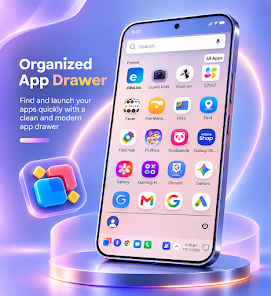
Explore all installed applications through the Start menu, use its search function to find apps quickly, and pin your most-used apps for convenient access.
Built-In File Manager
Manage your phone’s files with a desktop-style file explorer. Browse internal storage, SD cards, and USB drives through a familiar interface.
Organize your digital content with practical file management tools:
- Copy, cut, paste, move, rename, and share files.
- Delete unwanted files and manage them through the Trash.
- Create folders to keep documents organized.
- Compress and extract ZIP files.
- Browse photos with the built-in gallery and image viewer.
Widgets and Quick Settings
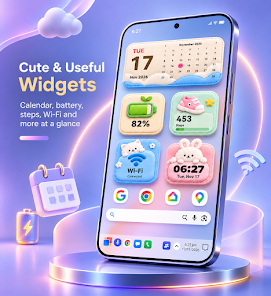
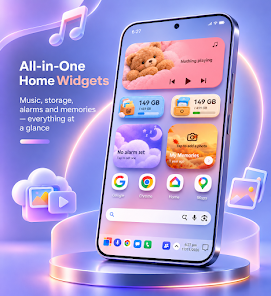
Keep useful information close at hand with customizable home screen widgets. Add clock, weather, calendar, RAM, and battery widgets to your desktop. You can also use your phone’s existing widgets and choose different clock face styles.
The notification center brings your notifications together in one convenient panel. Access useful quick settings, including Wi-Fi, Bluetooth, flashlight, and screen rotation. Adjust brightness and volume with built-in sliders.
Customize Every Detail
Make your desktop-style home screen reflect your personal taste. Choose from different themes, icon packs, and wallpapers, including live wallpapers. Adjust taskbar and menu colors, explore transparency options, and apply blur effects to create a look you enjoy.
With light and dark appearance options, you can choose the visual style that suits your preferences.
Privacy and Convenient Access
Keep selected applications out of sight with app hiding and PIN protection options. The launcher also includes a lock screen feature, adding more ways to personalize how you access your device.
Key Features
- PC-inspired desktop home screen for Android.
- Customizable taskbar with favorite apps, clock, and date.
- Start menu with app search and pinned applications.
- Built-in file manager with file organization tools.
- ZIP compression and extraction support.
- Notification center and quick settings panel.
- Clock, weather, calendar, RAM, and battery widgets.
- Support for your phone’s existing widgets.
- Custom themes, icon packs, and wallpapers.
- Live wallpapers, transparency, and blur effects.
- Light and dark appearance options.
- Hide apps and protect selected apps with a PIN.
- Lock screen customization.
- Compatible with Android phones and tablets.
PC Style Home Launcher MOD APK V13.74 b204 (Pro / Paid Unlocked)
Download (13 MB )You are now ready to download PC Style Home Launcher for free. Here are some notes:
- Please read our MOD Info and installation instructions carefully for the game & app to work properly
- Downloading via 3rd party software like IDM, ADM (Direct link) is currently blocked for abuse reasons.
4.6/5 (62 votes)