Plus Messenger is rated as one of the most worthwhile messaging apps to use today. With countless unique utilities that bring convenience to users, such as naming the chat group, sending pictures, etc.

Plus Messenger v13.2.1.0 MOD APK (Optimized, No ADS)
| App Name | Plus Messenger |
|---|---|
| Publisher | rafalense |
| Genre | Communication |
| Size | 62.4M |
| Latest Version | 13.2.1.0 |
| MOD Info | Optimized |
| Get it On |

|
MOD Info
Removed unnecessary languages, duplicate graphics.
Added my graphics.
Removed splash screen.
Recommended for use with black theme and night mode.
The build number has been increased so that it does not ask for an update.
MOD Extra Info
Deep graphics optimization, duplicates removed
Removed sponsored ads
Hidden sponsor channel from proxy
When the client starts, the screen will be painted black (in the original – bright white)
The modification is “untied” from Google Services (I can’t guarantee efficiency in 100% of cases)
Removed unnecessary classes (hockeyapp, etc.)
Blocked the collection of analytics, thoroughly
The work of unnecessary sensors is blocked, the proximity and sanctity are not touched
The map is loading, addresses and location are working
.webpack functionality included
Signature changed
The Plus Messenger MOD APK provides an optimized communication experience by removing redundant languages and duplicate graphics while introducing custom visual elements. This version is specifically tuned for night mode users, featuring a black startup screen and the removal of sponsored advertisements.
What’s Modified in Plus Messenger
- Removed unnecessary language files and duplicate graphics to reduce the overall storage footprint.
- Included custom graphics and removed the original splash screen for a faster entry into the application.
- Optimized the interface specifically for use with black themes and night mode settings.
- Increased the internal build number to prevent the application from prompting users for official updates.
- Applied deep graphics optimization and removed sponsored ads and the sponsor channel from the proxy.
- Modified the initial startup screen to appear black instead of the original bright white color.
- Unlinked the modification from Google Services, though full efficiency may vary depending on the environment.
- Removed unnecessary internal classes such as hockeyapp and other similar components.
- Blocked analytics collection and disabled unnecessary sensors while ensuring proximity and light sensors remain functional.
- Maintained full functionality for map loading, address searches, and location services.
- Included webpack functionality and updated the application signature.
 |
 |
This build is version 12.10.1.0 with a file size of 54M and the package name org.telegram.plus; because the signature has been changed, it cannot be installed over an existing version from the official store.
About Plus Messenger
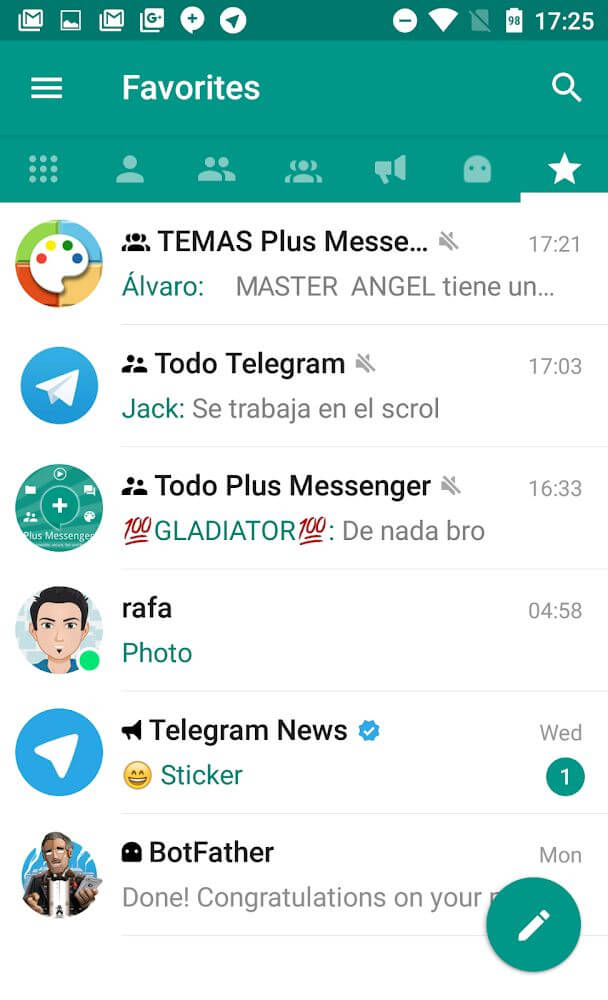
Plus Messenger aims to introduce a variety of features to revamp messaging systems that lack utility. This application employs a separation of tabs to organize the UI on the main screen. This system allows for users to organize their contacts into favorited contacts, unread messages, and group chats just to name a few. This system attempts to be time-saving because it separates conversations requiring the user’s attention from those that can wait. In the case that a user does not appreciate the organization of system, they can rearrange the order of tabs that they ‘think’ are the most prominent to their day-to-day objectives. By removing tabs, users emphasis which tabs are the least important. Separating the mailbox allows users to put conversations on hold while prioritizing immediate responses for group conversations. For users that regularly converse with a high volume of people, especially work and family, this application emphasizes that users are people with multiple important responsibilities.
This app has a high level of account management flexibility beyond UI design. It lets users keep 10 accounts logged on at the same time on the same device. This especially caters to people who oversee numerous business profiles. It is also well suited to people who need to keep different social and professional personas separate. The design facilitates fast account switching. This means users can respond to messages on all their different accounts even if they are logged on at the same through the same device. It meets a huge need in the workplace where people must be responsive to many messages at the same time. The design is also flexible enough for the owner of a business with many accounts to streamline the use of many connected devices.
 |
 |
Advanced group chat settings and document functionality provide additional means of communication within the app. Groups can be customized with creative names like corporate and family groups to help users manage several active conversations. The naming system helps the application reach its goal of changing user interaction and communication of information by saving time in effortlessly identifying groups. Documents can be sent, received, and exchanged in the application. The application helps users consolidate their documents by providing a single application for their personal and professional document exchange. The tool has built in features to back up mailbox folders to ensure data security and protection. Resuming mailbox folders allows speedy retrieval of important messages and documents. Data transitions occur quickly, helping the user avoid downtime. The features for backup and restore mailbox folders are designed to offer speed for document retrieval.
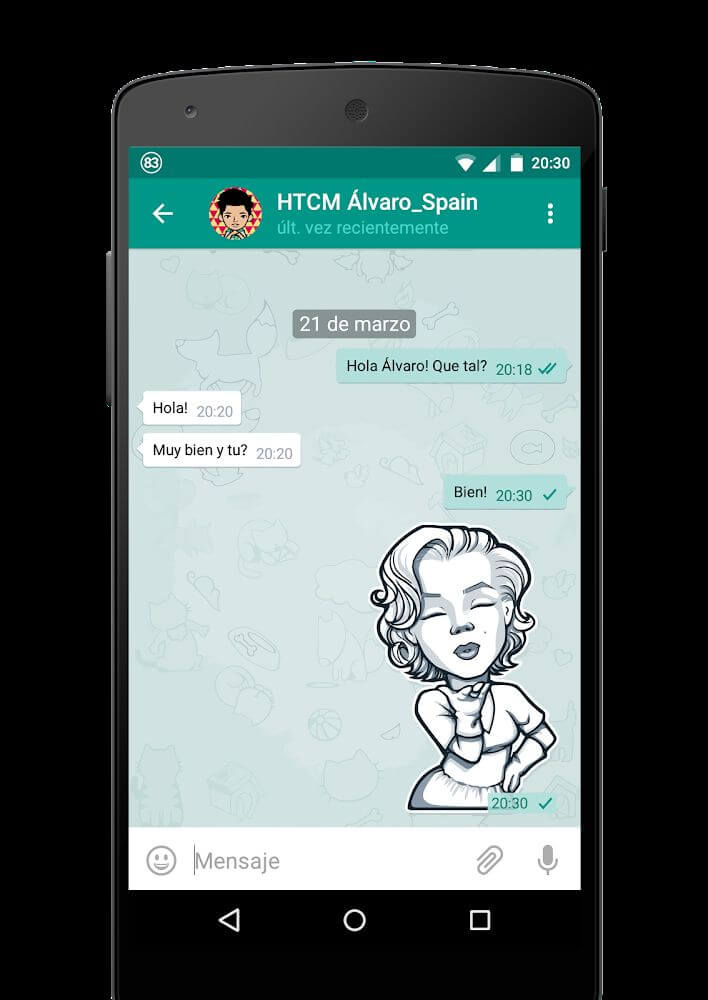
The application accommodates select focus interactions through the use of pinning and sticker management. Users are able to pin up to 100 messages or conversations to the top of their chat. Newer, less important messages will not push these messages down. The 100 message limit is an improvement on most messaging systems. This is intended to assist users in tracking messages related to important tasks. The application also saves up to 20 of the user’s favorite stickers, which should improve the speed of sending messages with stickers. To further assist users, the notification system provides the user with the option to receive notifications based on the activity of certain contacts; users have the option to receive notifications for specific contacts based on contact status (online), whether the contact is about to send a message, and whether the contact has sent a message. This system eliminates the need for the user to check for contact presence since activities of selected contacts are instantly displayed on the application.
Key features
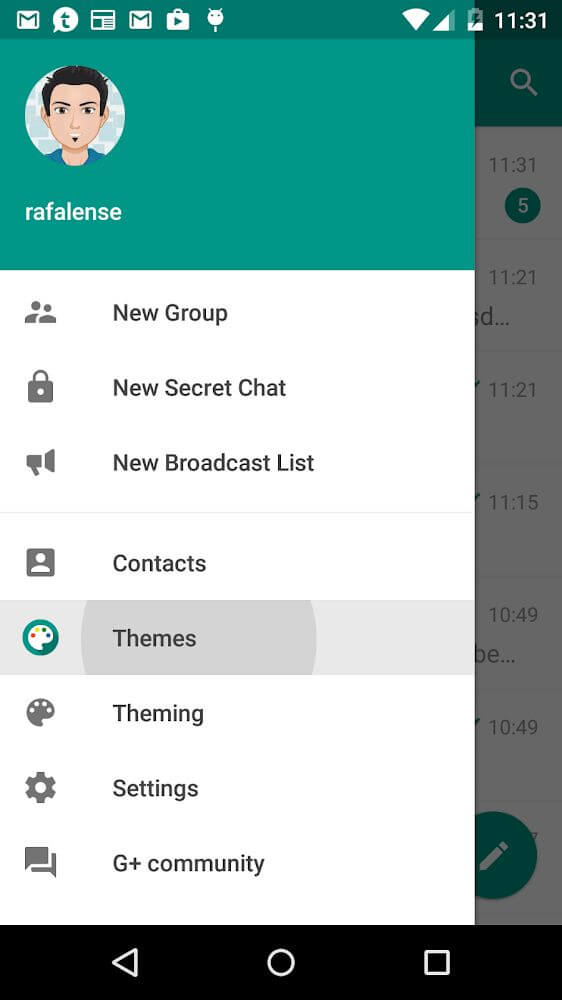
- Separate tabs for favorites, unread messages, and groups.
- Support for logging into up to 10 accounts simultaneously on one device.
- Custom naming for individual group chats to prevent confusion.
- Backup and restore functionality for mailbox folders and message items.
- Pinning for up to 100 important messages at the top of the chat list.
- Storage for up to 20 favorite stickers for quick access.
- Notifications for specific contacts when they are online or typing.
 |
 |
Related MOD APKs
FAQ
What does Plus Messenger MOD APK unlock?
This Plus Messenger 12.10.1.0 build features Optimized modifications. It functions like the rafalense release otherwise. Your changes activate immediately after you finish the installation.
What is the latest version of Plus Messenger MOD APK?
Version 12.10.1.0 mirrors the rafalense build from August 30, 2026. We don’t keep older versions here. Update by installing this file over your current app. If you see a signature error, delete the old version first.
Is Plus Messenger MOD APK safe to download?
This Plus Messenger 12.10.1.0 file is the rafalense app with Optimized changes. 101 people gave it a 4.5 rating. It does not require root. You might see a Play Protect alert, so always download from this page.
Can I use Plus Messenger MOD APK on PC or iPhone?
This Android file cannot run on iPhone or iPad. To use the 54M package on a computer, install an emulator like BlueStacks or LDPlayer and open the file within that software.
Plus Messenger v13.2.1.0 MOD APK (Optimized, No ADS) Download
Download (62.4M)You are now ready to download Plus Messenger for free. Here are some notes:
- Please read our MOD Info and installation instructions carefully for the game & app to work properly
- Downloading via 3rd party software like IDM, ADM (Direct link) is currently blocked for abuse reasons.
4.5/5 (102 votes)