Download videos from TikTok, Instagram, Facebook & more instantly! Save, manage, and enjoy your favorite content offline with ease and speed.

SSS Video Downloader MOD APK V1.163 (Premium Unlocked)
| App Name | SSS Video Downloader |
|---|---|
| Publisher | appdlPro |
| Genre | Video Players & Editors |
| Size | 22 MB |
| Latest Version | 1.163 |
| MOD Info | Premium Unlocked |
| Get it On |

|
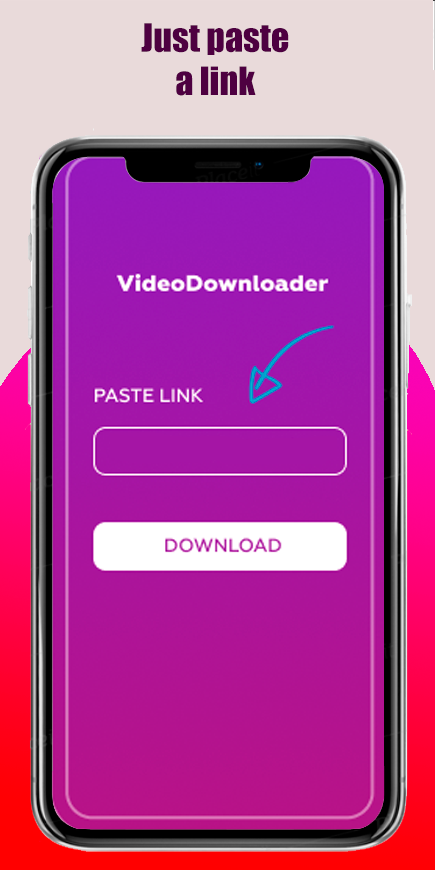
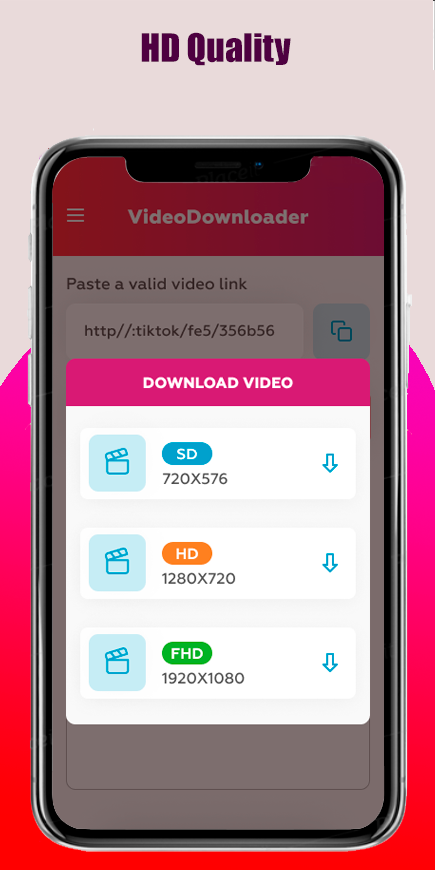
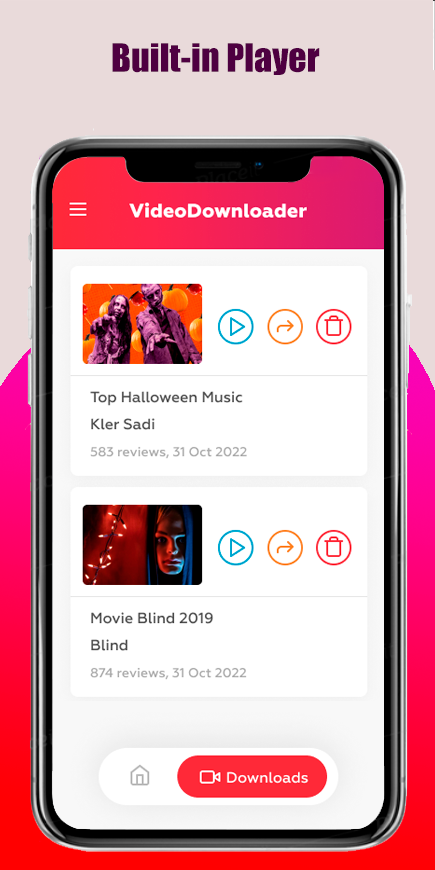
This build of SSS Video Downloader MOD APK provides immediate access to all premium features, removing the restrictions found in the standard version. By unlocking the premium tier, users can utilize the full suite of video acquisition and management tools without limitations.
What’s Modified in SSS Video Downloader
- The premium version is fully unlocked, providing access to all advanced downloading features and organizational tools within the app.
Version 1.163 has a file size of 22 MB with the package name com.video.videodownloader_appdl, and because it is re-signed, it cannot be installed as an update over the original version from the store.
About SSS Video Downloader
The SSS Video Downloader MOD APK is a video downloader that is part of the Video Players and Editors category of apps. It is very similar to other video downloaders as its main purpose is to download videos that are located on various social networks (ex: TikTok, Instagram, Facebook, and Twitter). The reason it supports these social networks is to give the users a tool to download the videos they want, rather than giving them the burden of finding and using several different video downloaders. The goal of this app is simple, it is to give users the ability to download the videos they want, and store them on their device for later use. The developers understand that users of these social networks are at the mercy of the platforms and the users. Some users of the social networks may delete a video the users want, and/or the social network may change their terms of service and delete videos the users want. The app gives users the ability to store these videos for later use, and ensure the videos are available for use when the users want, and as long as they want.
We have optimized the video download process to support two major interaction types. The first is the Copy-Paste Link Feature. This is a more manual process where a user identifies the video they wish to keep, retrieves the video’s link from the source location, and pastes the link in the downloader. The second type is an automated process where the video downloader, of its own accord, recognizes videos and suggestions are made to the user to download the videos. The video downloader, of course, recognizes potential video links on the user’s clipboard. For the user to initiate a video download, the video downloader has to be on, and it is normally on, by default. The video downloader automatically recognizes any potential video links on the user’s clipboard, and presents a suggestion to the user. As mentioned earlier, for the user to initiate a video link download, the video downloader has to be on, and it is on by default. If the user wishes to turn off the video downloader, they have the option to do so from the settings. The video preview mode is turned on by default.
It is worth noting the video preview mode is turned on by default. This, of course, is to help the user make an informed decision as to the media they wish to keep, to avoid keeping media they don’t want, and to keep media in a responsible and effective manner.
Visual fidelity is important to the developers. The application provides High Quality Saves for all operating systems. If high definition videos are supported by the platform, users can save them in that resolution. This is especially helpful in retaining the quality of the content for seamless playback. Routine recording applications provide a single option for file saving quality. However, the application offers users flexibility to adjust the file saving quality according to their preferences. The option is especially helpful for users who are mindful of storage space. Additionally, the application provides flexibility to users for file management by allowing them to choose where saved files are stored. Unlike other applications, users can save files to a location of their choice including the external SD card. Users can also manage files saved in the internal memory.
The software provides organization features beyond downloading. This includes configuring downloads based on the software’s internal folder and playlist structure. By doing so, users can better organize their downloads. Instead of having all downloads in a long, unorganized list, users can create several organized lists by setting up different folders. These folders can further be configured based on topics, social media posts, or anything else the user finds relevant. Media can also be organized based on their file size or date. If a large media library contains hundreds of files, users can search for the most relevant file based on its name. For even more convenience, users can use the software’s integrated features to organize and download files in bulk.
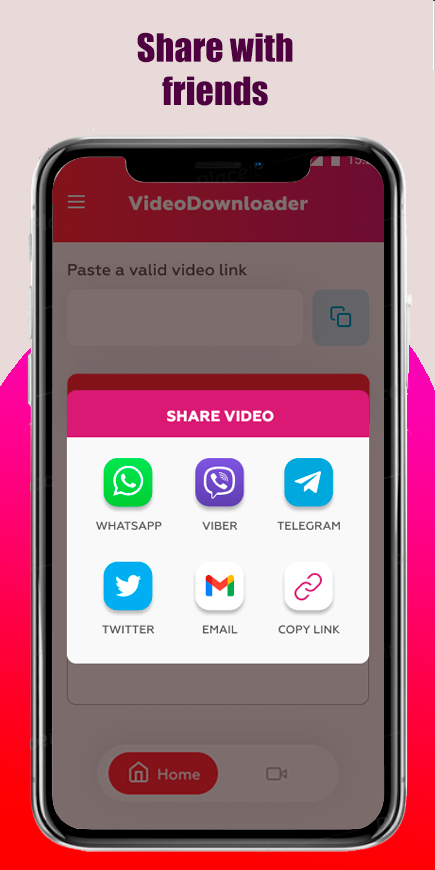
The application provides a straightforward and interactive user interface. The developer compares this design to a computer game. Like a computer game, the application allows users to manage videos, and other media, in an interactive and visually appealing way. Traditionally, media management applications require a high level of expertise and know-how to use. The application decreases the level of know-how to use the application, compared to similar applications. The focus on creating an easy-to-use application does not prevent users from having control over media. The application provides tools to manage media and provides ways for users to send media to other people. The application provides a tool to access WhatsApp, and email, to send videos, and other media, to other people. Users do not need to leave the application to send the media. The application simplifies the process of sending media to other people.
The program is a useful tool for various digital tasks. It provides a method for capturing social media content for offline enjoyment. Users can download content for later viewing, especially when Internet access is unstable, or when users don’t want to use their mobile data. The app gives content creators the opportunity to capture social media content in higher quality. Users can exercise control over the final content and adjust it to their preferences. The program can help users organize their offline social media content. It enables users to add various social media platforms to the program to capture content and enhances users’ control over the organization of downloaded files. The program is a valuable resource for users that want to create a structured offline social media content repository.
Key features
- Instant Video Downloads from TikTok, Instagram, Facebook, and Twitter
- High-Quality Saves in HD resolution
- Built-in folders and playlists for organization
- Search and sort functions for media management
- Offline Viewing without an internet connection
- Copy-Paste Link Feature
- Direct sharing via WhatsApp, Messenger, and email
- Batch download for multiple videos
- Automatic video recognition for clipboard links
- Customizable download quality and storage location
- Video preview mode before downloading
- Game-like user interface
Related MOD APKs
FAQ
Is Premium unlocked in SSS Video Downloader MOD APK?
This 1.163 build of SSS Video Downloader features Premium Unlocked. It functions like the appdlPro release, with all modifications active immediately after you finish the installation.
What is the latest version of SSS Video Downloader MOD APK?
This 1.163 version matches the appdlPro release from August 13, 2026. We don’t keep older versions here. To update, install this file over your current app. If you see a signature error, uninstall the previous version first.
Is SSS Video Downloader MOD APK safe to download?
This SSS Video Downloader 1.163 build is the appdlPro app with Premium Unlocked. 18 users gave it a 4.4 rating. It does not require root. Expect a Play Protect warning, so always download from this page.
Does SSS Video Downloader MOD APK remove the watermark?
This version includes Premium Unlocked. Since SSS Video Downloader removes watermarks for Pro users, you should check the export screen after you install the app to verify.
SSS Video Downloader MOD APK V1.163 (Premium Unlocked)
Download (22 MB )You are now ready to download SSS Video Downloader for free. Here are some notes:
- Please read our MOD Info and installation instructions carefully for the game & app to work properly
- Downloading via 3rd party software like IDM, ADM (Direct link) is currently blocked for abuse reasons.
4.4/5 (18 votes)