

This Tasks MOD APK provides the Pro features of the productivity app in an unlocked state, removing the restrictions of the standard version. The build is further refined through the removal of advertising components and tracking services, alongside graphical optimizations for improved performance. It is designed to offer a faster and more private task management experience across various device architectures.
What’s Modified in Tasks
- Pro and paid features are fully unlocked for immediate access to all premium tools.
- Unwanted permissions, receivers, providers, and services have been disabled or removed to reduce background activity.
- Graphics have been optimized and zipaligned while resources have been cleaned to ensure faster loading times.
- Ad-related permissions, services, and providers are entirely removed from the application manifest.
- Internal advertisement links are removed and their calling methods have been nullified to prevent ad requests.
- The visibility of advertisement layouts has been disabled within the user interface.
- Debugging code has been removed from the final build to streamline execution and reduce file size.
- Default .source tags have been removed from the corresponding Java files.
- Tracking and logging through Analytics, Crashlytics, and Firebase have been disabled for increased privacy.
- The application includes full support for multiple languages.
- The build is compatible with universal CPU architectures.
- Graphics are provided for a wide range of screen densities, including 120dpi, 160dpi, 240dpi, 320dpi, 480dpi, and 640dpi.
- The original package signature has been changed, which affects how the app is recognized by the operating system.
 |
 |
This build is version 3.34.0 with a file size of 6M and package name com.tasks.android; because the package signature has been changed, it cannot be installed as an update over the original store version.
About Tasks
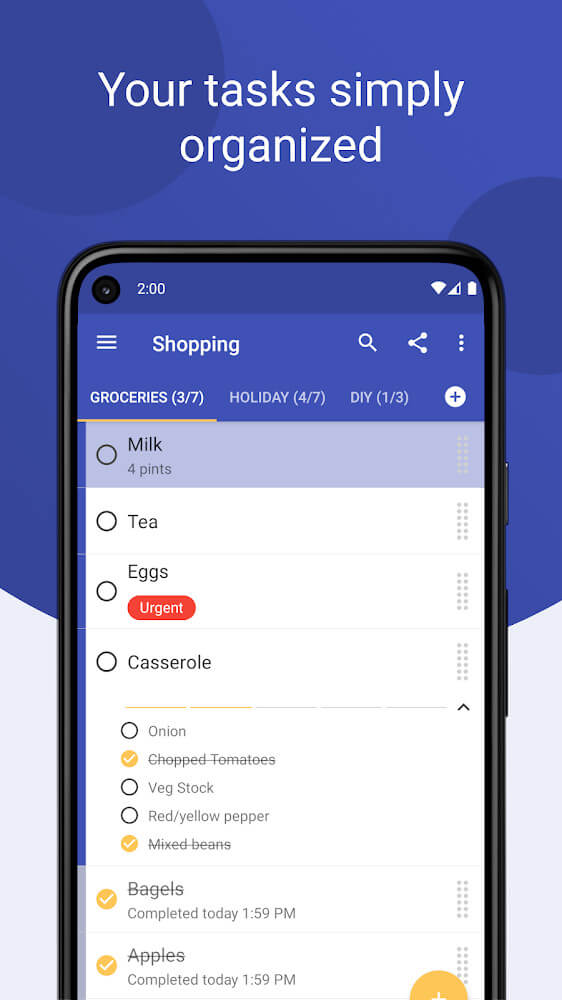
The Tasks app provides an easy way to create and manage digital lists and calendars. It also functions as a digital helper to manage your tasks, notes, and reminders. The app supports multiple lists of varying complexity. Users can add or delete notes, or even prioritize them. This makes the app flexible enough to be used by a variety of users. It can be used for daily task lists, but also supports more complex task lists to outline project plans. Along with your task lists, the app also supports lists of shopping tasks and gift idea lists, so essentially everything you need planned for the day. It is made to keep track of all of your daily plans in a single, easy to use, tool. The design is aimed to help users plan easily by providing a minimalist interface and a list focused tool. Navigation throughout the app also has a focus on efficiency by making commonly used actions easy to access via Gesture commands. A simple swipe on a note can remove it and items can be easily dragged to change their order. The goal of this app is to allow users to be easily adjust their task lists and day plans at anytime.
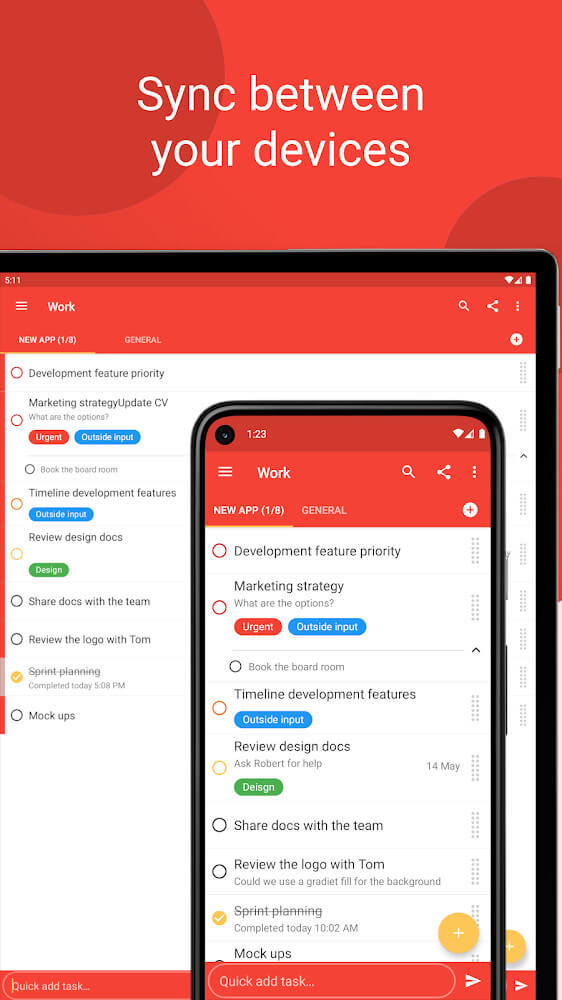
Sync features ensure consistency and help create a clear view of tasks to be prioritized. The world of this minimalist design fosters a sense of reduced burden with each job. Here, the interface and interaction frameworks are highly optimized for a fast and satisfying experience. This world is designed to function along with the user in a synchronized manner. Therefore, during use, the tasks that require your focus are presented without the usual interference seen in complex productivity tools.
Visual organization is made possible through the use of a variety of font colors in this program. Having the ability to organize to-do lists with an assortment of colors is pretty and practical. One drawback of to-do lists is that all of the tasks are typically listed in the same color and can be confusing. Colors can be used in to-do lists to signify different areas such as tasks related to work, personal tasks, or even tasks associated with specific projects. A color-coding system also helps to delineate the importance or priority of individual notes so that high priority notes are easily distinguished. The font color palette offers an organization system to help differentiate task importance. The color patches can be used to capture the task priority or to help differentiate task lists. The program and interface supports a variety of to-do lists and helps differentiates note task lists that can be thousands in number and color over the years. With a security focus, users can be sure that their lists and projects are secured and will not be stolen by third parties. This focus on security is coupled with a highly optimized system to ensure that even as the note task list grows longer, the interface remains simple and easy to use.
We are trying to simplify the planning process in our users’ daily lives by providing a single application that clears the burden of repeated planning requests for subscription services. It manages personal data, allowing freedom of personal privacy and style, customized to the user’s preference of management tools.
 |
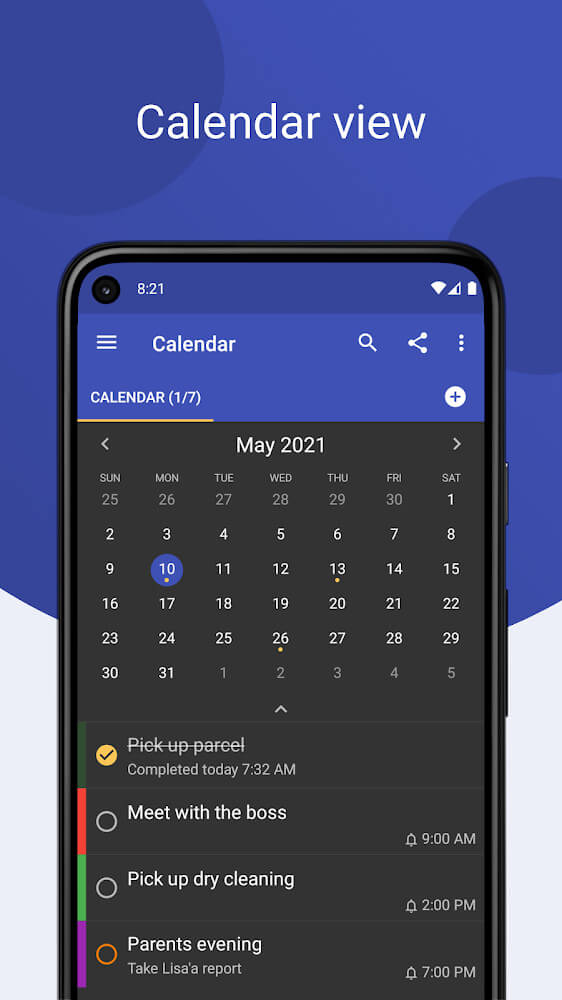 |
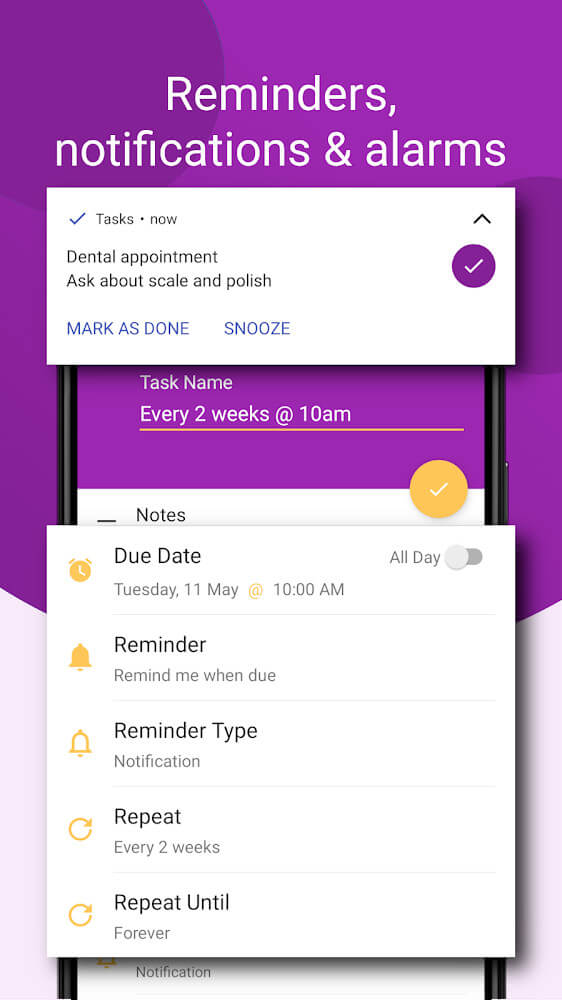
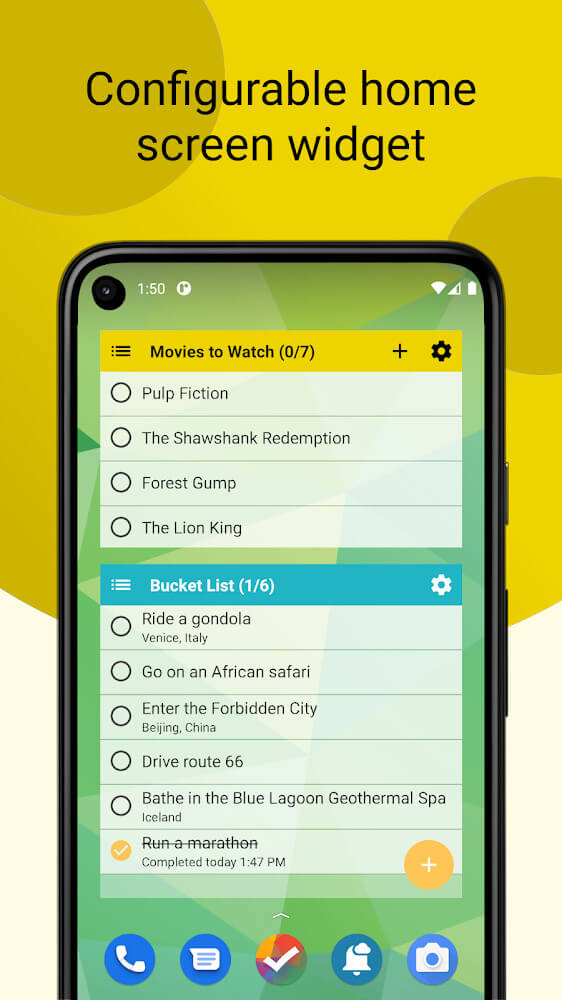
First, each users’ individualized calendar system will have detailed reminders. Every note made in the application is able to have a reminder set to a specific date and time. Reminders are visible as notifications with a reminder bell. These notifications are useful in task management to aid in the management of appointments, deadlines, and daily reminders. To help with the organization of mind, there is the ability to cross off completed tasks on colored note lists. This provides the sense of closure needed to help motivate the user to cross off the remaining tasks. It also allows for the removal of tasks to be visible to the user. There has also been a feature added to help ease the user into managing more complex task systems. Shortcuts have been added to the home screen as a launcher to quickly open the schedule and make new task notes. This is to help avoid the interruption of a users workflow when wanting to make complex task lists. Lastly, a widget has been added to the home screen to allow a small, partial view of the task system and reminders.
The widget on the home screen has made tracking your tasks more convenient than ever. Users need to have their daily tasks in their vision. Individual users have busy schedules, and widgets allow them to constantly have tasks in view. This software makes sure that task management is incorporated in the everyday tasks of the users. To provide task management as seamless as possible, the software integrates several interaction methods from the full app interface to quick shortcuts and widgets.
Key features
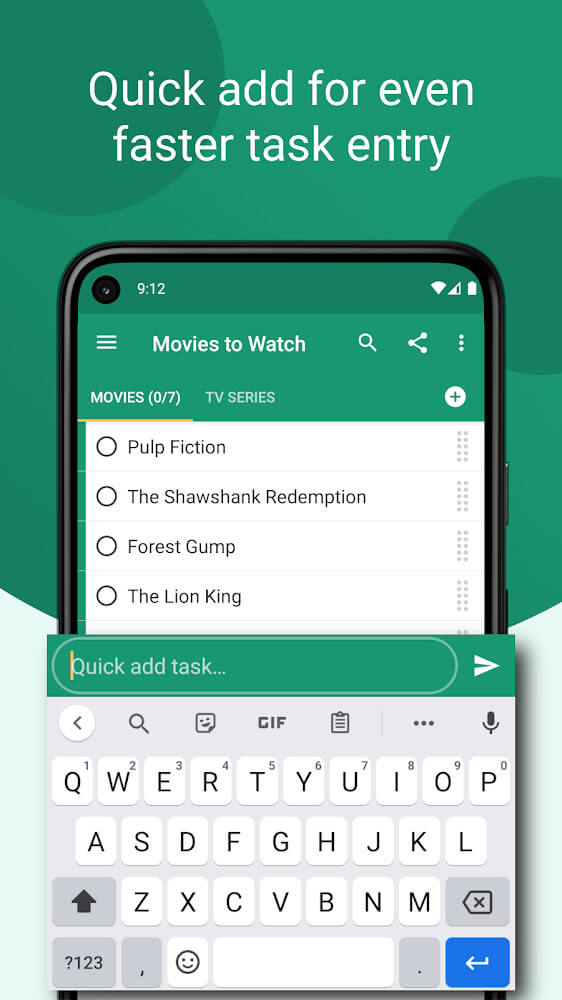
- Synchronous interface with swipe-to-delete gestures
- Drag and drop functionality for task prioritization
- Customizable font color palettes for visual organization
- Calendar-based reminder system with alarm settings
- Automatic notifications with reminder bells
- Completion marking for streamlined list management
- Home screen shortcuts for rapid access to schedules
- Collapsible home screen widgets for task tracking
- High-security data management for personal lists
 |
 |
Related MOD APKs
FAQ
Is Premium unlocked in Tasks MOD APK?
This Tasks 3.34.0 build includes Pro Unlocked. All other features match the Pocket Brilliance Limited release, and the modification takes effect immediately after you finish installing the app on your device.
What is the latest version of Tasks MOD APK?
Version 3.34.0 matches the Pocket Brilliance Limited release from June 20, 2026. We don’t keep older versions here. Update by installing this file over your current app; if you see a signature error, you must delete the old version before you try again.
Is Tasks MOD APK safe to download?
This Tasks 3.34.0 file is the Pocket Brilliance Limited app with Pro Unlocked. 23 users gave it a 3.7 rating. It does not require root. Expect a Play Protect alert when you install, and always download from this page to ensure you get this specific build.
Can I use Tasks MOD APK on PC or iPhone?
This Android package will not work on iPhone. For Windows or macOS, run the 6M APK using an emulator like BlueStacks or LDPlayer; simply install the emulator and drag this file into the window to begin.