
This TubeMate MOD APK provides an experience free from advertisements within the application interface. By removing these interruptions, the software allows users to focus on searching for, watching, and downloading media content without the presence of marketing materials.
What’s Modified in TubeMate
- All advertising content has been removed from the application interface to allow for uninterrupted video browsing and downloading.
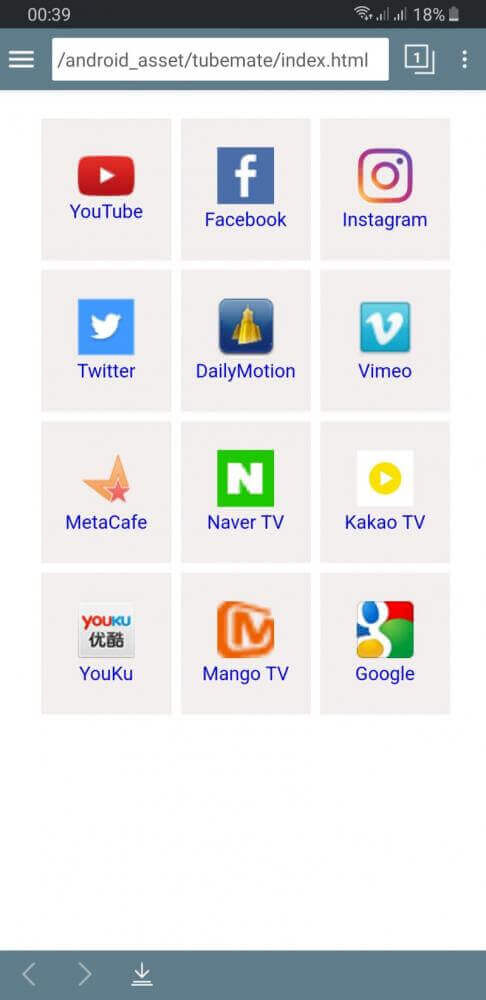
This build is version 3.4.19 with a file size of 25M and an unknown package name; because the file is re-signed, it cannot be installed as an update over a version downloaded from an official store.
About TubeMate
Users can download media from YouTube with the TubeMate application. The software allows the user to maintain local media files on their devices. As a media player, the software allows the user to play media from a variety of formats. Additionally, TubeMate can function as a video downloader to populate the user’s local media files with audio or video content of the user’s choosing from YouTube. With the TubeMate software, users can fulfill their desire to maintain local copies of content that interests them from YouTube. Users can point the application to various creators that interest them, and, once downloaded, can enjoy those videos regardless of their internet connectivity. The TubeMate application can be a valuable asset to the user that is in a region that contains a unreliable or slow internet connection and wishes to download media content to their device for later enjoyment.
The developers built the user interface to be similar to standard video streaming platforms to make the application familiar to users. It models the official YouTube application. The developers have stated that they took this design approach to minimize the learning curve for users. Swipe gestures are used for the majority of the navigation in the application. For instance, swiping from the left edge of the screen displays the user’s viewing history and bookmarks. Users can save bookmarks for channels or videos and return to them later. Swiping from the right edge of the screen displays the management console for downloaded content. The management console contains the user’s saved videos, as well as separate lists for audio files and user created playlists. Users can organize their videos and audio files in playlists. The developers made these design choices to provide an efficient way to manage large media libraries.
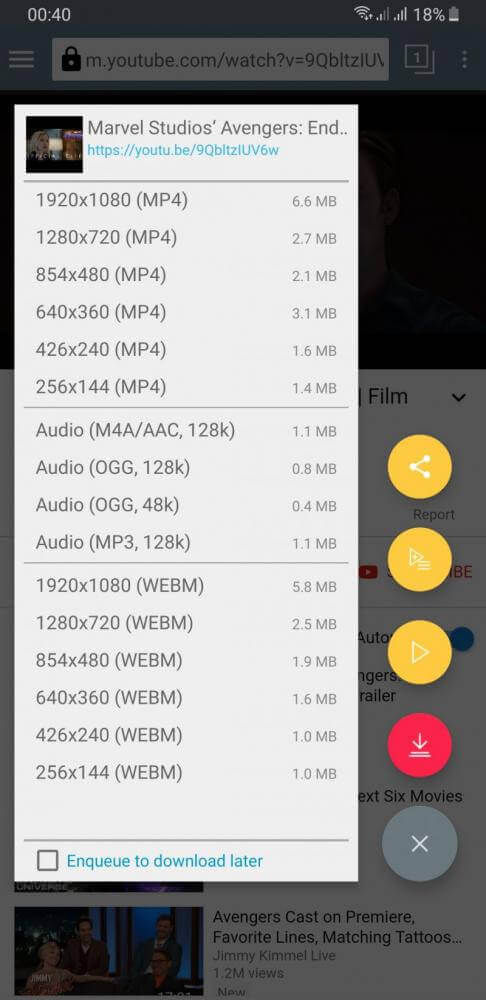
We wanted the process of acquiring media through the application to be as easy as possible. Users can initiate the download of any particular video they wish to keep, via the interface provided for the purpose. A button for initiating the download is provided in the lower right quadrant of the display, and is denoted with a download icon. When the button is clicked, a contextual menu is presented, which lists the various formats and qualities of the media. This is an important feature, as it allows users to manage how much data is consumed, and how much space is taken up on their storage media. For users who are interested in the video, and it is available in different resolutions, it can be saved in the MP4 format. For users who are not interested in the video, and for example, just want to save the audio of the video for music or for other spoken-word content, the formats MP3 and OGG are available. All of the formats are listed with their corresponding qualities, and the users can choose which one to download.
The efficient use of mobile device hardware is another key element of the application’s design. The application provides a tool to help address video file size and storage problems. It offers native support for external storage, especially for SD cards. The application encourages users to take advantage of external storage to avoid a situation where internal storage gets exhausted. With the external storage, users can create folders and name them accordingly, to provide organization for downloaded content. The feature of organizing downloads provides several benefits to users of the application, as it helps create a separation for system files and apps, and is useful for helping locate downloaded files in the future. With support for designating an SD card as the primary download location, a user is allowed to have an entertainment library as large as their SD card, and provide an easy way of backing up or moving the SD card, along with all the downloads.
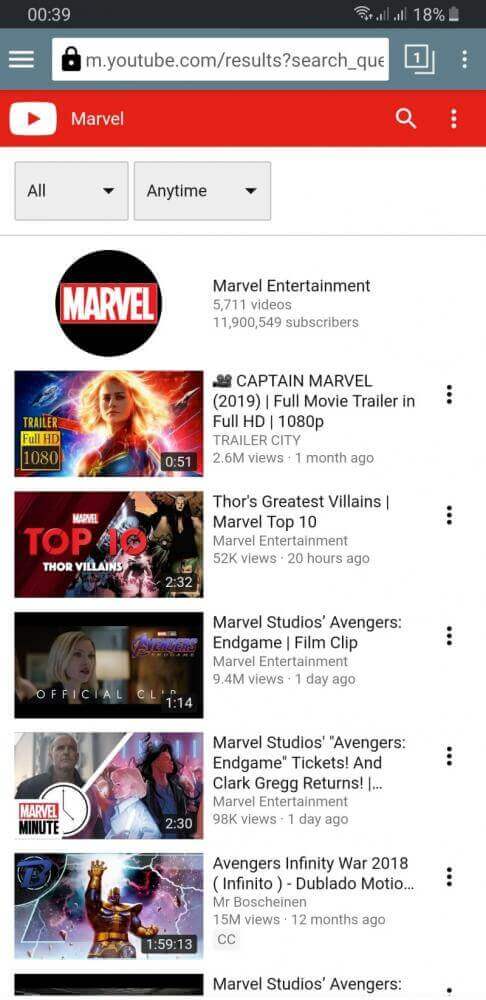
The use of simple, physical interactions makes the application’s navigation system highly accessible. The main method of moving between different areas of the application is horizontal swiping. Through this system, areas of the application that do not require immediate access remain hidden, and are swiped in when necessary. Horizontal swiping from the left edge of the screen reveals a user’s viewing history and bookmarks. The application allows users to easily access previously interacted content without having to perform a new search. Bookmarking is useful for saving the pages of videos or creators that a user wants to go back to in the future. The application’s media management suite is swiped in from the right edge of the screen. The suite is further divided into separate categories of media. The application’s design allows a user to quickly locate their saved music without having to search through a user’s saved videos.
The TubeMate MOD APK is a modified version of the original utility, and, unlike the original, serves as a more complete solution for entertainment. The focus of the application is on providing a media consumption interface, and transferring media (in the form of downloads) is merely a sub-component of that experience. Users can search through the almost infinite content on YouTube, find new creators, and browse through different genres and formats of videos. Based on how the user interacts with the application, the application grows the user’s content library. In order to ensure that the user is able to manage a growing content library, the application provides users the tools to manage lists of audios and videos. The application is quite robust and flexible for a number of different use cases. For example, a user can find and download a single video to watch during a break, or find and download hundreds of hours of content to entertain them during a long trip. The application enables a high level of control, flexibility, and choices to the user in regards to managing their downloads and storage. It provides a more robust and flexible interface for downloading and managing files.
Key features
- Download YouTube videos in multiple formats including MP4, MP3, and OGG
- Selectable video quality and resolution based on the original source
- Familiar interface design that mirrors the standard YouTube experience
- Left-swipe gesture to access viewing history and bookmarked pages
- Right-swipe gesture to manage downloaded videos, audio lists, and playlists
- External SD card support for storing downloaded media
- Ability to create specific folders for organized file management
- Integrated video and audio playback for entertainment
- Bottom-right download button for quick access to file options
- Management of content capacity through custom storage locations
Related MOD APKs
FAQ
Does TubeMate MOD APK remove ads?
This TubeMate (3.4.19) build includes No ADS. Everything else functions like the Devian Studio release, with changes active as soon as you install.
What is the latest version of TubeMate MOD APK?
The 3.4.19 build matches the Devian Studio release, last updated March 7, 2026. We don’t keep older versions here. Update by installing this over your current app. If you see a signature conflict, uninstall the old build first.
Is TubeMate MOD APK safe to download?
This TubeMate 3.4.19 version on MODYOLO is the Devian Studio app with No ADS. 70 users have rated it 3.4/5 here. It does not require root. Expect a Play Protect warning, so always download from this page.
Can I use TubeMate MOD APK on PC or iPhone?
This Android package won’t install on an iPhone or iPad. On Windows or macOS, you can run the 25M APK in an Android emulator such as BlueStacks or LDPlayer. Just install the emulator and drag the file in.