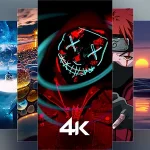
Wallverse Wallpaper – HD & 4K wallpapers, live backgrounds, auto changer, and stylish themes to personalize your home & lock screen daily.


Wallverse Wallpaper MOD APK V3.5 (Premium)
| App Name | Wallverse Wallpaper |
|---|---|
| Publisher | The Phone Fuel |
| Genre | Personalization |
| Size | 50 MB |
| Latest Version | 3.5 |
| MOD Info | Premium |
| Get it On |

|


This Wallverse Wallpaper MOD APK provides access to premium features within the personalization application. Users can utilize the full range of high-definition backgrounds and customization options that are typically restricted in the standard version.
What’s Modified in Wallverse Wallpaper
- Premium access allows for the use of all high-resolution wallpapers and advanced customization tools without the limitations found in the base version.
This build is version 3.5 with a file size of 50 MB under the package name com.wallverse.wallpapers, and because it is re-signed, it cannot be installed over an existing version from the official store.
About Wallverse Wallpaper
Wallverse Wallpaper is a backgrounds-only app focused on creating a marketplace for high-quality images to use on mobile device backgrounds. The app provides users thousands of carefully selected background images in a variety of resolutions from standard HD all the way up to UHD 4K. The primary function of Wallverse Wallpaper is to provide users with a quick and easy way to change the background of their mobile devices. By creating a centralized location for high quality images, the app allows for extensive customization. All of the images in the library go through a rigorous quality assurance process to ensure they meet certain standards and will not result in pixelation or other display distortions. Ultimately, Wallverse Wallpaper aims to provide high-end visual art and images for mobile use.
The application’s utility lies in the breadth and depth of content offered. The broad array of categories allow users to browse for imagery that reflects their individual preferences. Some examples of categories within the app include nature landscapes, abstract art, anime illustrations, and minimal designs that include clean lines and a simple color palette. The app includes designs inspired by video games and dark aesthetic themes. It includes illustrations in a neon art style and a variety of vibrant, digital and energetic art. Users are able to search for and find designs to reflect their individual preferences from calm and soothing natural scenes, to artistic representations of nature and beyond. The collections include designs that align with what is currently on-trend and shift to include seasonal themes. This means the library is continuously expanding, and in addition to new designs, includes exclusive pieces by various artists. The designs are organized into sections that allow for easy discovery by users searching for a particular style.
Wallverse Wallpaper offers a unique user experience with interactive 360-degree images. The application was designed to make a minimal impact on system resources. Many of our users run Wallverse on devices with limited processing power. Due to this focus on efficiency, the application loads images quickly and allows users to browse through thousands of high resolution images seamlessly. We optimize Wallverse to use a device’s power efficiently to allow the background processes to remain powered on while the display is off. Wallverse is designed to be compatible to a wide range of displays, from large monitors to small phone screens. Each wallpaper is designed to maintain visual integrity to the display regardless of hardware. Our search function is designed to be instantaneous and allow users to interact with the interface with no lag.
The application provides several interactive tools that allow users to interact more effectively with the wallpaper library. The Auto Wallpaper Changer is one of those tools. This tool provides an automatic option to change the wallpaper on the user’s device. Users have the option to set a wallpaper update interval to daily, weekly, monthly, or yearly. This provides the user the ability to set a constant variation of wallpapers on their device. The app provides the ability to set a wallpaper for the home screen, the lock screen, or both. Before setting a wallpaper, the app allows users to preview how the wallpaper will look with the user’s current icon arrangement and system UI. This removes the guess work on what wallpaper will look best in the device. Users can mark wallpapers as a favorite and create a personal gallery of wallpapers. Users can also clear wallpapers from the favorite system. Users have the option to manage the favorite system wallpapers. Users can also delete or add wallpapers from the favorite system.
Accessibility and user friendliness are prioritized in the addition of offline access and instant application. Users can save wallpapers for offline access, which means they can change their backgrounds even with no internet connection, such as while traveling or in areas with poor connection. For offline access, the background can be changed in just 1 click. The other background changing applications usually require multiple steps, which increases the complexity of the application. The interface is focused on removing needless complexity and making the process of background changing as simple as possible. In addition, the developer made a practical management application which includes tools for organizing and searching backgrounds. These tools, when combined with the artistic content of various kinds, make the application a complete resource for mobile customization. The unique artist creations make the application even more attractive and gives the users visuals that may not be present in other wallpaper applications.
The main goal of the software is to make the experience of using the device more pleasant and engaging. By offering a continuously expanding catalog of various designs, the app strives to satisfy the preference of its users by providing options that reflect their current mood and aesthetic. From landscapes to abstract art, to futuristic designs and beyond, the software intends to provide users control over the appearance of their device. The app aims to facilitate quick, user-friendly browsing and offer several customization options. The user can quickly shift and tweak the appearance of their device in many ways to their liking. Wallverse Wallpaper MOD APK is for users that want to redefine the look of their mobile device to a more pleasing and engaging experience with a few simple selections and taps.
Key features
- Ultra HD, Full HD & 4K Wallpapers
- Live Wallpapers for dynamic screens
- Auto Wallpaper Changer for daily refresh
- Lock Screen & Home Screen customization
- Daily updated wallpaper collections
- Wide categories including Anime, Nature, Abstract, Gaming, Neon, and Minimal
- Favorite & Download options for quick access
- Fast search with smooth and responsive UI
- Lightweight app with battery optimization
- Offline access for saved wallpapers
Related MOD APKs
FAQ
Is Premium unlocked in Wallverse Wallpaper MOD APK?
In this Wallverse Wallpaper 3.5 version, Premium is included. It works just like The Phone Fuel release, and the features are active as soon as you finish the installation.
What is the latest version of Wallverse Wallpaper MOD APK?
This 3.5 build matches The Phone Fuel release from June 8, 2026. We don’t keep older versions here. Install this file over your current app to update. If you see a signature error, delete the existing app before installing this one.
Is Wallverse Wallpaper MOD APK safe to download?
This Wallverse Wallpaper 3.5 file is The Phone Fuel app with Premium added. 43 people gave it a 4.7/5 rating. It does not require root. You might see a Play Protect alert, so always download from this page to ensure you have this version.
Can I use Wallverse Wallpaper MOD APK on PC or iPhone?
You cannot install this on an iPhone as it is for Android. To use the 50 MB file on a computer, install BlueStacks or LDPlayer. Once the emulator is ready, drag the app into the window to start the setup.
Wallverse Wallpaper MOD APK V3.5 (Premium)
Download (50 MB)You are now ready to download Wallverse Wallpaper for free. Here are some notes:
- Please read our MOD Info and installation instructions carefully for the game & app to work properly
- Downloading via 3rd party software like IDM, ADM (Direct link) is currently blocked for abuse reasons.
4.7/5 (43 votes)