Dr.Fone Mod APK restores your images, movies, audios, contacts, files and more data.

Wondershare Dr.Fone v5.2.11.917 MOD APK (Premium Unlocked)
| App Name | Wondershare Dr.Fone |
|---|---|
| Publisher | WONDERSHARE |
| Genre | Tools |
| Size | 53M |
| Latest Version | 5.2.11.917 |
| MOD Info | Premium Unlocked |
| Get it On |

|
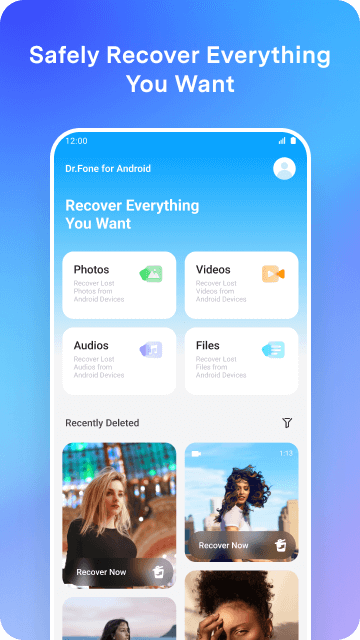
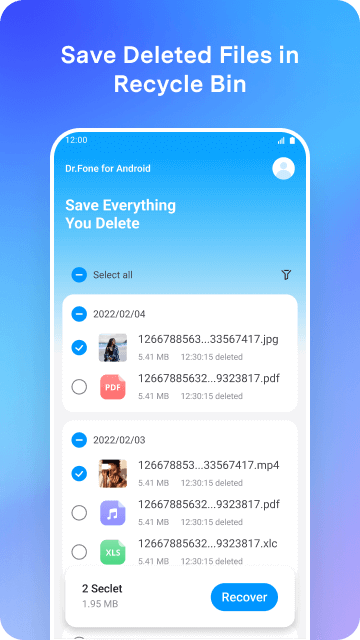
The primary change in this Wondershare Dr.Fone MOD APK is the unlocking of the premium subscription status. This modification allows for the use of the application’s full set of data recovery and management tools without the standard paywall restrictions.
What’s Modified in Wondershare Dr.Fone
- The Premium Unlocked status provides access to all paid recovery and management features within the application.
This build is version 5.2.11.917 with a file size of 53M and the package name com.wondershare.drfoneapp; because it is re-signed, it cannot be installed over an existing version from the official store.
About Wondershare Dr.Fone
Wondershare Dr.Fone is a program that allows the recovery of deleted files on Android devices. The program can be valuable if files have been physically removed from the device. Photos that were deleted from the Android Gallery or from the device’s storage can also be recoverable with the program. Along with pictures, the program can also be used to recover videos, audio files, and multiple file document types. The program scans the device for the file types and gives the user the option to restore the file to its original location. Users of the program can be individuals that have accidents removal of valuable data from their device. The data can include personal or work-related files.
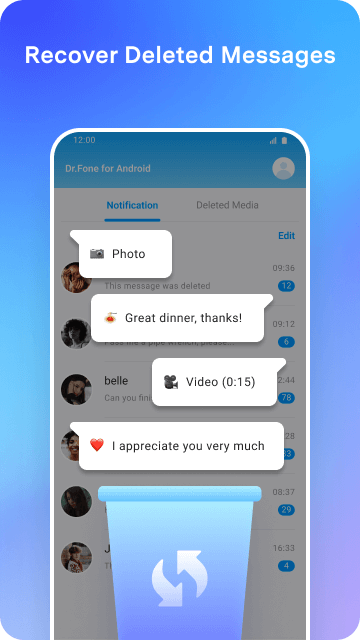
Recovering WhatsApp data is a large part of the application. It focuses on the messages and media that are transferred via the WhatsApp service. Most notably, it is able to recover messages that are deleted by the sender. Retrieving deleted messages is possible because the application preserves all messages that are transmitted and received by the user, including the media that is transferred. In order to provide the best user experience, the application attempts to retrieve all of the messages and media that are no longer stored by WhatsApp. To achieve this, the application scans the data folders and cache of the application. These messages and media are then logically organized to resemble conversations. The application provides the user the opportunity to preserve messages and media that are otherwise removed by the sender.
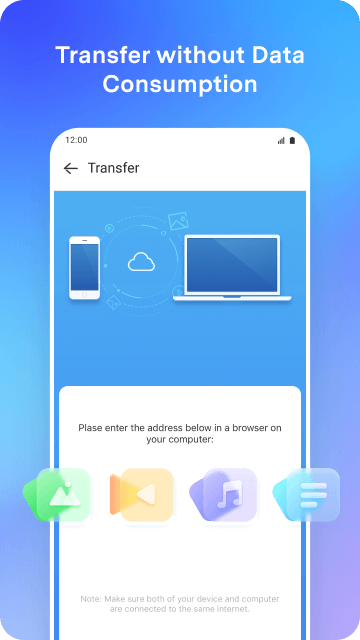
The application goes beyond file recovery to offer various data management tools and methods to transfer data to other devices. The application allows users to transfer data stored on their mobile devices to and from their computers. Therefore, users can take control of the data stored on their mobile device and manage it the way they want. Large data, especially media data, can be very difficult to manage and transport. The application also allows users to transfer data from one mobile device to another. The transportability of data between mobile devices is also offered regardless of the mobile device’s operating system, be it Android or iOS. The application provides a way to manage the data created and stored on a mobile device. The application also offers ways to transfer data to other mobile devices and/or systems, and reorganize data as required. For example, if a user upgrades their mobile device, the data can be transferred to and stored on the new mobile device.
To secure user data during the recovery and transport processes, security and privacy protocols have been integrated into core software code. The application performs end-to-end data encryption. End-to-end data encryption makes sure that data is secured and no unauthorized person is able to access data during the process. As data recovery and transport processes deal with user’s personal data which may include documents and data which may contain sensitive information, it is of prime importance to use security processes and procedures to protect data and privacy of users. Privacy of user data is protected by encryption and securing data during the processes of scanning, recovering and transferring data by the application.
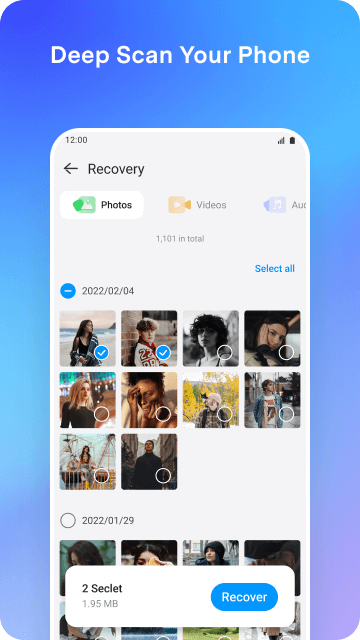
A major element of this application’s design is to present information to users in an easily understandable manner so that users are able to resolve their data problems on their own. One element of this design is the inclusion of a deep scan feature. The application scans the mobile device in question and attempts to recover data that has been erased. It is understood that data that has been erased is not truly erased, and that it is possible to recover the data given the right means. The application in question is designed with means to locate data that has been erased. As an additional means to recover data, the application uses a recycle bin function. As the name suggests, this function simulates the behavior of a recycle bin and allows users to recover data that they previously deleted. It is important to note that the data in question need not be erased; it could have been deleted by the user. As a whole, the features described above provide a significant safeguard to the users of the application. As a result, users of this application can easily retrieve their data, which in turn allows the application to achieve its goal of securing various types of media.
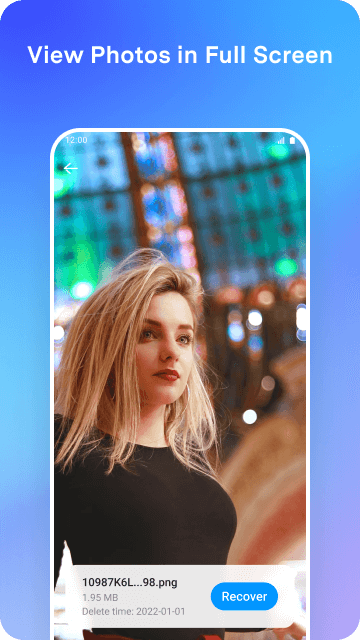
The software prioritizes the original content while recovering deleted files. Video files are repositioned for full recovery. This means that the software will not retain any lost data during the recovery process. However, the video files that are recovered will be of the same quality and resolution as the originals. The photo recovery process is also secure and simple. Use this process to recover deleted or lost photos. The software is also equipped to recover audio files. This includes both voice recordings and music. Once the files are recovered, the software automatically organizes them based on file type. Users can then access the media or document files they wish to recover.
Key features
- Android photo recovery
- Video data restoration
- Audio and music retrieval
- Document recovery
- WhatsApp message restoration
- WhatsApp media recovery
- Sender-deleted message access
- Cross-platform data transfer
- PC to mobile data management
- End-to-end data encryption
- Deep storage scanning
- Recycle bin for removed files
- User-friendly navigation instructions
Related MOD APKs
- FilmoraGo
- MovieBox ID: Watch Movies, TV Series, K-Dramas & Anime for Free
- KWGT Kustom Widget Pro
- SnapTube
FAQ
Is Premium unlocked in Wondershare Dr.Fone MOD APK?
This Wondershare Dr.Fone 5.2.11.917 update provides Premium Unlocked. All other features function like the WONDERSHARE release, and the modifications are active immediately after you install it.
What is the latest version of Wondershare Dr.Fone MOD APK?
Version 5.2.11.917 matches the WONDERSHARE update from August 14, 2025. We don’t keep older versions here. To update, install this build over your current one; if you get a signature conflict, uninstall the old app first.
Is Wondershare Dr.Fone MOD APK safe to download?
This Wondershare Dr.Fone 5.2.11.917 MOD APK on MODYOLO is the WONDERSHARE app with Premium Unlocked features. 114 users rated it 3.8/5 here. It does not require root. A Play Protect warning is expected, so always download from this page.
Can I use Wondershare Dr.Fone MOD APK on PC or iPhone?
This Android package will not install on iPhone or iPad. On a computer, run the 53M APK using an emulator like BlueStacks or LDPlayer—just install the software and drag the file in.
Wondershare Dr.Fone v5.2.11.917 MOD APK (Premium Unlocked) Download
Download (53M)You are now ready to download Wondershare Dr.Fone for free. Here are some notes:
- Please read our MOD Info and installation instructions carefully for the game & app to work properly
- Downloading via 3rd party software like IDM, ADM (Direct link) is currently blocked for abuse reasons.
3.8/5 (117 votes)