Launcher iOS 16 Mod APK – The new Launcher for iOS 16 helps to simplify and beautify your phone.


Launcher iOS 16 v6.2.5 MOD APK (No ADS)
| App Name | Launcher iOS 16 |
|---|---|
| Publisher | LuuTinh Developer |
| Genre | Personalization |
| Size | 13M |
| Latest Version | 6.2.5 |
| MOD Info | No ADS |
| Get it On |

|



This build of the Launcher iOS 16 MOD APK removes all integrated advertisements from the personalization interface. By eliminating these commercial interruptions, the software allows for a more streamlined experience when adjusting home screen settings and UI elements.
What’s Modified in Launcher iOS 16
- Removal of all in-app advertisements to provide a cleaner user experience during customization.
This build is version 6.2.5 with a file size of 13M and the package name com.luutinhit.ioslauncher; because this is a re-signed file, it cannot be installed as an update over a copy of the app obtained from the official store.
About Launcher iOS 16
Launcher iOS 16 is a personalization app that allows Android users to adjust the look and feel of their device in a similar manner to the iPhone. The goal of the developers is to personalize the look of users’ devices to appear visually appealing, easy to use, and sophisticated. Users are required to become accustomed with the new layout and the different ways to perform functions on the device. Launcher iOS 16 is for people who want to be able to control their devices in a similar manner to the iPhone, and have the ability to customize their devices the way they want it to look and feel, while still abiding to iOS 16 guidelines. It is also for users who want to adopt and become accustomed to a new way of interacting with their device.
The fundamental change happens at the lowest level of the software, affecting the most basic elements of the device presentation. This includes an all-new home screen and lock screen, departing from the traditional Android grids and notifications. Changes are made to the settings to reflect the target OS. How controls are presented is also modified. Even the default search parameters are changed. All these combine to give the user an experience that is consistent across the OS interface. Essentially, everything is redesigned to think and work like the latest Apple OS iteration. Since the target hardware is an Android phone, the idea is to overhaul the UI and the UX of the Android OS from the ground up, to Apple like levels of integration. Each new iteration of Apple OS reflects the core of the previous OS, and adds to it new features. This concept is implemented by the developer for the newest Android OS for the phone hardware.
The software reorganizes how the user accesses pre-loaded applications and the system functions. Rather than use a traditional app drawer, the software enables the user to swipe down from any location on the home screen to open a search function or the associated application. Utilizing the swipe-down function of the application is intended to reduce the number of screens a user has to navigate to access specific functions. By reorganizing the interface to utilize a search function, the software simplifies the Android interface and provides quick access to applications and features to the user. As such, the primary function of the software is to alter how a user interacts with the Android OS to allow for more efficient use of the device and faster access to features. The software achieves this by centralizing search, and reorganizing the application settings. In doing so, the software places the settings for the application in a centralized, easy to reach, location.
Interactive elements are further enhanced by the implementation of a 3D Touch interface. This is undoubtedly the largest addition to the user experience and an overall time saver. With 3D Touch, users of the system no longer need to manually tap buttons to access the notification shade and settings menus. 3D Touch is incorporated on the home screen and other UI elements to give a more physical and direct interaction with the software. The user can interact directly with UI elements to access shortcuts to system parameters, which makes the system more efficient and quicker to use. Overall, this gives a totally different way of interacting with the software to achieve system tasks and navigate the OS.
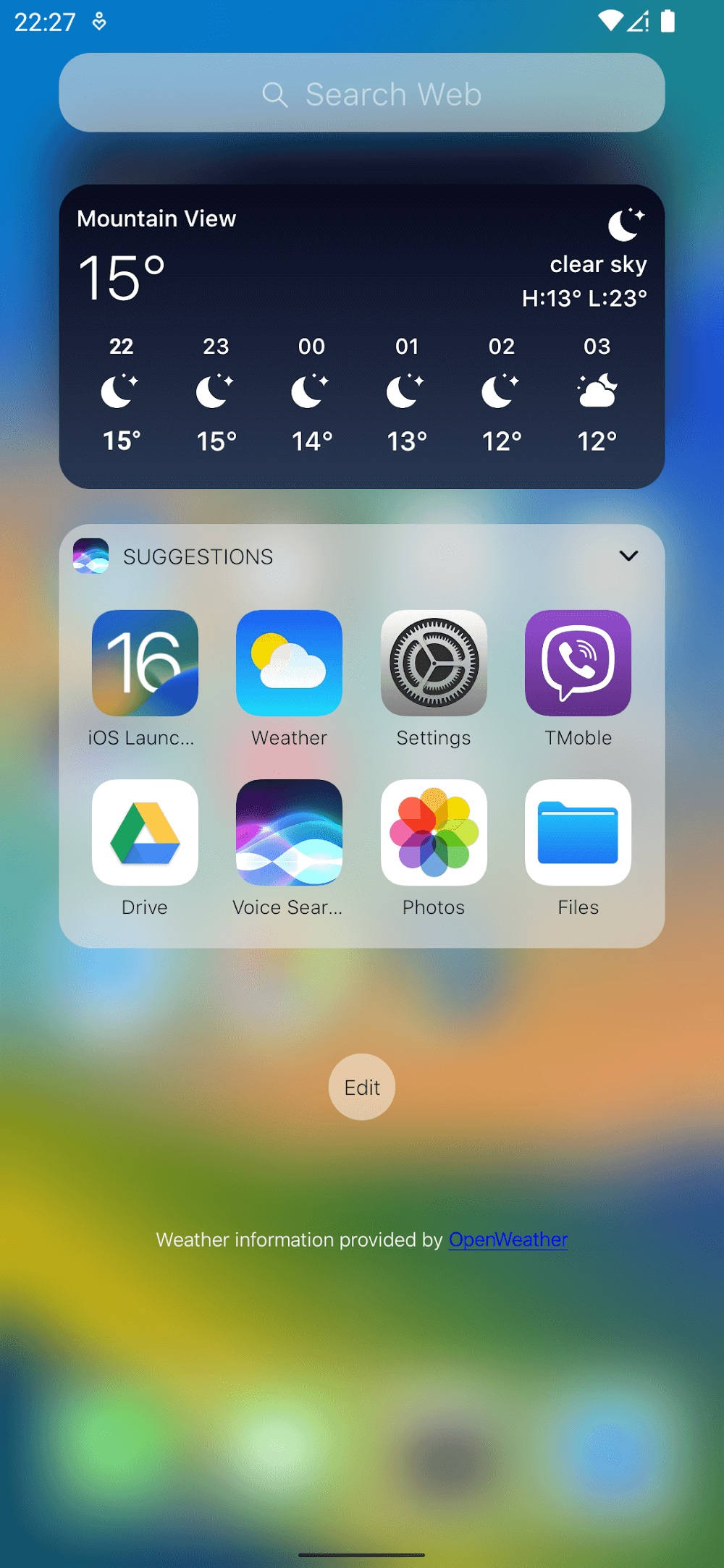
To further enhance customization, functional widgets can be added to the home screen. The software enables the user to create widgets to display local weather conditions and battery status. The software creates real time data in an aesthetic format that matches iOS 16. TheWidgets are designed to give a quick glance at important data, so the user does not always have to open applications for common and basic status data.The, combined with the other UI changes, give the user the ability to create an experience for their device that is aligned very closely to the latest and greatest versions of the mobile operating systems. The entire interface, starting with the 3D Touch and ending with the lock screen widgets, has been updated to give a sleek, modern and high end feel while maintaining the utmost functionality.
Key features
- iOS 16 user interface overhaul
- Home screen redesign
- Lock screen customization
- Swipe-down search function
- Integrated control center
- 3D Touch interface
- Weather widgets
- Battery life widgets
- Modified alert and control settings
- Notification shade shortcuts
Related MOD APKs
FAQ
Does Launcher iOS 16 MOD APK remove ads?
This 6.2.5 version of Launcher iOS 16 includes No ADS. It functions just like the LuuTinh Developer release, with all modifications active immediately after installation.
What is the latest version of Launcher iOS 16 MOD APK?
The 6.2.5 build matches the LuuTinh Developer release from October 25, 2022. We don’t keep older versions here. Update by installing this file over the current app. If you see a signature conflict, remove the previous version before reinstalling.
Is Launcher iOS 16 MOD APK safe to download?
This 6.2.5 Launcher iOS 16 build is the LuuTinh Developer app with No ADS added. 51 users gave a 3.4 rating. It does not require root. Expect a Play Protect alert during setup, so always download from this page.
Can I use Launcher iOS 16 MOD APK on PC or iPhone?
As an Android file, this won’t work on iPhone. To use the 13M APK on a computer, run an emulator like BlueStacks or LDPlayer. Simply install the software and drag the package into the window.
Launcher iOS 16 v6.2.5 MOD APK (No ADS) Download
Download (13M)You are now ready to download Launcher iOS 16 for free. Here are some notes:
- Please read our MOD Info and installation instructions carefully for the game & app to work properly
- Downloading via 3rd party software like IDM, ADM (Direct link) is currently blocked for abuse reasons.
3.4/5 (51 votes)