Time Cut is a professional video editing application that allows users to edit video motion. Turn your video into Slow Motion with slow-motion or HFR with a high frame rate.


Time Cut v2.6.0 MOD APK (Pro Unlocked)
| App Name | Time Cut |
|---|---|
| Publisher | changpeng |
| Genre | Photography |
| Size | 83M |
| Latest Version | 2.6.0 |
| MOD Info | Pro Unlocked |
| Get it On |

|
The Time Cut MOD APK provides a Pro Unlocked environment, granting access to the application’s full suite of premium video editing tools and professional motion effects. This build removes the restrictions usually found in the standard version, allowing users to utilize advanced features without additional purchases.
What’s Modified in Time Cut
- The Pro Unlocked modification enables full access to all premium video editing features and professional effects within the application.
 |
 |
This Time Cut MOD APK build is version 2.6.0 with a file size of 83M and package name com.accarunit.slowmotion; please note that this file is re-signed and cannot be installed over a copy from the official store.
About Time Cut
Time Cut is a tool that helps users edit videos professionally on their mobile devices. Editing videos is becoming increasingly important as an career edge. While many users are able to shoot decent video footage, the post-production stage is often neglected. Time Cut provides a plethora of post-production tools. There are many environmental constraints that restrict the capture of motion, and hardware constraints that restrict the subject’s motion. The application provides tools to digitally remove constraints on captured footage. With Time Cut, users can change the speed and density of motion to suit their editorial needs. Users can selectively slow down or speed up motion in a clip. The application provides tools to completely remove or blur motion in a video. This level of control over motion enables editors to exercise artistic vision. Users that perform video editing duties professionally should consider adding Time Cut to their toolbox.
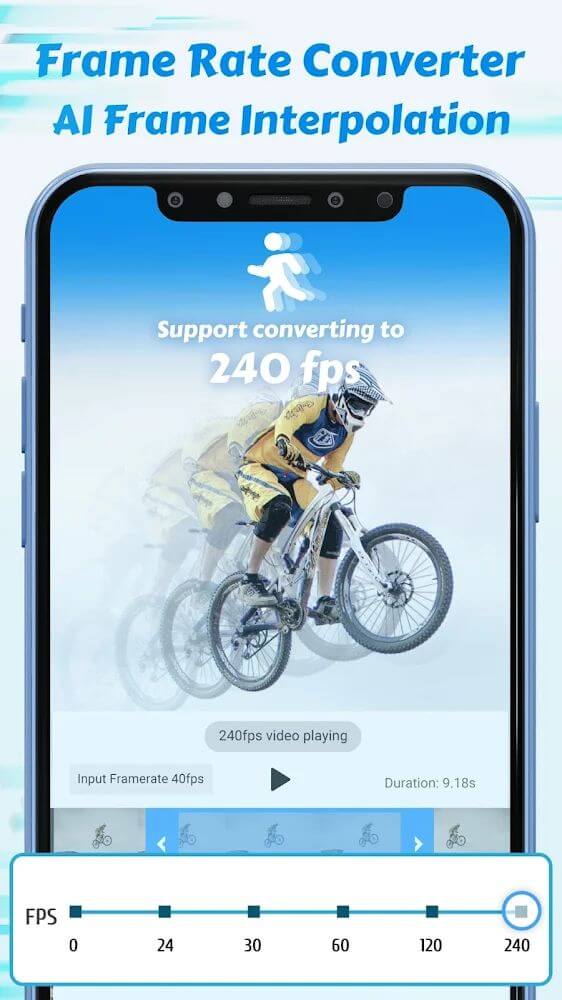
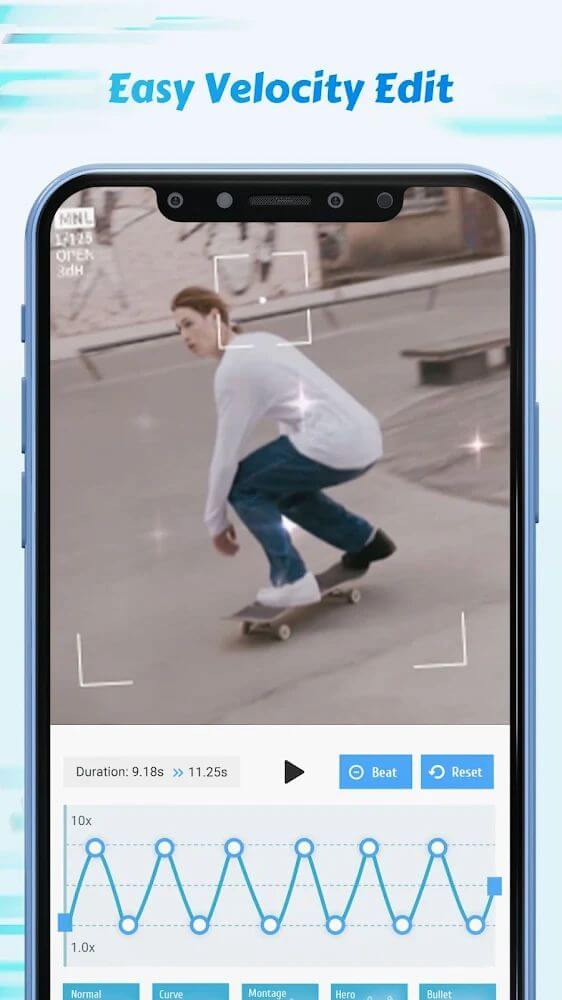
Allowing users to change and increase frame rates of videos being edited is a key feature of the software. With the software, users can raise the frame rate of videos to 60, 120 or 240 frames per second. This is useful when depicting fast moving action to create a smoother, more realistic video. In addition, the software can do the reverse. The software can lower the frame rate of a video to 24 frames per second, which is the frame rate of films, or 30 frames per second which is the frame rate of videos. The software allows users to remove the effects of editing and reverse the editing to more traditional film making or video making. The software provides many frame rate options to give a more authentic editing experience to users based on frame rate preferences.
The application places great emphasis on quality during its video speed conversion process. In most online video speed converters, users experience a significant reduction in video quality that is often irreversible. The application solves this by using an in-built system to read and process all videos available in the interface. The system is able to capture and analyze movements in a video and is able to perform gentle transformations to the movements. This results in a very smooth video. The application is able to process all types of Slowmotion videos including the popular HFR videos, and is able to preserve quality of the videos. The system is able to perform gentle transformations to any type of fast or slow motion videos, and is able to improve the editing effects to professional standards.
The app uses the Twixtor effect to create slowed down footage. This effect is commonly used in the film industry to create slowed down footage. The Twixtor effect simplifies the process of creating slower footage and allows users to gain more control over the effect, thus, producing a better end product. Traditionally, effects such as Twixtor are only available in high-end and high-cost video editing software. Twixtor allows users to slow down normally filmed footage and give users the means to create high quality slow-motion footage. The effect allows users to create footage of the like that is presented in cinema, which is normally only produced by movie studios with deep pockets. The effect is plug-in style, which means that users can implement slow-motion wherever they like in a video and maintain visual consistency, similar to the post-processing effects found in film and video editing software.
 |
 |
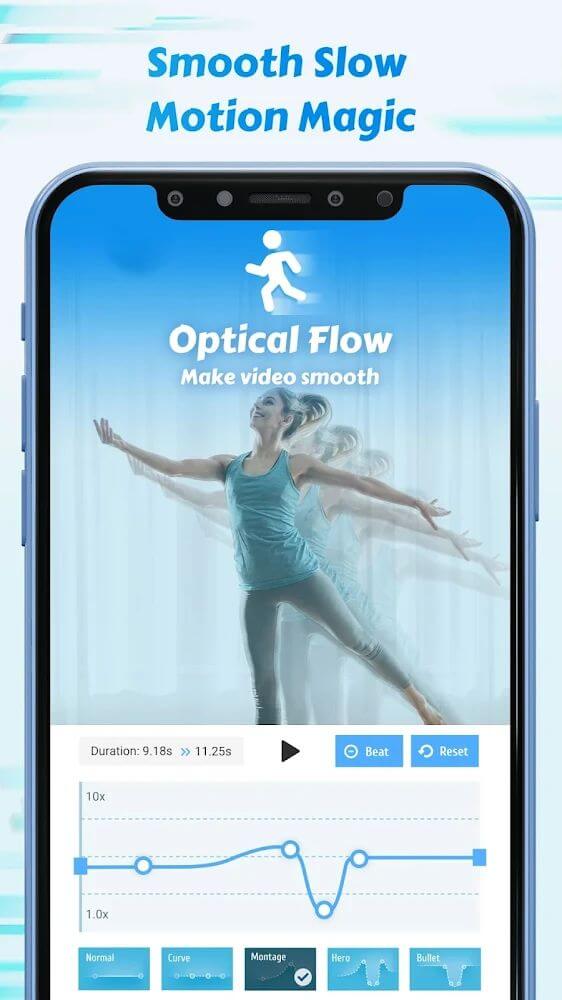
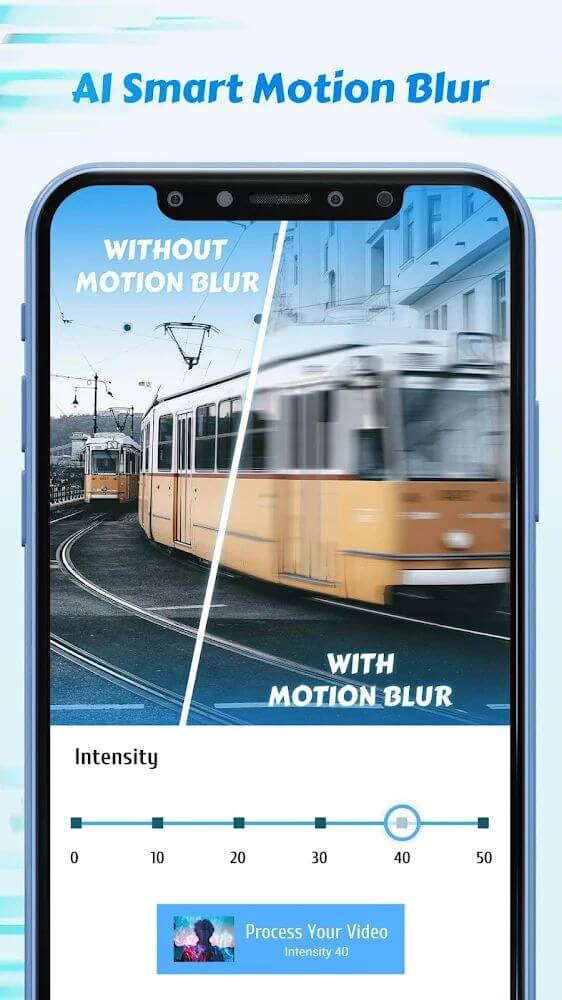
Motion blur adds real depth and puts a finishing touch on a video. It’s a post-production effect that takes a lot of experience and manual adjustments to add in traditional video editors. This app helps users achieve this effect using highly advanced technologies. The app also provides a motion blur effect that competes with the RSMB plugin, which is a favored plugin among video editors for After Effects. Unlike other apps that offer video edits, this app uses the optical flow method to provide motion blur. This produces the best realistic effect for both the editor and the viewer. This effect provides the user with the opportunity to view the final video in a different, more appealing way, than they were previously able to.
The goal in the design of the application was to offer users the opportunity to accurately and precisely edit their movement/motion intifs and outfis. For example, users can easily add, change and edit RSMB, Twixtor, Slower, Flow Motion and other similar motion types of video effects. The app provides desktop level video motion tools and effects to mobile platform devices. Users can blur motion in their videos similar to the effect of using a DSLR to take pictures of a speeding race car. The application offers motion effects for fast and slow video clips. Hence, the application is an editor’s best partner for motion effects and video flow. Users can easily perform professional and advanced video motion types of effects on their mobile devices. The application is designed with professionalism to offer users the opportunity to edit advanced and professional video motion effects.
Key features
- Frame rate conversion to 60/120/240 fps
- Cinema and video conversion to 24 fps and 30 fps
- Professional Twixtor Effect slow motion plugin
- Motion blur fx similar to RSMB After Effects plugin
- Optical flow method for realistic motion blur
- High frame rate (HFR) video analysis and conversion
- Quality preservation system for speed changes
- Professional graphic effects for motion customization
 |
 |
Related MOD APKs
FAQ
Is Premium unlocked in Time Cut MOD APK?
This build of Time Cut (2.6.0) includes Pro Unlocked. It operates like the changpeng release, and the features are available as soon as you finish the installation.
What is the latest version of Time Cut MOD APK?
This 2.6.0 version matches the changpeng update from August 26, 2026. We don’t keep older versions here. Install this file over the existing app; if you get a signature error, remove the old one first.
Is Time Cut MOD APK safe to download?
This Time Cut 2.6.0 download by changpeng features Pro Unlocked. 71 users rated it 3.9/5 here. It does not require root. If you see a Play Protect warning, always download from this page
Does Time Cut MOD APK remove the watermark?
Because Pro Unlocked is included, Time Cut should allow watermark-free saving. You should check the export screen after you install the app to confirm.
Time Cut v2.6.0 MOD APK (Pro Unlocked) Download
Download (83M)You are now ready to download Time Cut for free. Here are some notes:
- Please read our MOD Info and installation instructions carefully for the game & app to work properly
- Downloading via 3rd party software like IDM, ADM (Direct link) is currently blocked for abuse reasons.
3.9/5 (73 votes)