Monitor your phone’s temperature in real time, prevent overheating, optimize performance, and keep your device running smoothly and safely. 🔥📊

Thermal Monitor - Phone Temp MOD APK V3.9.1 (Premium Unlocked)
| App Name | Thermal Monitor - Phone Temp |
|---|---|
| Publisher | Rollerbush |
| Genre | Tools |
| Size | 2 MB |
| Latest Version | 3.9.1 |
| MOD Info | Premium Unlocked |
| Get it On |

|

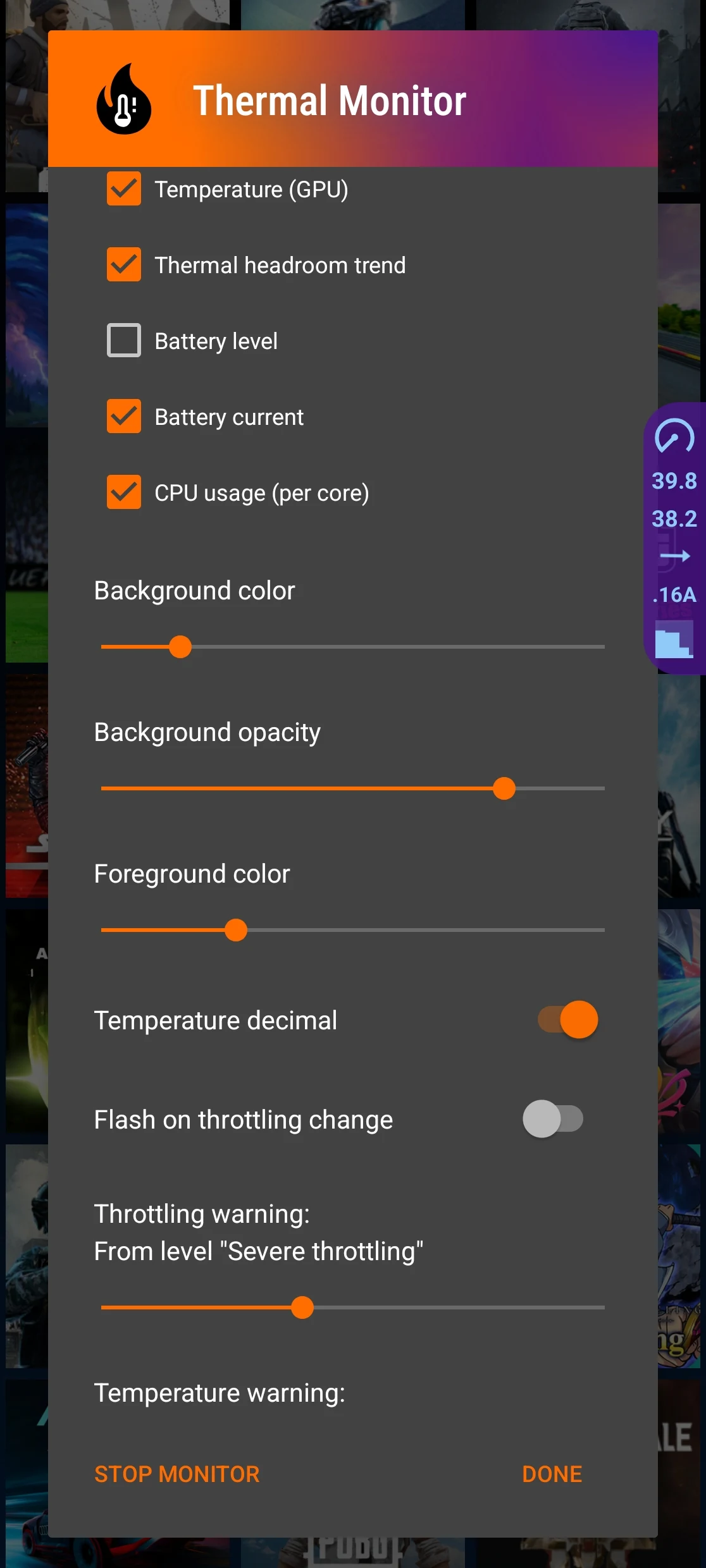
This build provides access to the full suite of features by incorporating a Premium Unlocked status. The Thermal Monitor MOD APK ensures that all monitoring tools and system insights are available to the user from the first launch.
What’s Modified in Thermal Monitor
- The premium features of the application are unlocked, providing full access to all monitoring and alert tools without the need for additional purchases.
Version 3.9.1 has a file size of 2 MB and uses the package name com.rollerbush.thermal; because this file is re-signed with a different certificate, it cannot be installed as an update over the version found on the official store.
About Thermal Monitor
Thermal Monitor – Phone Temp helps users control their device temperature. Continuously increasing temperatures can affect battery health and shorten the lifespan of the device. This program helps users comprehensively manage thermals and view temperatures. The program helps users better understand the source of heat and what functions of the device cause it. Users can better manage and control heat generation with this program and maintain the device within its intended operating thermals. This is especially useful when performing functions that can stress the device, like gaming or video streaming. The program provides real-time data and can be used in conjunction with a wall charger.
This software provides live device monitoring. It shows detailed information about system load, and more importantly for our use case, information about load on the central processing unit (CPU). As you may know, each processor has a limit on how hard it can work. If the load exceeds that limit, the processor increases its temperature. The goal here is not to measure the temperature of the processor. Instead, the goal is to understand how hard the processor is working, i.e., what the load on the processor is. Once the load goes up, users can look for the processes that cause the load to go up and (possibly) consume a lot of energy and make the device run really really hot. With the Thermal Monitor Modified Application (Mod APK) users can see these load spikes in real time. The goal of this application is to help users understand why their device is running hot. The application provides all of this information in easy to read, live dashboards.
The application takes battery health into account. Lithium-ion batteries tend to lose their health and overall capacity due to several reasons, including, but not limited to, heat exposure. Maintaining the temperature of the battery packs can potentially improve the overall health of the power train of the device. The application is capable of gathering data on the temperature of the batteries. The data can potentially help the user make decisions on charging and help them determine when to take breaks from heavy workloads. The application can help the user gain a deeper understanding of when charging becomes too harsh on the battery. The application helps the user gain a deeper understanding of the longevity of the battery by providing tools to analyze charging habits. One of the functions of the application helps the user see the thermal state of the battery while other background applications are being used.
To protect the hardware from damage, the app has a system for alerting users about overheating. These alerts are triggered when the hardware reaches a particular threshold and is intended to be a warning to users to act before the hardware is permanently damaged. The alert system is coupled with a suggestion to use a given software feature that would bring the hardware to a safe operating state. The feature automatically tunes the hardware to a safe operating state by suggesting strategies to manage the temperature of the hardware. These strategies may include, but are not limited to, automatically adjusting the hardware’s usage patterns or closing high resource consuming applications. The app identifies software features to manage overheating by analyzing the usage patterns of the hardware. These features are presented to users through the performance insights available in the app.
The goal of our development team was to produce a lightweight and efficient user interface. Our target was to produce a tool that would not excessively drain the device battery and contribute to heat dissipation while still permitting real time monitoring of these factors. The tool permits the user to select a preferred visual style, including a dark style if the user is working in a low light condition. The developers have ensured that the underlying code for the dark style is as minimal as possible in order to provide the utility while keeping the system as compact as possible. These factors combined facilitate a clean and minimalist user interface. The user is permitted to interact with the elements on the dashboard to gain more information.
Monitoring helps to detect issues leading to performance issues due to thermal throttling. When a device gets too hot, the system automatically slows down the processor (called clock speed) to prevent it from overheating, and this results in a significant reduction in the device performance and an increase in lag. The Thermal Monitor app helps users to address this issue by giving an early warning to increasing temperature in the device. It is important to manage device temperature to deliver the best user experience and this is especially important when running processor intensive apps. Throttling happens over time due to constant use and this results in lags and poor user experience. Monitoring the temperatures helps to manage these long term effects and improve user experience in the process.
Key features
- Real-Time Temperature Monitoring
- CPU and System Usage Overview
- Battery Temperature Tracking
- Overheating Alerts
- Cooling Recommendations
- Performance Insights
- Simple and Clean Dashboard
- Dark Mode Support
Related MOD APKs
- MovieBox ID: Watch Movies, TV Series, K-Dramas & Anime for Free
- KWGT Kustom Widget Pro
- SnapTube
- Terabox
FAQ
Is Premium unlocked in Thermal Monitor – Phone Temp MOD APK?
This 3.9.1 build of Thermal Monitor – Phone Temp includes Premium Unlocked. It functions similarly to the Rollerbush version, with all modifications active immediately after installation.
What is the latest version of Thermal Monitor – Phone Temp MOD APK?
This 3.9.1 release matches Rollerbush and was updated August 21, 2026. We don’t keep older versions here. Install this file over your current app to update; if you see a signature error, delete the old version first.
Is Thermal Monitor – Phone Temp MOD APK safe to download?
This 3.9.1 Thermal Monitor – Phone Temp build on MODYOLO from Rollerbush adds Premium Unlocked. It has a 4.7 rating from 36 users. It does not require root. Ignore Play Protect warnings and always download from this page.
Can I use Thermal Monitor – Phone Temp MOD APK on PC or iPhone?
This Android package will not install on iPhone or iPad. On a computer, you can run the 2 MB file using BlueStacks or LDPlayer; simply install the emulator and drag the file into it.
Thermal Monitor - Phone Temp MOD APK V3.9.1 (Premium Unlocked)
Download (2 MB )You are now ready to download Thermal Monitor - Phone Temp for free. Here are some notes:
- Please read our MOD Info and installation instructions carefully for the game & app to work properly
- Downloading via 3rd party software like IDM, ADM (Direct link) is currently blocked for abuse reasons.
4.7/5 (36 votes)